
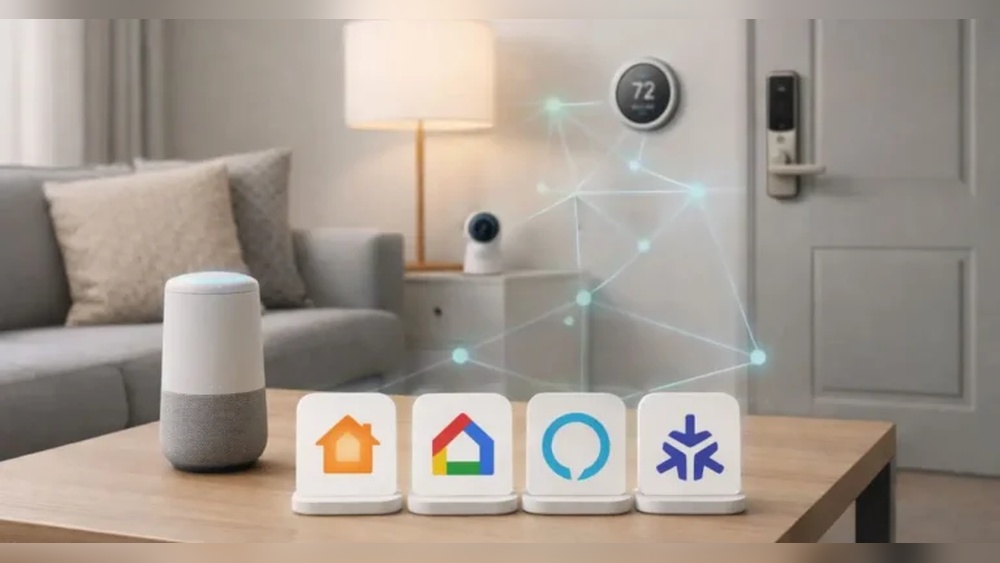
Have you ever wondered what makes smart home devices work well together? Or why some devices don’t connect easily? This article will explain smart home compatibility in simple words. You will learn what it means and why it matters. Let’s start!
What is a Smart Home?
A smart home is a house with devices that you can control using your phone or voice. These devices include lights, locks, cameras, and thermostats. They make your home safer and more comfortable. For example, you can turn off lights from your bed or see who is at the door from far away.
What Does Compatibility Mean?
Compatibility means that things can work together without problems. In smart homes, it means devices can talk to each other and work as a team. If they are compatible, you can control many devices from one place. If not, you might need many apps or controls.

Credit: www.amazon.com
Why is Compatibility Important?
Imagine buying a smart light and a smart speaker. If they are not compatible, the speaker cannot turn the light on or off. This can be frustrating. When devices are compatible, you save time and money. You also get a better experience using your smart home.
How Do Smart Devices Talk?
Smart devices use special languages to communicate. These languages are called protocols. Think of protocols as common rules that devices follow to send messages. Some popular protocols are Wi-Fi, Bluetooth, Zigbee, and Z-Wave.
Wi-fi
Many devices use Wi-Fi to connect to the internet and each other. It is fast and works in most homes. But Wi-Fi devices use more power and sometimes the connection can be slow if many devices use Wi-Fi at once.
Bluetooth
Bluetooth is good for short distances. Devices like smart locks or headphones use Bluetooth. It uses less power but does not work well if devices are far apart.
Zigbee And Z-wave
These are special protocols made for smart homes. They use little power and can connect many devices over a large area. They create a mesh network, where devices pass messages to each other. This helps if one device is too far from the main controller.
Smart Home Hubs
A smart home hub is a device that helps many devices work together. It understands different protocols and lets you control everything from one app. For example, a hub can connect Zigbee lights and Wi-Fi cameras. Without a hub, these devices might not work together easily.
Common Smart Home Systems
Some big companies make smart home systems. These systems include apps and devices that work well together. Let’s look at some popular ones.
| System | Works With | Voice Control | Notes |
|---|---|---|---|
| Amazon Alexa | Many Wi-Fi and Zigbee devices | Yes | Works with Echo speakers and many brands |
| Google Home | Wi-Fi devices and some Zigbee | Yes | Easy to use with Android phones |
| Apple HomeKit | Devices with HomeKit support | Yes (Siri) | Best for Apple users |
How to Check Compatibility?
Before buying a smart device, check if it works with your system. Look at the box or website for words like “Works with Alexa,” “Google Assistant,” or “Apple HomeKit.” Also, check which protocol it uses—Wi-Fi, Zigbee, or Z-Wave.
If you already have devices, try to buy new ones that use the same system or protocol. This helps avoid problems later.
What About Apps?
Each smart device comes with an app. Some devices use the same app, and some need separate apps. If devices are compatible, you can control many from one app. If not, you might need to open many apps to control your home.
Smart home hubs and systems often let you control many devices in one app. This makes things easier.

Credit: hometechnologies.info
Voice Control and Compatibility
Voice assistants like Alexa, Google Assistant, and Siri help control devices with your voice. But not all devices work with all voice assistants. Check if your device supports the voice assistant you want to use.
For example, some lights work with Alexa but not Siri. This is important if you want to use voice commands.
Tips for Building a Compatible Smart Home
- Start with one system, like Alexa or Google Home.
- Choose devices that say they work with your system.
- Use a smart home hub to connect different devices.
- Check the protocols devices use before buying.
- Read reviews to see if devices work well together.
What if Devices Are Not Compatible?
Sometimes devices don’t work together easily. You might have to use separate apps for each device. This can be confusing.
Another option is to buy a smart home hub that supports many protocols. This can help connect devices from different brands.
Future of Smart Home Compatibility
The smart home world is changing fast. New standards are being made to help devices work better together. One new standard is called Matter. It aims to make compatibility easier for everyone.
Soon, many devices will work well together no matter the brand. This will make smart homes simpler to build and use.
Summary
Smart home compatibility means devices can connect and work together. It depends on the protocols they use and the systems they support. Wi-Fi, Bluetooth, Zigbee, and Z-Wave are common ways devices talk. Smart home hubs help devices with different protocols work as a team.
Check compatibility before buying devices. Look for support with your smart home system and voice assistant. Use apps or hubs to control many devices in one place. Following these tips will make your smart home easier to use and more fun.
Remember, a smart home is about making life easier and safer. Compatibility helps devices work well and keeps things simple.
Frequently Asked Questions
What Does Smart Home Compatibility Mean?
Smart home compatibility means devices work well together in one system. It lets you control many gadgets from one app or voice assistant.
Why Is Smart Home Compatibility Important?
It makes your devices easier to use and saves time. Compatible devices work together without errors or extra setup.
How Can I Check If Devices Are Compatible?
Look for common brands or standards like Wi-Fi, Zigbee, or Z-Wave. Check product details or manufacturer websites for compatibility info.
Can Smart Home Devices From Different Brands Work Together?
Yes, if they support the same technology or platform. Many devices use universal standards to connect smoothly.