
Smart home systems are becoming more popular every day. But how do they work? This article will explain the steps in a simple way. You will learn how these systems make life easier.
What Is a Smart Home System?
A smart home system lets you control many things in your house. You can use your phone or voice to manage lights, locks, and more. It connects different devices to work together. This makes your home safer and more comfortable.
Step 1: Choose Your Devices
The first step is to pick smart devices. These can be smart lights, thermostats, cameras, or locks. Each device has a special job. For example, smart lights can turn on and off by themselves.
- Smart lights: Control brightness and color.
- Smart thermostat: Adjusts temperature automatically.
- Smart locks: Lock or unlock doors remotely.
- Smart cameras: Watch your home from anywhere.
You can start with one device or buy many at once. It depends on what you need and your budget.
Step 2: Connect Devices to a Hub
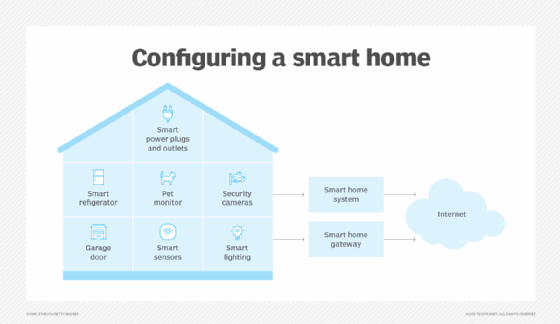
Most smart devices need a hub to connect. A hub is a small box or app that controls everything. It helps devices talk to each other. Some devices connect through Wi-Fi, Bluetooth, or special signals.
The hub is like the brain of your smart home. It sends commands and receives information from devices. Without a hub, devices may not work together well.
Step 3: Install the Devices
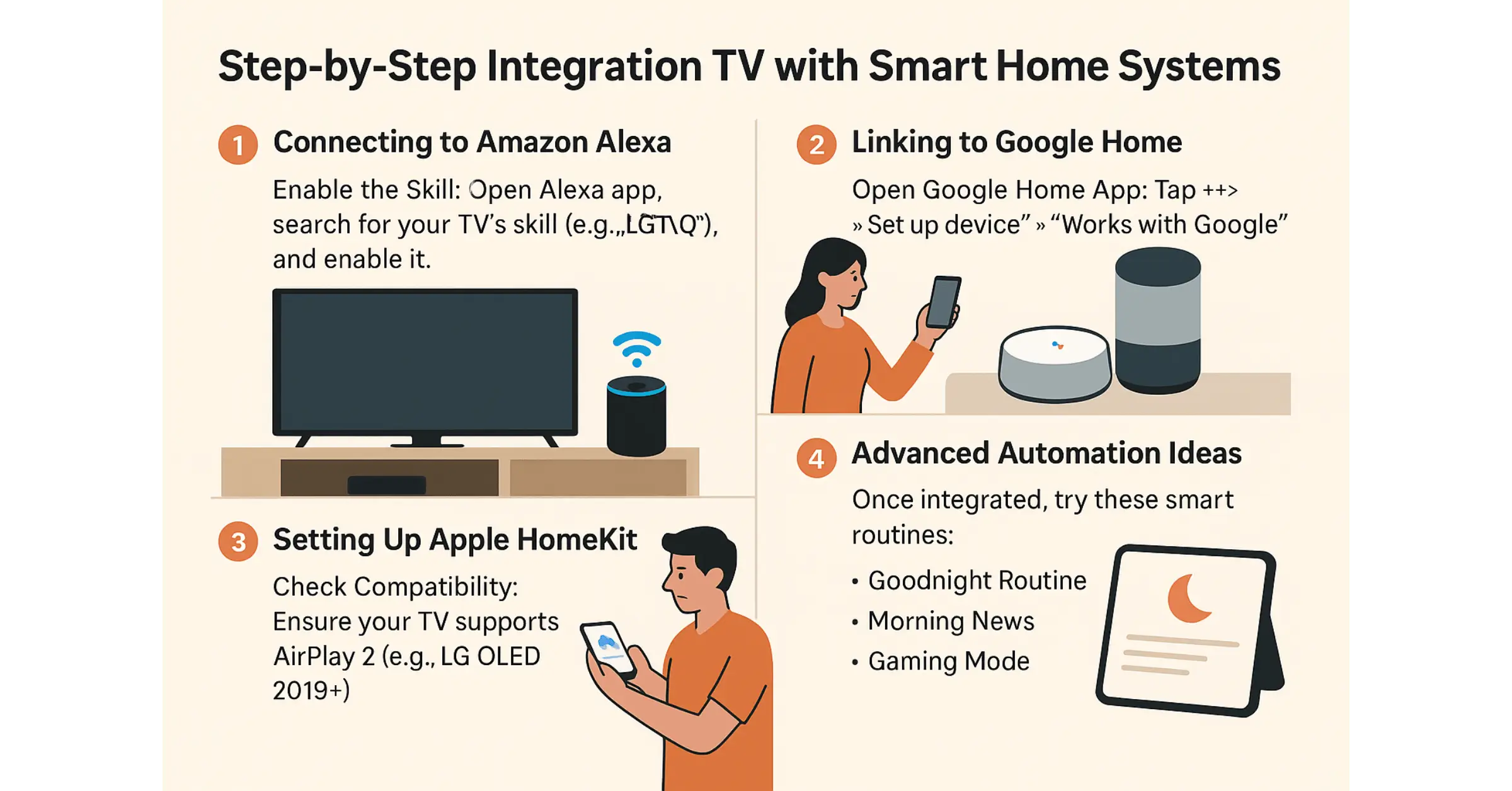
Next, you install your smart devices around your home. Some devices are easy to set up. For example, smart plugs just go into an outlet. Others may need more work, like smart door locks or cameras.
Follow the instructions carefully. Most devices come with simple guides. You can also watch videos to help with installation.
Credit: userlyf.com
Step 4: Connect Devices to the Internet
Your smart home needs internet to work well. Devices send and receive data online. This lets you control them from anywhere. You usually connect devices to your home Wi-Fi.
Make sure your Wi-Fi is strong and covers your whole house. Weak Wi-Fi may cause devices to stop working. You can use Wi-Fi extenders if needed.
Step 5: Use a Smart Home App
After installing and connecting devices, you use an app. This app is your main control center. You can turn devices on or off, change settings, and check status.
The app is easy to use. It shows all your devices in one place. You can also create rules. For example, you can set lights to turn off at bedtime.
Step 6: Set Automation Rules
Automation means devices work by themselves. You do not need to control them all the time. For example, the thermostat can lower the temperature when no one is home.
You can create simple rules like:
- Turn on lights when you enter a room.
- Lock doors at night automatically.
- Turn off all devices when you leave home.
Automation saves time and energy. It makes your home smart and efficient.
Credit: www.techtarget.com
Step 7: Use Voice Commands
Many smart homes use voice assistants like Alexa or Google Assistant. You can speak to control devices. For example, say “turn on the lights” to your assistant.
Voice commands are quick and hands-free. They are helpful when your hands are full. You need to set up your voice assistant first.
Step 8: Monitor and Maintain Your System
It is important to check your smart home often. Make sure devices work well. Update the app and device software when needed.
If a device stops working, try restarting it. Check your internet connection too. Sometimes, devices need new batteries or fixing.
Benefits of Using Smart Home Systems
Smart home systems offer many good things. Here are some benefits:
| Benefit | How It Helps You |
|---|---|
| Energy Saving | Automatic control lowers bills and saves power. |
| Comfort | Control devices easily for a cozy home. |
| Safety | Smart locks and cameras protect your home. |
| Convenience | Control devices from anywhere, anytime. |
Tips for a Good Smart Home System
Here are some simple tips to get the most from your smart home:
- Start with a few devices and grow later.
- Choose devices that work well together.
- Keep your Wi-Fi strong and stable.
- Use strong passwords to keep your system safe.
- Learn to use the app and voice commands.
Final Thoughts
Smart home systems make homes smarter and easier to live in. They work step by step, starting with devices and ending with automation. You can control everything from your phone or by voice.
With a little time and effort, you can set up a smart home system. It helps save energy, keeps your home safe, and adds comfort. Now you know how smart home systems work. Ready to try one?
Frequently Asked Questions
What Devices Make Up A Smart Home System?
Smart home systems include sensors, cameras, lights, thermostats, and smart speakers. These devices connect to a central hub or app. They work together to automate your home.
How Do Smart Home Systems Connect Devices?
Devices connect via Wi-Fi, Zigbee, or Bluetooth technology. This allows them to communicate with each other. The central hub controls and manages these connections.
Can Smart Home Systems Work Without Internet?
Some smart home functions work offline through local networks. But most features need internet to work fully. Remote control and updates require a stable internet connection.
What Is The Role Of A Smart Home Hub?
The hub acts as the brain of the system. It links all devices and manages commands. It ensures devices work smoothly together.