
Smart homes are becoming more common every day. Many people use smart lights, locks, cameras, and speakers. These devices make life easier. But when you have many devices, managing them can be hard. This article helps you manage many smart home devices in a simple way.
Credit: www.vesternet.com

Credit: loup.com
Why Managing Smart Devices Can Be Hard
Each smart device may have its app. You might need to open many apps to control everything. This can take time and cause confusion.
Also, some devices work with certain brands only. They may not work well together. This can make your smart home less useful.
Steps to Manage Multiple Smart Home Devices
1. Choose One App Or Platform
Pick one app that can control many devices. Many apps connect different devices in one place. This makes managing easy.
Examples of such apps are Google Home, Apple HomeKit, and Amazon Alexa.
2. Use A Smart Home Hub
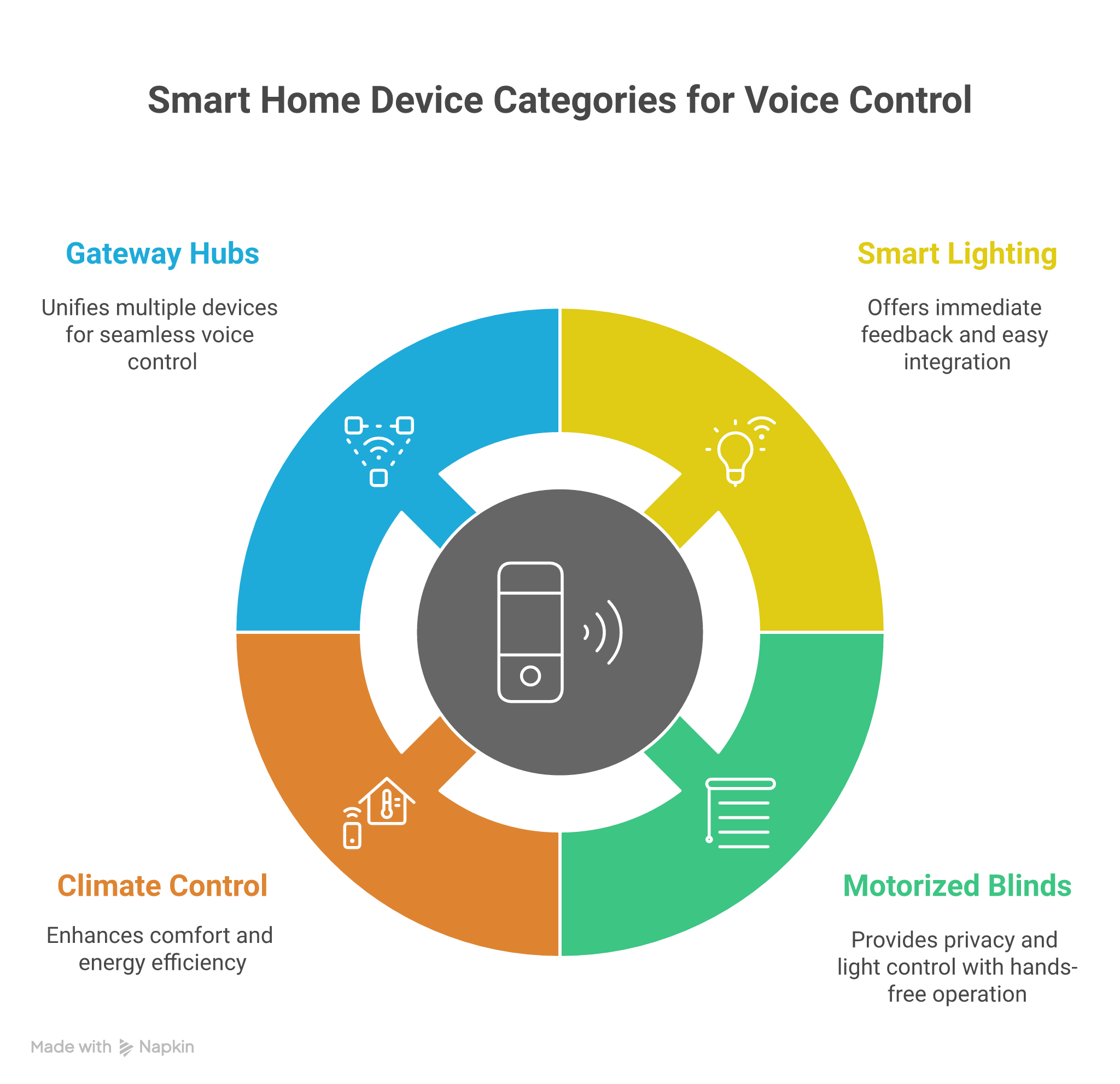
A smart home hub connects many devices. It helps devices talk to each other. It also lets you control devices from one place.
Some popular hubs are Samsung SmartThings and Amazon Echo.
3. Name Your Devices Clearly
Give simple names to your devices. For example, “Living Room Light” or “Front Door Lock.” This helps when you use voice commands or apps.
4. Group Devices By Room Or Function
Group devices in the app by room or type. For example, group all lights in the living room. Or group all security devices together.
This makes it easy to control many devices at once.
5. Set Schedules For Devices
Use schedules to automate devices. For example, turn lights on at sunset. Or lock doors at night.
This helps devices work without your help.
6. Use Voice Commands
Voice assistants like Alexa or Google Assistant make control easy. You can ask to turn on lights or check cameras.
Make sure your devices work with your voice assistant.
7. Keep Devices Updated
Update device software often. Updates fix bugs and add features. This keeps devices working well.
8. Secure Your Smart Home
Use strong passwords for your Wi-Fi and apps. Change passwords regularly. This keeps your smart home safe.
Turn on two-factor authentication if available.
Common Smart Home Devices and How to Manage Them
| Device Type | How to Manage |
|---|---|
| Smart Lights | Group by room, set schedules, control with app or voice. |
| Smart Locks | Check lock status remotely, set auto-lock times, share access codes safely. |
| Security Cameras | View live feed in one app, set motion alerts, save recordings. |
| Smart Thermostats | Set temperature schedules, control remotely, monitor energy use. |
| Smart Speakers | Connect with other devices, use voice commands, update regularly. |
Tips to Make Smart Home Management Easier
- Write down device names and locations.
- Use one app or platform for most devices.
- Test devices after setup to make sure they work.
- Use simple voice commands.
- Ask family members to learn how to use devices.
What to Do When Devices Don’t Work Together
Sometimes devices from different brands do not connect well. Here are some ideas:
- Look for a smart hub that supports many brands.
- Use apps that can control different devices in one place.
- Check if devices support common standards like Zigbee or Z-Wave.
- Contact customer support for help.
Benefits of Managing Smart Devices Efficiently
When you manage devices well, your smart home works better. You save time and energy. You feel safer and more comfortable.
Devices can help with daily tasks. For example, lights turn on when you come home. Doors lock automatically at night.
Good management makes your life less stressful.
Final Thoughts
Managing many smart home devices does not have to be hard. Use one app or a smart hub. Name devices clearly. Group and schedule them. Use voice control if you can. Keep devices updated and secure.
With these tips, your smart home will be easy to control. You will enjoy the benefits of technology without stress.
Start small. Add one device at a time. Learn how to use it well. Then add more devices step by step.
Smart homes are here to help. Managing them well makes life better.
Frequently Asked Questions
How Can I Control Multiple Smart Devices From One App?
Use a smart home hub or app that supports many devices. This lets you manage all gadgets in one place easily. Popular apps include Google Home and Apple HomeKit.
What Is The Best Way To Organize Smart Device Settings?
Group devices by room or function for easier control. Label each device clearly in the app for quick access. This saves time and avoids confusion.
How Do I Avoid Conflicts Between Smart Devices?
Ensure all devices use compatible platforms and protocols. Regularly update firmware to fix bugs and improve performance. Avoid using too many brands that don’t work well together.
Can Voice Assistants Manage Multiple Smart Devices Efficiently?
Yes, voice assistants like Alexa or Google Assistant can control many devices. They allow hands-free commands and quick device management. Make sure devices are linked to the assistant.