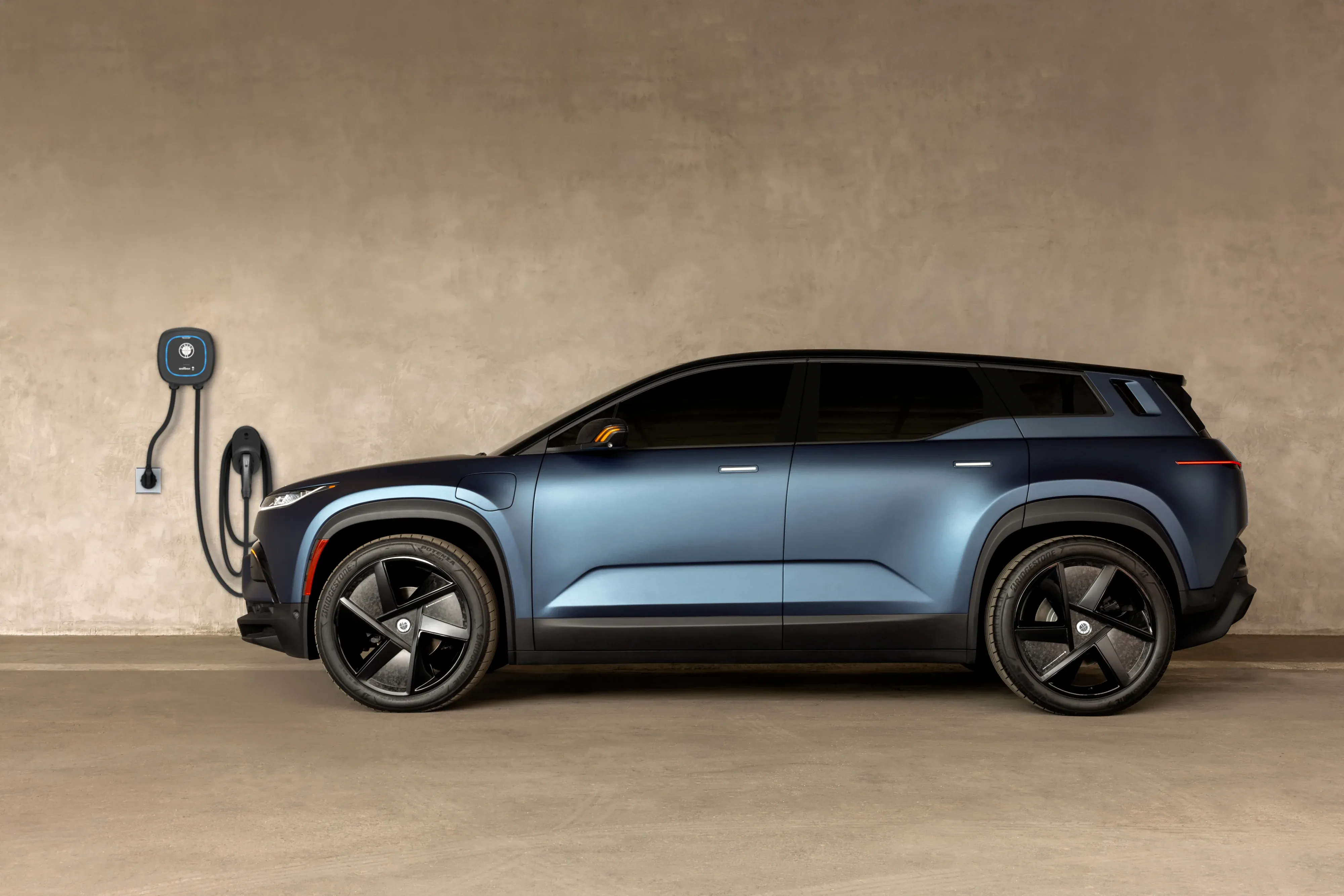
Do not let a charging screen turn a simple drive into a guessing game. A 2023 Fisker Ocean is easiest to live with when the charging routine is clear: know which screen answers which question, set a sensible target and spot a real issue before it steals your time. The supplied charging screenshot shows 241 volts and 26.7 amps, or roughly 6.4 kW. That is a real home-session example, not a promise of the speed every Ocean or home will see.
This guide is for the 2023 Fisker Ocean sometimes described by owners or sellers as “Premium.” Fisker's published 2023 materials use names such as Ocean One, Extreme, Ultra and Sport, so confirm the VIN and the vehicle's own equipment before relying on trim-specific claims. The practical steps below help you charge with more confidence, whether the car is in your driveway or waiting at a public station.
2026 Fisker Ocean update: what has genuinely improved
The 2026 story is more complicated than a typical model-year update. Fisker Inc. entered bankruptcy in 2024, so owners should not assume a conventional manufacturer warranty, dealer network or factory roadmap is returning. What has improved is the owner-support ecosystem around the car. OV Loop's Ocean Loop service now describes cloud connectivity, mobile access, remote diagnostics and over-the-air software support for Ocean owners. In Europe, Fisker GmbH i.L. has also advertised Final Edition vehicles with OS 2.6, Android Auto and hardware and software for Apple CarPlay functionality. Availability, hardware fit and service coverage can vary by region and vehicle.
That is meaningful progress, but it is not a blank check. Before buying or upgrading, confirm the VIN, current software version, 12-volt battery health, connectivity status and local repair path. Run the VIN through NHTSA's recall lookup and ask which recall work and software updates are already documented. A 2026 Ocean can be more usable than an early delivery, but the right purchase decision still depends on support in your area.
Comma AI and “autonomous driving”: the honest 2026 outlook
There is active interest in bringing Comma AI's openpilot to the Fisker Ocean, and community reporting in 2026 has shown early development progress. That is not the same thing as a factory-supported autonomous-driving system. Comma's own project documentation says openpilot requires a supported car, compatible hardware and a vehicle-specific harness. It also describes the open-source software as alpha-quality research software, not a product with a warranty.
For now, treat Comma AI for the Ocean as an enthusiast project, not a reason to buy the vehicle or a substitute for attentive driving. Do not call it self-driving. Do not assume an aftermarket driver-assistance device will work on every Ocean, remain supported after a software change or be accepted by an insurer. If you explore it, confirm the exact vehicle compatibility, installation method, local laws and insurance implications first, then keep your hands, eyes and attention on the road.
Start here: the smarter everyday Fisker Ocean charging routine
For most owners, home AC charging is the calm, repeatable option. Plug in when the car is parked for the night, use the car's daily charge target, and leave DC fast charging for trips or days when time matters. Fisker's owner guidance recommends an 80 percent charge limit for normal daily driving. Raise it for a planned long drive, then return to the everyday setting when that trip is over.
- At home: use a suitable, professionally installed charging setup and a clean, undamaged cable.
- For daily use: use the 80 percent recommendation as the starting point, then adjust for your real mileage.
- On a trip: use public DC charging when it saves meaningful time, but do not make it the default just because it is faster.
- In winter: give the car more time, and follow the cold-weather guidance before assuming something is wrong.
Win at home charging before you chase speed
Home charging is where an EV becomes easy to live with. The important variables are the circuit, the charging equipment, the condition of the outlet or hardwired unit, the cable, the car's state of charge and the ambient temperature. A larger charger does not force a vehicle to accept more power than it is designed or configured to accept. It does, however, give a qualified electrician room to build a safe, durable setup for the household and for a future vehicle.
Before the first regular session, inspect the cable, connector and charge port. Fisker's safety checklist says not to use a worn or damaged outlet, cable or connector, and not to charge with wet hands, a wet connector or an obstructed charge port. It also calls for the cable to be fully uncoiled during charging. Read the official charging safety checklist before treating any unfamiliar equipment as routine.
For a home with a shared circuit or a concern about the available current, use the Ocean's maximum-current setting carefully. Fisker notes that this setting applies to AC charging, not DC fast charging, and specifically points owners toward a lower setting when a shared domestic circuit could be a concern. The right answer is not to experiment until something trips. It is to understand the circuit and get professional advice when the installation is uncertain.
Fisker app vs charging app: stop checking the wrong screen
These two apps do different jobs, so neither replaces the other. The charging app is the better place to confirm what the home charger is delivering during a live session, such as volts, amps and charging power. The Fisker app is the better place to check the vehicle itself: high-voltage battery percentage and estimated miles, low-voltage battery information, climate state, door state, hatch state and vehicle controls.
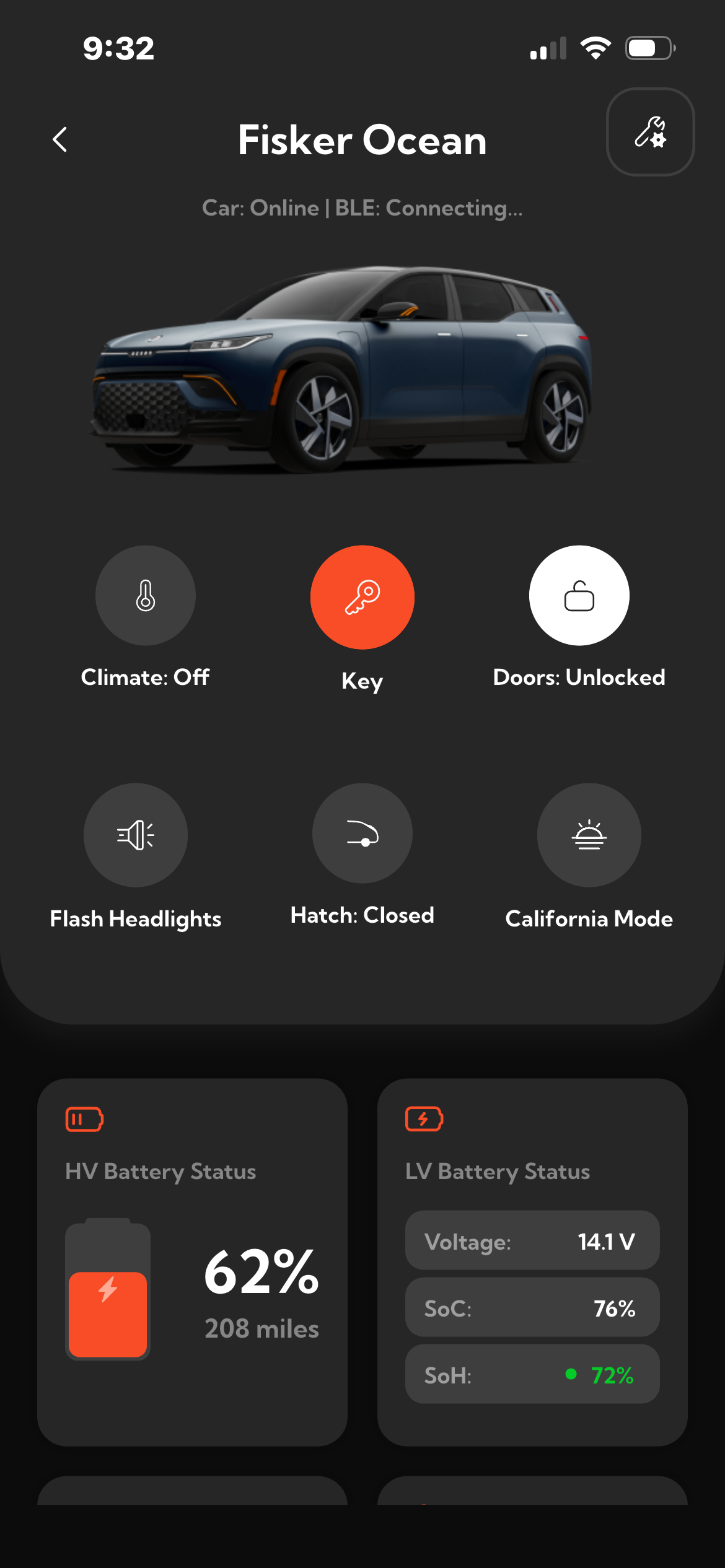
| When you need to know | Best place to check |
|---|---|
| Is the charger delivering power right now? | Charging app |
| What voltage, current and charging power is the home unit reporting? | Charging app |
| What is the Ocean's battery percentage and estimated range? | Fisker app |
| Are the doors, hatch or climate controls in the expected state? | Fisker app |
| Did a charging session stop because of the car or the station? | Check both, then read the Ocean touchscreen message |
That comparison is where the setup becomes more useful than either screen on its own. A charger can report that it is supplying power, while the Fisker app can show whether the vehicle state makes sense for the trip ahead. If the two views disagree, pause before making assumptions. Check the cable, the charger instructions and the message on the Ocean's central touchscreen.
Set the charge limit that protects your daily routine
“Always charge to 100 percent” is a convenient rule for a gas tank, not an especially thoughtful one for every EV day. Fisker's guidance recommends 80 percent for routine daily use, while allowing owners to change the target to match their driving needs. That gives a practical pattern: keep the normal ceiling at 80 percent, increase it before a longer day when you need the extra buffer, and lower the target when the vehicle will be parked for an extended period.
This matters because a charging routine should remove decisions, not create them. If the car normally travels 20, 40 or 70 miles between nights at home, the question is whether the next day is covered with room for a detour, not whether the battery reached a headline number. A useful routine also leaves time for the car to finish charging before departure. The Ocean can support off-peak charging and a minimum-charge setting, so owners with time-of-use electricity pricing should check those controls in the vehicle rather than relying on a generic schedule from another EV.
For broader planning around connected energy at home, SavvyNests' smart-home automation guide can help identify which routines are genuinely useful. The best setup is usually boring in a good way: a clear charging window, an easy-to-read status display and a household that knows not to unplug the car halfway through the night.
Public charging without the panic
Public charging adds a few moving parts. The station may require its own app, an RFID card or another authorization method, and its attached cable needs the same quick visual check as a home cable. Fisker's public-charging guidance specifically says to inspect an attached cable for defects before use. If the connector is damaged, excessively worn, visibly dirty or does not fit smoothly, choose another station rather than forcing it.
- Plan the stop with enough remaining battery that you are not troubleshooting under pressure.
- Park so the cable reaches without pulling tight or resting in a way that strains the connector.
- Unlock the vehicle, open the charge-port door and inspect the port and cable.
- Start the session according to the station's instructions, which may involve an app, card or touchscreen.
- Confirm the Ocean shows a charging state, then check the vehicle and charger once more before walking away.
- When finished, stop the session through the station or vehicle as directed and remove the cable without forcing it.
The charge port is on the left side of the Ocean, above and slightly behind the front wheel. The vehicle must be unlocked to open the charge-port door. In freezing weather, Fisker says not to chip ice from the door with tools. Press it normally and use care rather than turning a small weather problem into a damaged panel. Those details are covered in the charge-port door instructions.
Use DC fast charging when it earns its place
DC fast charging is a road-trip convenience, not a moral failure or a magic fix. It can shorten a useful stop, but charging time still changes with the battery's condition, current state of charge and outside temperature. A charger label alone cannot predict the session. The vehicle and station negotiate the actual power available at that moment.
Fisker's owner material states that frequent DC charging can negatively affect high-voltage battery efficiency and service life. That does not mean owners should avoid public fast charging when it makes a trip practical. It means home AC charging is the better default when time allows, while DC fast charging earns its place on travel days, between appointments or when a home session is not available. Think of it as a tool for a specific job.
Do not drive off with the cable connected. The Ocean's owner information notes that the vehicle cannot enter READY mode with a charging cable connected. If a cable will not release through the normal button procedure, follow the manual-release instructions in the owner guide and do not pull on it forcibly. Forcing a connector is a quick way to turn an ordinary charging stop into a service issue.
Cold weather, storage and updates: protect the plan
Cold weather changes what a battery can do. Fisker says a cold battery can reduce range, and charging may not begin if the battery is too cold, with a notification shown on the central touchscreen. If the vehicle is parked in temperatures below -4°F (-20°C) and is not being driven, Fisker recommends leaving it plugged in and charging. That is a better winter plan than waiting until the battery is critically low and hoping a short stop solves it.
Long-term parking deserves its own setting. Instead of treating storage as an extended version of daily driving, use the lower charge-limit guidance in the owner's manual and check the car periodically. Do not assume a software update or seasonal weather will leave charging unchanged. The Ocean's guidance for over-the-air updates says the battery must be at least 30 percent, charging pauses while the update installs, and the cable should be unplugged before installation. A strong internet connection also matters. Review the preserved over-the-air update instructions for the full sequence.
Read the charging lights before you troubleshoot
Charging status lights are useful because they narrow the problem before you start restarting apps or moving the car. The owner guide identifies solid green as charging in progress. Solid aqua blue means the session is idle, stopped or complete. Flashing aqua blue means the car is communicating with the charging station. Flashing orange indicates an error, and the touchscreen should provide the first clue about what needs attention.
When a session fails, take a slow approach. First check the cable seating, the station's instructions, the charge-port condition and the message on the central touchscreen. Then stop and restart the session if the station permits it. If the port light is flashing orange or the car gives a specific warning, follow that message instead of applying a generic fix from another EV. The charge-status reference is a better source than guesswork.
Buying used? Run this Fisker Ocean charging check first
A used Ocean deserves a more careful handover than a simple test drive. Ask the seller to demonstrate home or public charging, not just show the charge door. Confirm the vehicle's VIN, software version, key fobs, charging cable or accessories included in the sale, and any current warning messages. Then check the charging port, door and cable for physical damage in good light.
Also run the VIN through NHTSA's recall lookup. NHTSA explains that recalls do not expire and the VIN tool shows unrepaired recalls. This is more useful than relying on a seller's memory, a generic forum post or a dated vehicle-history note. For any reported charging fault, ask for the exact dashboard message and the steps already taken, then seek qualified service guidance before buying.
Frequently asked questions
How long does it take to charge a Fisker Ocean?
Charging time depends on the power available, the battery's starting charge, the vehicle's condition and temperature. A home session and a DC fast-charging stop serve different purposes, so treat any single time estimate as a scenario, not a guarantee.
Can you charge a Fisker Ocean at home every night?
Yes, a regular home routine is often the most convenient approach when the equipment and circuit are suitable. Fisker's daily-use recommendation is an 80 percent charge limit, with adjustments when a longer drive requires it.
What should I do if the Fisker Ocean will not start charging?
Check the touchscreen message, cable connection, charge-port condition and station instructions first. Do not use damaged or wet equipment, and do not force a connector. If the vehicle reports an error that does not clear after following the manual, use the support path in the owner information.
Is DC fast charging bad for a Fisker Ocean?
It is a useful option for travel, but Fisker cautions that frequent DC charging can affect battery efficiency and service life. Use it when it solves a real time or distance problem and make home AC charging the usual routine when possible.
Charge with a plan, not a hope
The winning Fisker Ocean charging routine is simple: use safe home AC charging for most days, keep the daily target around Fisker's recommended 80 percent, use public DC charging when it genuinely helps and let the car's own messages guide any troubleshooting. That protects time, cuts avoidable charging friction and gives a used 2023 owner a much clearer way to evaluate the vehicle before and after purchase.