
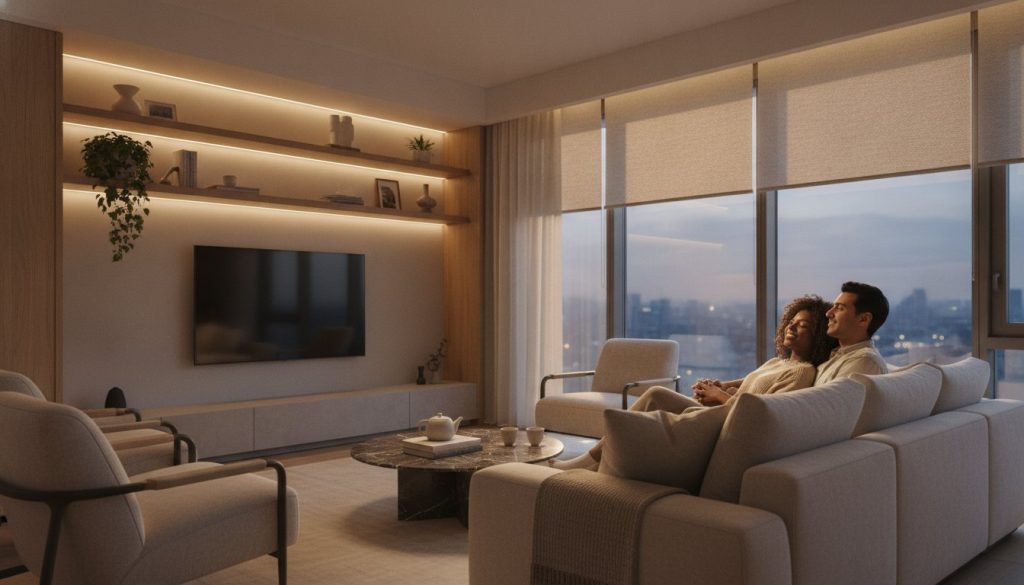
What if your living room could sense your mood and adjust itself without you ever touching a remote? It is a tempting vision, yet many homeowners hesitate because they fear a space filled with clashing apps and messy wires. You want a sanctuary, not a technical support headache. Finding the right smart home ideas for living room layouts means balancing cutting-edge technology with the warmth and comfort of a traditional family space.
We believe that technology should serve your lifestyle, not complicate it. In this guide, you’ll discover how to transform your space into a responsive, automated haven that simplifies your routines and even lowers your energy bills. We will explore the latest Matter 1.5 updates for seamless device compatibility and how the Gemini 3.1 AI model is making voice control feel like a natural conversation. From hidden motorized blinds to smart lighting that can save you up to 20% on utilities, here is how to build a sophisticated, clutter-free living room in 2026.
Key Takeaways
- Select a central ecosystem like Matter 1.5 compatible hubs to ensure all your devices work together without technical headaches.
- Discover how to use smart home ideas for living room lighting to mimic natural daylight patterns, enhancing both your mood and your home’s aesthetic.
- Upgrade your media experience by integrating smart soundbars and synchronized audio that prioritize clear dialogue and immersive sound.
- Lower your energy bills by combining smart thermostats with automated window blinds that respond to sunlight and room occupancy.
- Master the art of automation by setting up simple triggers that turn complex manual tasks into effortless, one-touch routines.
The Smart Living Room Foundation: Choosing Your Ecosystem
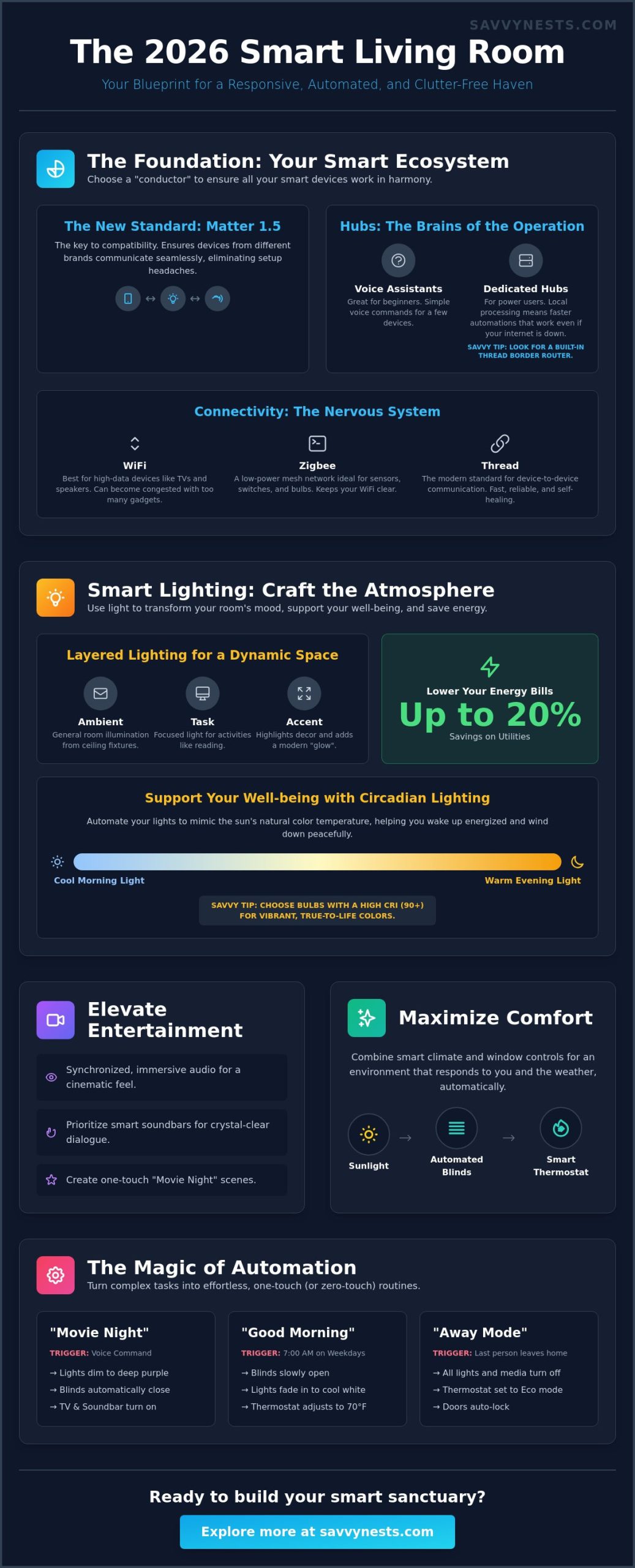
Think of your living room as an orchestra. The lights, blinds, and speakers are the instruments, but they won’t play in harmony without a skilled conductor. In the world of home automation, that conductor is your smart home hub. Choosing an ecosystem is your very first step because it dictates which devices can talk to each other. Whether you prefer the simplicity of Amazon Alexa, the AI-driven intelligence of Google Home, or the privacy-first approach of Apple Home, your choice creates the framework for all your future smart home ideas for living room upgrades. It’s about building a system that feels natural and invisible.
By mid-2026, the industry has shifted toward Matter 1.5, a protocol that finally breaks down the walls between brands. This standard ensures that a light bulb from one company can finally talk to a hub from another without a struggle. If you’re feeling a bit overwhelmed by the options, starting with a comprehensive smart home buying guide is the best way to ensure you’re making a future-proof investment. Setting a solid foundation now prevents the “app fatigue” that comes from managing ten different brands on your phone.
Voice Assistants vs. Dedicated Hubs
For many beginners, a smart speaker like an Echo or a Nest Mini is plenty to manage a few bulbs. It’s an affordable way to test the waters. However, power users often prefer dedicated hubs for local processing. This means your automations happen instantly and even work if your internet goes down. Savvy Tip: When shopping for a hub, ensure it includes a built-in Thread border router. This specific feature allows for faster, more reliable connections between your devices without draining their batteries.
Connectivity Check: WiFi, Zigbee, and Thread
A common mistake is crowding your living room with too many WiFi-based gadgets. This leads to signal congestion, which can make your movie stream lag or your lights unresponsive. To keep things smooth, look into mesh networks or low-power protocols like Zigbee and Thread. These create a separate “web” for your sensors and switches, keeping your main WiFi clear for high-data tasks. Before you commit to any new smart home ideas for living room layouts, use your phone to check the signal strength in every corner. If the signal is weak near your windows or entertainment center, a mesh extender should be your first priority.
Smart Lighting Ideas to Transform Your Living Room Atmosphere
Lighting is the most powerful tool you have to change how a room feels. It isn’t just about flicking a switch to see; it’s about creating an experience. One of the most effective smart home ideas for living room design is the concept of layered lighting. By combining ambient, task, and accent lighting, you can shift your space from a bright morning workspace to a cozy evening retreat. Ambient light provides general illumination, while task lighting focuses on your favorite reading chair. Accent lighting, like smart LED strips hidden behind a TV or under a bookshelf, adds depth and a modern “glow” that makes the room feel larger and more inviting.
Beyond aesthetics, smart lighting supports your well-being. Modern bulbs can mimic natural circadian rhythms by shifting color temperatures throughout the day. In the morning, your lights can glow with a crisp, cool white to help you wake up. As the sun sets, they transition to a warm, amber hue that signals your brain it’s time to wind down. This automation removes the friction of manual adjustments and helps your body stay in sync with the sun. If you’re looking for more ways to simplify your setup, checking out our latest smart device reviews can help you find bulbs that integrate perfectly with your existing hub without a struggle.
Smart Bulbs and Color Temperature
Setting the right mood depends on color temperature. Use cool whites for focus and warm whites for relaxation. For special occasions, RGB bulbs allow you to create “Movie Night” presets that dim the lights to a deep purple or “Game Day” scenes with your team’s colors. The “Savvy” choice here is to prioritize high-CRI bulbs. A Color Rendering Index of 90 or higher ensures that your furniture and decor look vibrant and natural, rather than washed out by artificial light. High-quality bulbs, like the Philips Hue A19 2-pack, offer the precision needed to make these colors pop.
Smart Switches and Dimmer Solutions
While bulbs are great for lamps, smart switches are usually the better choice for main ceiling fixtures. They solve the common “don’t flip that switch” problem; even if someone manually turns off the light at the wall, your automations and voice commands still work. If you live in an older home, look for “no-neutral” wire switches that are designed to work with existing electrical boxes. For a truly seamless feel, integrate motion sensors. Your living room can gently illuminate as you walk in with a handful of snacks, then slowly dim when the room is empty to help you achieve that 20% energy savings many smart systems provide.
Elevating Entertainment: The Smart Media Center
A truly smart media center goes far beyond having a few streaming apps on your home screen. It is about creating a cohesive audio-visual ecosystem where every device works in concert to enhance your downtime. Integrating these smart home ideas for living room entertainment can turn a standard movie night into a cinema-grade event without the clutter of a dozen remotes. By focusing on how your hardware communicates, you can build a space that responds to your voice and anticipates your needs.
Smart soundbars are a critical piece of this puzzle. They do more than just provide volume; many modern units use AI to enhance dialogue and create a soundstage that fills the room without requiring bulky rear speakers. To take the immersion further, consider syncing your smart lights with the colors on your screen. This “Ambilight” style effect expands the visual field beyond the bezel and reduces eye strain during late-night viewing. It creates a sense of depth that makes the action on screen feel like it is part of the room itself.
Smart Audio and Multi-Room Sound
Grouping speakers allows for a seamless transition as you move through your home. You can start a podcast in the kitchen and have it follow you into the living room without missing a word. Voice-controlled playlists make it easy to set the tone; simply say, “Alexa, play my Sunday Morning Jazz” to start your day. For parents, “Night Mode” is a lifesaver. It automatically compresses the dynamic range, keeping the bass from waking the kids while ensuring you can still hear the movie’s dialogue clearly.
Universal Control and IR Blasters
Many homeowners have “dumb” legacy equipment they still love, such as a high-end vintage stereo or a reliable older AC unit. IR blasters act as a bridge, allowing you to control these devices through your smartphone or voice assistant. This consolidates five different remotes into one simple interface. You can even set up “one-touch” activities that trigger multiple devices at once to streamline your smart home ideas for living room routines:
- “Start Gaming” turns on the TV, switches to the correct HDMI input, and dims the lights to 10%.
- “Movie Night” closes the blinds, powers up the soundbar, and prepares the streaming app.
- “Music Mode” switches the audio output to your high-fidelity speakers and sets the volume to your preferred level.
Maximizing Comfort: Smart Climate and Window Ideas
Your living room’s comfort depends on more than just a soft sofa. It is about the invisible factors: temperature, airflow, and the harshness of the afternoon sun. Implementing smart home ideas for living room climate control allows your home to regulate itself based on your presence. Most thermostats are installed in hallways, which are often cooler or warmer than where you actually spend your time. By adding a remote occupancy sensor to your living area, your system ensures the room you are in stays at the perfect temperature while saving energy in empty spaces.
This level of comfort works best when devices talk to each other. A “Savvy” integration involves linking your motorized blinds to your smart thermostat. If sensors detect that direct sunlight is rapidly heating the room, your blinds can automatically lower to provide shade. This reduces the load on your air conditioning and can contribute to the 20% energy savings many homeowners see after upgrading their systems. If you’re ready to start your journey, explore our latest home automation tips and hacks to see how these small changes add up to big comfort.
Smart Blinds and Natural Light Management
While premium hardwired smart systems can cost between $800 and $1,200 per window, you don’t need a massive budget to get started. Basic battery-powered options or “blind drivers” that retrofit your existing chains start around $100 to $150. These are perfect for renters who want automation without permanent changes. You can schedule your blinds to open with your morning alarm, letting natural light wake you up gently. For peace of mind, set a privacy mode that closes all window coverings automatically at sunset, ensuring your home feels secure the moment the lights go on.
Thermostats and Remote Sensors
Air quality is another vital part of living room comfort. By pairing an air quality monitor with a smart plug, you can automate your “dumb” air purifier or fan to streamline your smart home ideas for living room setup. If dust levels rise or the room feels stuffy, the purifier kicks in immediately. Geofencing takes this a step further by using your phone’s location to prep the room. As you drive home from work, your system can begin warming or cooling the living room so it is ready the moment you walk through the door. This proactive approach ensures you never waste energy on an empty house while guaranteeing you’re always greeted by a comfortable, automated sanctuary.
Living Room Magic: 5 Essential Automation Routines to Try
The true power of a smart home isn’t found in a single device; it’s found in how those devices work together. While individual gadgets are useful, “Routines” are what actually transform your space into a responsive sanctuary. A routine is essentially a recipe for your home. It uses a specific “trigger”—such as a voice command, a time of day, or a motion sensor—to start a cascading series of actions. Instead of opening five different apps to set the mood, you can achieve ten results with one simple phrase. This is the ultimate expression of smart home ideas for living room design, where the technology finally becomes invisible.
To avoid “automation fatigue,” we recommend starting with just two or three core routines. Trying to automate every tiny detail of your life at once can feel overwhelming and lead to technical glitches. Focus on the moments that cause the most friction in your day, such as arriving home with groceries or settling in for a movie. By perfecting a few “savvy” routines first, you’ll build the confidence to expand your system as you become more comfortable with your hub’s capabilities.
The “Movie Night” and “Welcome Home” Routines
The “Movie Night” routine is a classic for a reason. With a single voice command like “Start Movie Night,” your living room can perform a complex sequence: dimming the smart lights to 10%, closing the motorized blinds, powering on the TV and soundbar, and setting the AC to a crisp 70°F. It removes the five-minute struggle with remotes and switches, letting you jump straight into the action.
The “Welcome Home” routine focuses on comfort and security. You can set your floor lamps to turn on and your “Chill” Spotify playlist to start the moment your geofencing sensor detects you’ve pulled into the driveway after 6 PM. To keep things efficient, use presence detection. This ensures that these smart home ideas for living room automations only trigger if someone is actually home, preventing your lights from burning energy in an empty house.
The “Goodnight” and “Away” Security Routines
Security routines provide peace of mind without requiring you to check every window manually. A “Goodnight” routine can be triggered by a button on your nightstand or a voice command. It instantly turns off all living room entertainment tech, dims the accent lights to zero, and ensures your smart door locks are engaged. It is the digital equivalent of a final walkthrough of the house.
When you’re traveling, “Away Mode” acts as a digital deterrent. Instead of leaving one light on 24/7, which is a clear sign of an empty house, this routine randomizes your smart lighting. It mimics your real-world habits, turning lights on and off in different patterns throughout the evening. Integrating window sensors into this routine adds another layer of protection; if a living room window is breached while you’re away, your system can instantly alert your phone and flash every light in the house to draw attention to the intruder.
Start Your Journey Toward a Seamless Living Space
Transforming your home doesn’t have to be a technical headache. By starting with a solid foundation like Matter 1.5 and focusing on layered lighting, you can create a space that actually feels intuitive. These smart home ideas for living room layouts are designed to work together; whether it’s your blinds closing at sunset or your thermostat prepping the room for your arrival. It’s about making small, savvy choices that lead to big improvements in your daily comfort. You’ve seen how simple routines can replace a dozen remotes and how smart sensors can lower your energy bills without any extra effort.
Ready to take the next step without the overwhelm? We provide expert-vetted product recommendations and privacy-first automation tips to help you succeed. Our focus is on budget-friendly DIY solutions that anyone can master. Build your savvy nest with our ultimate smart home buying guide!
You have the tools to master your environment and create a home that truly serves you. It’s time to make your living room work for you.
Frequently Asked Questions
How much does it cost to start a smart living room in 2026?
You can start a basic smart living room for under $200. This budget typically covers a smart speaker for around $50 and a few Matter-compatible bulbs or plugs. If you want a more robust setup with a dedicated hub and several sensors, your initial investment might be closer to $500. Prices have become much more accessible in 2026, allowing you to build your system gradually as your needs grow.
Do smart home devices work in apartments or rentals?
Yes, most modern smart home devices are perfect for renters because they don’t require permanent changes. Look for “plug-and-play” options like smart bulbs, adhesive LED strips, and battery-powered sensors. Motorized blind drivers that attach to your existing chains are a great way to implement smart home ideas for living room comfort without losing your security deposit. You can easily pack everything up and take it with you when you move.
Will smart home gadgets make my living room look cluttered with wires?
Smart technology actually helps reduce clutter by consolidating remotes and using wireless protocols. Most sensors and switches use battery power and communicate via Thread or Zigbee; this means no new wires behind your walls. You can easily hide necessary power cables for hubs behind furniture. By using a single app or voice command, you can also clear away the pile of plastic remotes that usually sit on your coffee table.
Can I control my living room devices if the internet goes down?
Many devices will still work locally if you choose a hub that supports local processing. While voice assistants usually need a cloud connection, hubs that use Matter or Zigbee can often run your pre-set routines without the internet. Your physical smart switches and motion sensors will continue to trigger your lights even if your provider has an outage. However, you might lose the ability to control things remotely through your phone until the connection returns.
Which smart home ecosystem is best for beginners: Alexa, Google, or Apple?
Amazon Alexa is generally the easiest starting point due to its massive device compatibility and simple setup. If you prioritize AI intelligence and use Android, Google Home with its June 2026 Gemini 3.1 update is a fantastic choice for conversational control. Apple Home is the best pick for those who value strict privacy and already use iPhones. Thanks to the Matter 1.5 standard, you can now mix and match brands more easily than ever before.
Are smart home devices in the living room a privacy risk?
Privacy risks exist with any connected device, but you can minimize them by choosing the right platforms. Apple Home and local-control hubs keep your data on your own network rather than in the cloud. To stay safe, always use two-factor authentication and keep your apps, like the Amazon Alexa app (version 2.2.689582.0), fully updated. Modern smart home ideas for living room security focus on encrypted communication between your devices and your smartphone.
Do I need a professional to install smart living room tech?
No, the vast majority of smart living room tech is designed for DIY installation. Most devices involve simple steps like screwing in a bulb or plugging a hub into your router. You only need a professional if you are uncomfortable with basic electrical work, such as replacing a traditional wall switch or hardwiring premium motorized blinds. For everything else, the setup process is usually a guided experience through a smartphone app.
What are the best smart home devices for a small living room?
Multi-functional devices are the best choice for maximizing a small space. A smart soundbar improves your TV audio while doubling as a music speaker and voice assistant hub. Smart plugs can turn a standard floor lamp into an automated light source without taking up extra shelf space. Using adhesive-backed motion sensors helps you automate your environment without the need for bulky hardware or extra furniture to hold your gadgets.