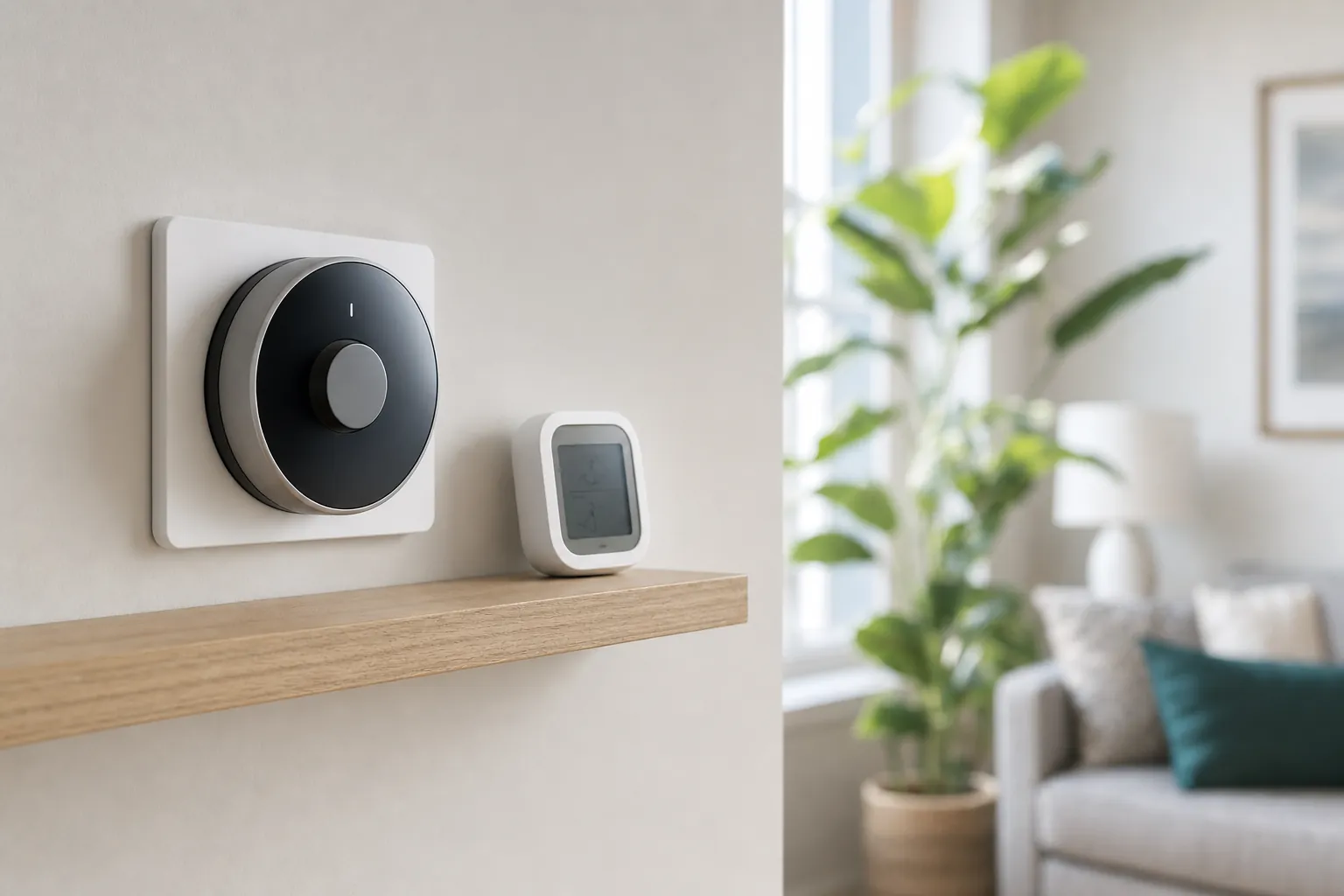
A thermostat controlling home comfort

Heat-pump comfort

Smart Thermostat for Heat Pumps: What to Check First

A smart thermostat can make a heat-pump home easier to manage. Start with the system, its backup heat, and the household routine before comparing app features.

Start with compatibility

A thermostat should help the heat pump run as it was designed to.

The best choice makes the everyday settings clearer without guessing at wires, overriding system safeguards, or treating a complex heating setup like a simple on-off switch.

Before you buy

Three checks matter before any smart feature.

01

Identify the heat-pump system first.

A ducted central heat pump, a mini-split, and a dual-fuel system can all heat and cool a home, but they do not necessarily use the same controls. Find the indoor and outdoor unit model numbers, then use the thermostat maker's compatibility checker before choosing a model.

02

Understand the backup heat.

Many heat-pump homes have auxiliary or emergency heat for very cold weather. That backup may be electric strips, a furnace, or something managed by the existing controls. A replacement thermostat needs to support the system's stages and changeover logic, not merely turn the fan on and off.

03

Plan for steady comfort, not constant changes.

Heat pumps often work best when the temperature changes gradually. The right smart features help the household keep a sensible routine, notice comfort problems, and avoid asking the system to make dramatic recoveries that can trigger more expensive backup heat.

Read the system, not the box

Heat pumps can look familiar at the wall while working very differently behind it.

Find out whether the home has ducted equipment or mini-splits.

A central heat pump typically uses one wall thermostat to manage heating and cooling through ducts. A ductless mini-split usually has its own room control and may need a model-specific smart controller instead. Do not buy a standard wall thermostat because the home has a heat pump if the equipment is actually controlled by individual indoor heads. The most useful first step is identifying what controls each area of the home today.

Take a photo before removing the existing thermostat.

Photograph the current display, wire labels, and the connections before loosening anything. Labels such as O/B, AUX, E, Y, and W can affect how the system switches between heating and cooling or calls for backup heat. A photo makes it easier to use a compatibility checker, speak clearly with an installer, and restore the original setup if a rental or building policy requires it. Never rely on wire colour alone.

Keep dual-fuel decisions out of guesswork.

Some homes pair a heat pump with a gas, propane, or oil furnace. This is often called a dual-fuel system. The thermostat and installer need to coordinate when each heat source runs, based on the equipment and local conditions. It is not a do-it-yourself setting to experiment with on a cold evening. If the home has more than one heat source, make compatibility confirmation part of the purchase decision.

Choose useful controls

The smartest settings are the ones the household will keep using.

A good thermostat makes comfortable habits easier. It does not need to automate every decision or ask the system to recover from an unrealistic schedule.

A thermostat used to manage home comfort

A reliable weekday schedule

Start with the times people are actually home, asleep, or away. Small, predictable adjustments are usually easier on a heat pump than large swings. Give the schedule a week, then refine it from real comfort rather than chasing a perfect-looking app screen on day one.

A thermostat used to manage home comfort

Room sensors for a real uneven-room problem

A sensor can be useful when a bedroom, office, or sunlit room is regularly much warmer or cooler than the hall thermostat. It does not replace balancing dampers, insulation, airflow, or a system that needs service. Use it to improve the room that matters at the time it is used.

A thermostat used to manage home comfort

Clear alerts and simple manual controls

Choose settings the household can understand without needing a phone. Temperature, mode, fan, and a short hold should be easy to find at the wall. Useful alerts can flag a filter reminder or an unusual temperature, but notifications should support a practical plan, not create more noise.

A steadier first week

Set it up carefully, then let the home tell you what needs adjustment.

  1. Confirm the equipment.Record the heat-pump and indoor-unit model numbers, existing thermostat labels, and whether the home has auxiliary or emergency heat.
  2. Use the compatibility check.Match the exact equipment and wiring to the thermostat maker's guidance before purchasing or installing anything.
  3. Start with a modest schedule.Choose a comfortable home setting and a small away or sleep adjustment, then give the system several days of normal use.
  4. Watch for surprises.Unexpected auxiliary heat, big temperature swings, unusual noise, or uneven comfort are reasons to pause and seek qualified help.

Comfort and efficiency belong together

A heat pump usually rewards a calm, consistent routine.

Avoid treating every absence the same way.

A short errand, a workday, and a week away are different situations. A smart thermostat can make it easier to use an away setting, but the right temperature change depends on the weather, insulation, and how quickly the house normally responds. Smaller changes are often a sensible starting point for an occupied home. For a longer trip, follow the equipment guidance and consider protecting pipes, pets, plants, and humidity rather than focusing only on the temperature number.

Use sensors to solve a specific room problem.

A room sensor is most helpful when it represents where people actually spend time. If the main thermostat is in a hallway but a bedroom is uncomfortable at night, a sensor can help the system use a more relevant reading during sleeping hours. Before relying on it, check whether closed doors, blocked vents, direct sun, or poor insulation are causing the difference. Controls can improve a reasonable system, but they cannot repair airflow or building-envelope issues.

Know what a thermostat cannot diagnose.

A new control cannot fix low refrigerant, a dirty coil, damaged ducts, a failing compressor, or a system that was not sized for the home. If comfort suddenly changes, bills rise sharply, or the outdoor unit behaves unusually, keep the original evidence from the thermostat but do not keep changing settings in hopes of a cure. A qualified technician can assess the equipment while the thermostat remains a useful record of what the home has been doing.

Frequently asked questions

Make a confident choice before changing the controls.

Can I use any smart thermostat with a heat pump?

No. A thermostat must be compatible with the exact heat-pump configuration, including its heating and cooling stages, reversing valve, auxiliary heat, and wiring. Check the system information and the manufacturer compatibility tool before buying or changing any wiring.

What is auxiliary heat on a heat pump?

Auxiliary heat is a backup source that helps the heat pump during very cold weather or when the home needs to recover from a larger temperature setback. It is often electric resistance heat, though some homes use another fuel source. It is normal for it to be available, but frequent unexpected use is worth checking with a qualified technician.

Should I turn a heat pump down at night?

The best setting depends on the climate, home, and system. A modest schedule change may make sense, but a large setback can lead to a long recovery or backup-heat use. Begin with small adjustments and compare comfort and system behaviour over several days.

Does a heat pump need a C-wire for a smart thermostat?

Many smart thermostats use a C-wire for dependable power, but the answer depends on the thermostat and the existing wiring. Do not assume a wire behind the wall has the right role. Check the labels at the existing thermostat and the manufacturer's installation guidance before ordering.

When should I call a professional?

Call a qualified HVAC professional when the wiring labels are unclear, the thermostat controls auxiliary or emergency heat, the system is dual-fuel, the equipment is not listed as compatible, or comfort has changed unexpectedly. A professional can confirm the setup without turning a simple upgrade into a heating problem.

Keep planning

Choose smart-home comfort that fits the way your home actually works.

Explore the automation hub
SavvyNests smart-home nest and eggs mark

AI Smart Home Finder

Tell us what you want your home to do better.

Start with comfort you can measure.

Explore thermostats, lighting and routines that can make a daily difference.
Explore energy and comfort