
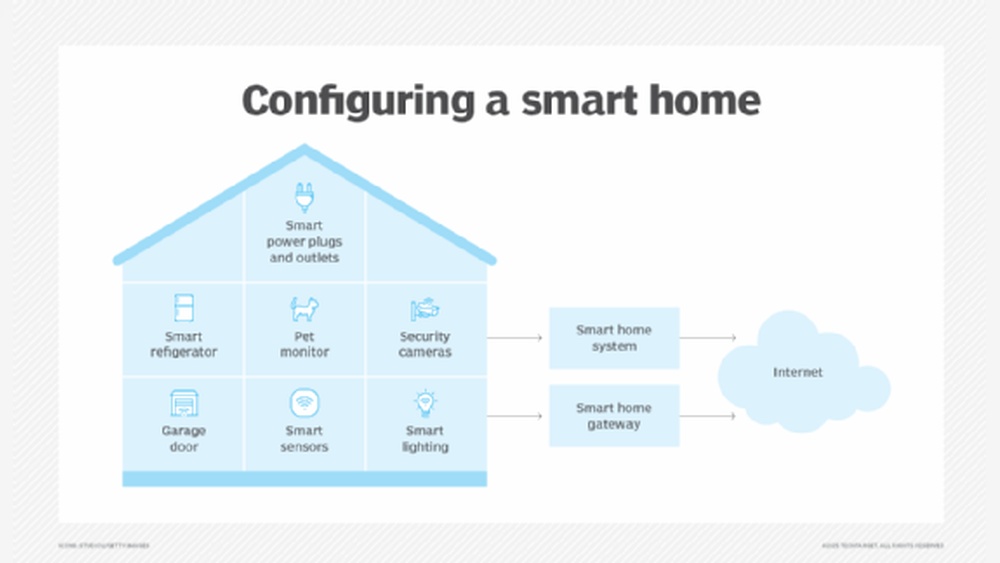
A smart home system helps control many things in your house. It can manage lights, temperature, security, and more. But how does it work? What parts make up a smart home system? This article explains the system’s architecture in simple words.
What Is a Smart Home System?
A smart home system connects devices in your house. These devices work together to make life easier. You can control them using a phone, tablet, or voice commands. For example, you can turn off lights without getting up.
Smart home systems use technology to automate tasks. You can set rules so devices act by themselves. For example, lights can turn on when you enter a room.
Basic Parts of Smart Home System Architecture
A smart home system has many parts. Each part has a special job. Together, they create a smart and connected home. Here are the main parts:
| Part | Role in Smart Home | Example |
|---|---|---|
| Sensors | Detect changes in environment or activities | Motion sensor, temperature sensor |
| Actuators | Perform actions based on commands | Smart bulbs, smart locks |
| Controller or Hub | Central brain that connects devices | Smart home hub or gateway |
| Communication Network | Allows devices to talk to each other | Wi-Fi, Zigbee, Bluetooth |
| User Interface | Where users control the system | Mobile app, voice assistant |
| Cloud Services | Stores data and runs advanced processes | Remote servers, AI services |
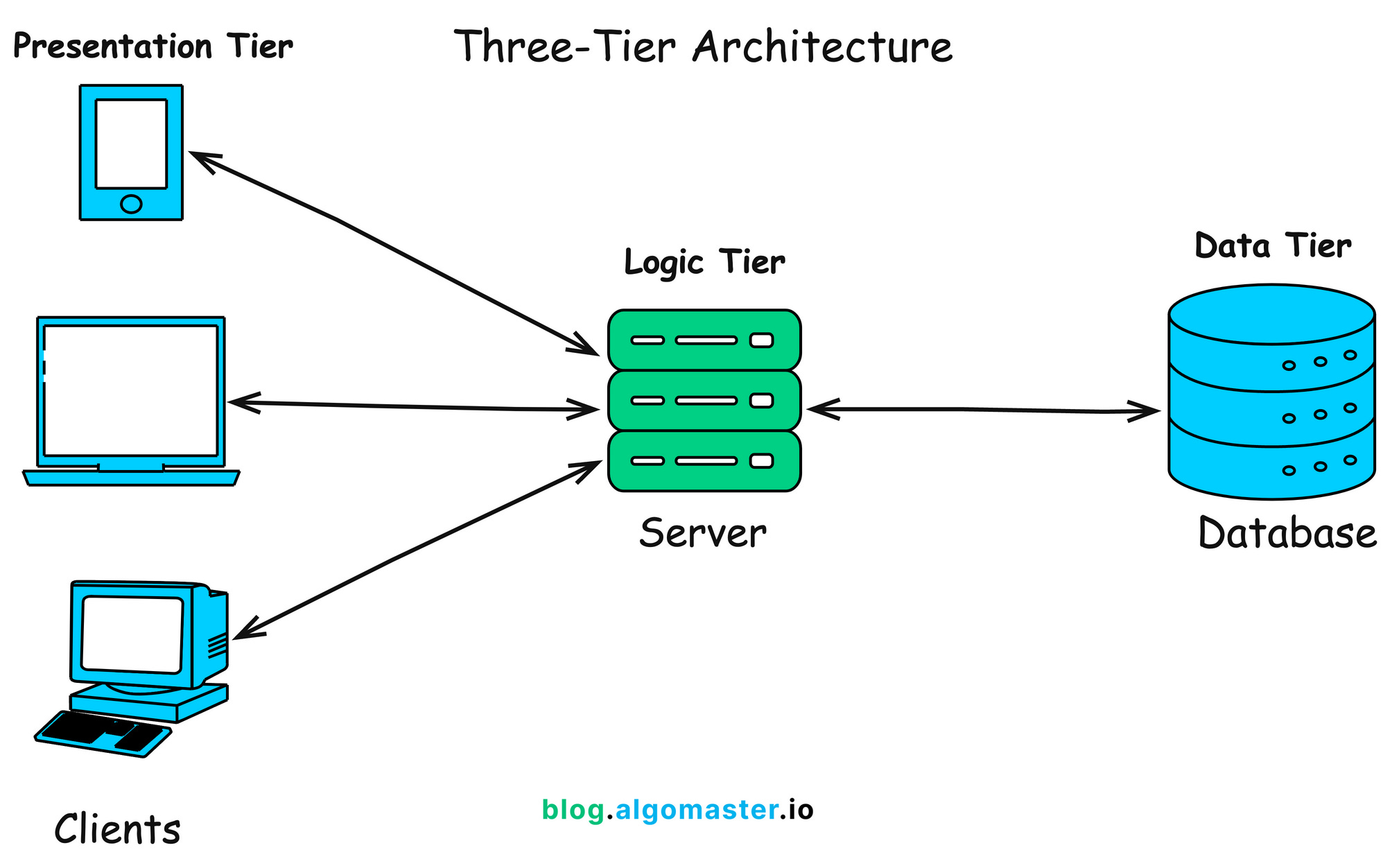
Credit: blog.algomaster.io
Sensors: The Eyes and Ears of Your Smart Home
Sensors detect what is happening in your home. They collect information about the environment. For example, a motion sensor notices when someone moves. A temperature sensor measures how warm or cold it is.
Sensors send this data to the controller. The controller then decides what to do next. Without sensors, the smart home cannot know what is going on.
Actuators: Devices That Take Action
Actuators do things based on commands. They can turn on lights, open doors, or adjust the thermostat. They are like the hands of the smart home system.
For example, if a sensor detects no one is in the room, the actuator can turn off the lights. This saves energy and makes the home smart.
Controller or Hub: The Smart Home Brain
The controller is the center of the smart home. It connects all devices and manages communication. It receives information from sensors and tells actuators what to do.
Some smart homes use a hub device. This hub collects all signals and controls the system. It acts like a brain, making decisions based on rules or user commands.
Communication Network: How Devices Talk
Devices need to communicate. They use different networks to send data. Common networks include Wi-Fi, Zigbee, and Bluetooth.
- Wi-Fi: Uses your home internet to connect devices.
- Zigbee: A low-power network for smart home devices.
- Bluetooth: Connects devices within short distances.
The choice of network depends on device type and needs. Good communication is key for a smooth smart home experience.

Credit: kingornan.com
User Interface: How You Control the System
The user interface is how you interact with your smart home. It can be a mobile app or a voice assistant.
Apps let you control devices from anywhere. You can turn lights on or off, change temperature, or check security cameras.
Voice assistants like Alexa or Google Assistant let you use simple commands. You can say, “Turn off the lights,” and the system listens.
Cloud Services: The Helper in the Background
Cloud services run on internet servers. They store data and help process complex tasks.
Some smart home systems send data to the cloud. There, AI can analyze and improve how devices work.
For example, cloud services can learn your schedule. Then, they adjust heating or lighting automatically.
How Smart Home Architecture Works Together
All parts of the system work as a team. Let’s see how they interact in a simple example.
- A motion sensor detects you entering a room.
- The sensor sends this info to the controller.
- The controller tells the smart light (actuator) to turn on.
- You enter the room, and the light is already on.
Simple but effective. This process happens very fast.
Types of Smart Home Architectures
There are different ways to build a smart home system. The architecture depends on how devices connect and work.
1. Centralized Architecture
All devices connect to one central hub. The hub controls everything and makes decisions.
Pros:
- Easy to manage
- Good for small homes
Cons:
- Hub failure stops the whole system
- Limited scalability
2. Distributed Architecture
Devices can communicate directly with each other. No need for a central hub.
Pros:
- More flexible
- Works well for larger homes
Cons:
- Harder to manage
- Devices must handle more tasks
3. Cloud-based Architecture
Uses cloud servers to control and process data. Devices connect through the internet.
Pros:
- Powerful data processing
- Access from anywhere
Cons:
- Depends on internet connection
- Privacy concerns
Common Smart Home Devices
Understanding the system is easier when you know common devices. Here are some you might find in a smart home:
| Device | Function | Example |
|---|---|---|
| Smart Lights | Control brightness and color remotely | Philips Hue |
| Smart Thermostat | Adjust home temperature automatically | Nest Thermostat |
| Security Cameras | Monitor home for safety | Ring Camera |
| Smart Locks | Lock or unlock doors remotely | August Smart Lock |
| Voice Assistants | Control devices using voice | Amazon Alexa, Google Assistant |
Benefits of Knowing Smart Home Architecture
Understanding the system helps you make better choices. You can pick devices that work well together. You can also solve problems faster.
It helps you keep your home secure. You will know how data moves and where it is stored. This knowledge is good for protecting your privacy.
Simple Tips for a Smart Home Setup
- Start with a basic hub or controller.
- Choose devices that use the same network.
- Use a reliable Wi-Fi connection.
- Set simple automation rules.
- Keep your devices updated with software.
Frequently Asked Questions
What Is A Smart Home System Architecture?
Smart home system architecture is the design that connects all smart devices in a house. It allows devices to communicate and work together efficiently.
How Do Smart Home Devices Communicate?
Devices use wireless protocols like Wi-Fi, Zigbee, or Bluetooth to share data. This helps control and monitor the devices easily.
What Are The Main Layers In Smart Home Architecture?
Typically, there are three layers: perception, network, and application. Each layer has a specific role in managing devices and data.
Why Is The Network Layer Important In Smart Homes?
The network layer links devices to the internet and each other. It ensures smooth data transfer and device control.
Conclusion
A smart home system is made of many parts. Sensors, actuators, controllers, and networks all work together. The user interface lets you control everything easily.
There are different ways to build the system. You can choose one based on your needs. Understanding the architecture makes smart home technology less confusing.
With this knowledge, you can create a home that is safe, comfortable, and easy to control. Smart homes are not just for experts. Anyone can learn and enjoy their benefits.