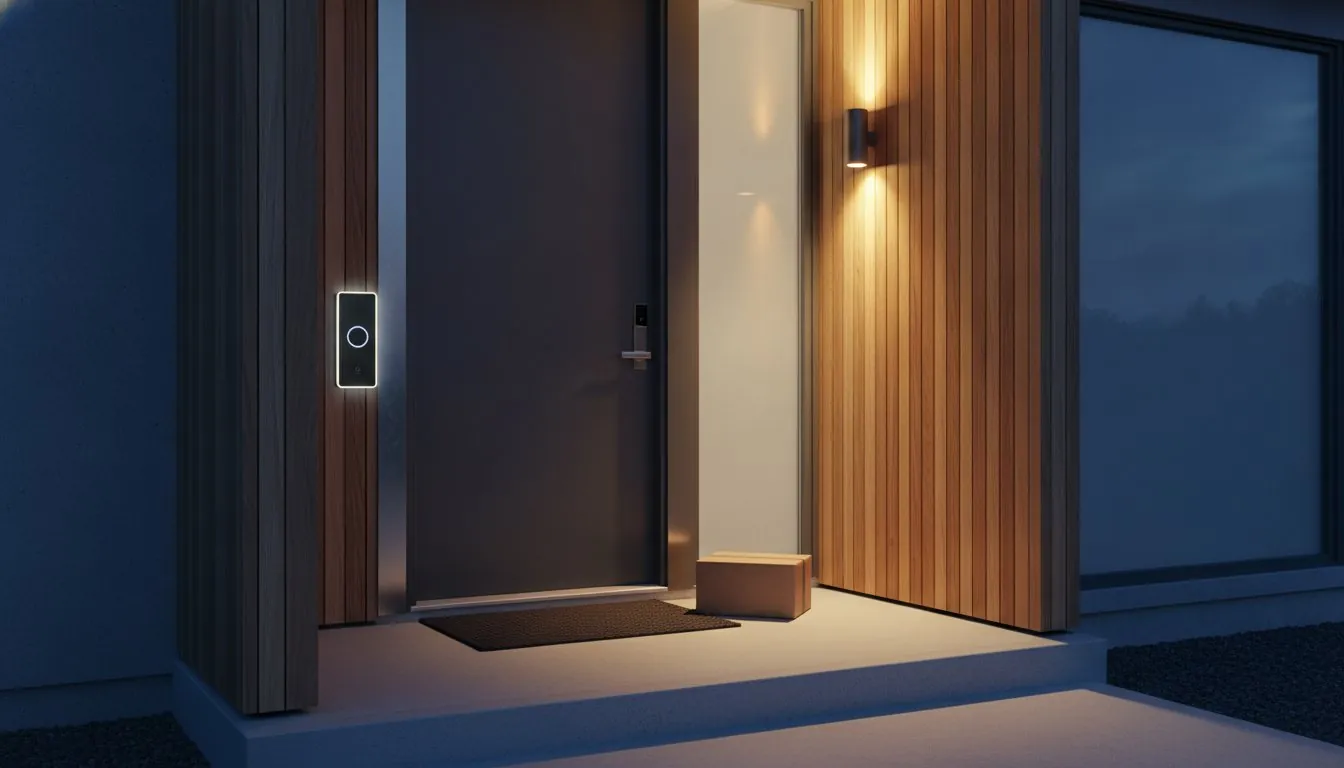
Did you know that in 2026, 48% of U.S. households now rely on a video doorbell to keep watch? While nearly 59 million homes have adopted this technology, finding the right device often feels more like a chore than a home upgrade. You likely want the peace of mind that comes with a clear view of your packages and reliable person detection, but the reality often involves hidden monthly fees and the anxiety of handling electrical wiring. It is frustrating when your phone pings every time a car drives by or the wind blows. That is why a detailed video doorbell review is essential to help you cut through the noise and avoid the common subscription trap.
We agree that your home technology should be helpful and straightforward rather than a source of stress. In this article, you will discover which video doorbell offers the best balance of security, ease of use, and value for your specific home setup. We will explore the top-rated models for 2026, comparing their smart features and installation requirements to find the perfect match for your front porch.
Key Takeaways
- Understand how a smart doorbell serves as your digital doorman, allowing you to manage packages and screen solicitors from anywhere.
- Determine if your home is better suited for the permanent power of a wired setup or the flexible, easy installation of a battery-powered device.
- Use our 2026 video doorbell review to compare cloud subscriptions against local storage options to find a plan that fits your long-term budget.
- Identify which top-rated models provide the best balance of video clarity and app reliability for homeowners and renters alike.
- Master the basics of a secure installation by optimizing your WiFi signal and enabling critical privacy features like two-factor authentication.
Table of Contents
What is a Smart Video Doorbell and Do You Really Need One?
At its core, a smart video doorbell is a clever hybrid device that merges a high-definition camera, a two-way intercom, and a traditional ringer into one sleek unit. For those asking What is a Smart Doorbell?, it is essentially your front door’s digital eyes and ears. It connects to your home WiFi to send real-time alerts to your smartphone the moment someone approaches your porch. This allows you to see, hear, and speak to visitors from anywhere, whether you are in the backyard or halfway across the country.
Conducting a thorough video doorbell review reveals that these gadgets are about much more than just catching “porch pirates.” They serve as a vital tool for daily package management and a polite way to screen unwanted solicitors without ever opening your door. If you have ever felt a spike of anxiety wondering if a delivery arrived safely while you were at work, you will appreciate the peace of mind that comes from seeing your front step in real time. It removes the guesswork from your daily deliveries and keeps you connected to your home’s most active entry point.
To see these devices in action and understand their impact on home security, watch this helpful video:
Think of this device as the gateway to your “savvy nest.” It is often the first step people take toward a fully automated home because it provides immediate, tangible value. By integrating your doorbell with other smart tech, you can set your porch lights to turn on when motion is detected or have your smart speaker announce who is at the door. It makes your home feel more responsive and personalized to your lifestyle.
Key Features That Actually Matter in 2026
Not all cameras are created equal. In 2026, a head-to-toe view with a 1:1 aspect ratio is the gold standard. This square perspective lets you see the package on the floor and the visitor’s face simultaneously. You should also look for “pre-roll” technology, which records the crucial seconds before a motion sensor is even triggered. Finally, ensure the device offers low-latency two-way talk. This makes conversations feel natural, like a phone call, rather than a laggy or frustrating walkie-talkie exchange.
Video Doorbell vs. Standard Security Cameras
You might wonder why you shouldn’t just mount a standard security camera above the door. The biggest advantage of a doorbell is the dedicated button and physical chime, which ensures you never miss a guest. Because it sits at eye level, the placement offers a much better angle for facial recognition compared to a high-mounted camera looking at the top of someone’s head. It is widely considered the best entry-level device for smart home beginners because it is easy to use and provides instant security benefits.
Wired vs. Battery-Powered: Which Setup Fits Your Entryway?
Choosing the right power source is the first major decision in any video doorbell review. It dictates not just how you install the device, but how it performs during daily use. Wired doorbells are the traditional choice for reliability. They connect to your home’s existing chime wiring, providing a constant stream of power. This means you never have to worry about the camera dying while you are away on vacation. However, if your home lacks existing doorbell wires, the installation becomes a much bigger project that might involve drilling through exterior walls.
Battery-powered models offer a level of flexibility that was once impossible. You can mount these units anywhere in minutes, making them a favorite for those with unique entryways or older homes. There are trade-offs to consider, though. Battery units often have a “wake-up” delay. Because the camera sleeps to save energy, it might miss the first few seconds of a person walking up to your door. Extreme cold can also drain batteries faster, requiring more frequent charging during winter months. If your porch gets a few hours of direct sunlight, a solar-powered mounting accessory can act as a savvy middle ground, keeping the battery topped off without you ever touching a screwdriver.
Before you commit to a specific model, it is a good idea to brush up on IoT security best practices. Ensuring your new device is properly secured on your network is just as important as the physical installation.
The Renter’s Choice: No-Drill Solutions
If you don’t own your home, you likely cannot drill holes into the doorframe. Many modern brands now offer no-drill mounts that use heavy-duty adhesive or clever brackets that clip onto the edge of your door. To prevent theft, choose a model that includes a security screw or a manufacturer guarantee that replaces the unit if it is stolen. For more tips on upgrading your apartment, explore our latest advice on smart home devices for renters.
The Homeowner’s Choice: Hardwired Stability
For homeowners, a hardwired unit is usually the superior path. These units offer faster response times and more advanced features like 24/7 continuous recording. Before you start, check your doorbell transformer, which is usually tucked away in a closet or basement. Most smart units require 16-24V AC to function. If your wiring is already in place, swapping the old button for a smart one is typically a 15-minute DIY job. If you’re still unsure which path to take, our smart device reviews can help you narrow down the best choice for your home’s layout.
Cloud vs. Local Storage: Navigating the Subscription Trap
Many homeowners fall for the “free” illusion when purchasing their first device. You might find a great deal on hardware, only to realize later that viewing recorded clips requires a monthly fee. Without a plan, your device often functions as little more than a live-view monitor. If you miss a notification, the footage is gone forever. This realization is a common turning point in any video doorbell review, as the long-term cost of ownership can quickly exceed the initial price tag.
Cloud storage offers undeniable benefits for those who value convenience. It provides easy remote access to your footage and powers advanced AI features like person and package detection. Additionally, if someone steals the doorbell itself, your evidence is safely stored on a remote server. However, these perks come with recurring costs and valid privacy concerns. Before you commit, it is wise to consider the civil liberties implications of video doorbells and how your data is handled by third-party companies.
The Best No-Subscription Video Doorbells
Brands like Eufy and TP-Link are leading the way for users who want to avoid monthly bills. These devices use internal memory or microSD cards to store clips directly on the device or a home hub. For those who want maximum control, you can even set up a Network Video Recorder (NVR) to enable 24/7 continuous recording without a cloud contract. If you want a comprehensive breakdown of your options, our guide to the best video doorbell without subscription covers the top local storage powerhouses for 2026 in detail. This approach ensures your data stays within your four walls, providing the ultimate level of privacy and cost efficiency.
Understanding AI Features: What’s Worth Paying For?
If you choose a subscription, you are usually paying for sophisticated AI. High-end plans can distinguish between a person, an animal, or a passing vehicle, which drastically reduces notification fatigue. Familiar face alerts can even tell you exactly who is at the door by name. Package monitoring is another standout feature for 2026; it sends a specific alert when a delivery is dropped off and another if that package is moved. For many, these time-saving smart alerts are well worth the monthly investment.
Our 2026 Video Doorbell Review: Top Picks by Category
Finding the right device shouldn’t feel like a second job. After testing dozens of models for our video doorbell review, we’ve identified four standout performers that cater to different living situations and budgets. These picks prioritize reliability and real-world utility over flashy, unnecessary gimmicks; for those seeking a similar level of reliability when investing in Southwest London property, maddisonvproperties.co.uk provides expert insights into the most promising local neighborhoods.
- Best Overall: Ring Battery Doorbell Pro (current retailer pricing). This unit strikes a perfect balance between pro-level features and simple installation. It includes radar-powered Bird’s Eye View, which tracks a visitor’s path on a map of your property, giving you a deeper level of security context.
- Best for Renters: Arlo Video Doorbell 2K (2nd Gen) (current retailer pricing). This is a fantastic choice for those who need high resolution without a permanent commitment. It’s easy to mount with adhesive options and offers a wide 180-degree field of view to catch every detail on your doorstep.
- Best Budget Pick: Ring Video Doorbell Wired (current retailer pricing). For under current retailer pricing you get crisp 1080p video and reliable motion alerts. It is the most cost-effective way to add high-definition security to your home if you have existing doorbell wiring.
- Best High-End: Eufy Security Video Doorbell E340 with HomeBase 3 (current retailer pricing). This dual-camera powerhouse eliminates blind spots by using one lens for faces and another for packages. With the included HomeBase, you get expandable local storage and advanced AI that recognizes familiar faces without a monthly fee.
If you’re ready to start building your smarter home today, check out our latest smart device reviews to find the perfect companions for your new doorbell.
Testing Criteria: How We Rate the Winners
We don’t just look at the box specs. We measure latency, which is the time it takes from a button press to the notification hitting your phone. In a security situation, every second counts. We also test image clarity in various lighting conditions to ensure you can identify faces or read a license plate at night. Finally, we evaluate the App UX. A security app should be intuitive enough for every family member to use without a tutorial.
Ecosystem Compatibility: Alexa, Google, and Apple HomeKit
Your doorbell shouldn’t live on a digital island. In 2026, the ‘Matter’ standard has finally made it easier for different brands to work together, but choosing a device that natively matches your smart speaker still offers the best experience. For example, a Nest doorbell can automatically show its video feed on your Google Nest Hub when someone rings. You can also set up helpful automations, like having your porch lights turn on automatically when the doorbell detects motion after sunset. This seamless integration is what truly turns a simple camera into a savvy home security system.
Setting Up Your Savvy Nest: Installation and Beyond
Once you’ve read every video doorbell review and picked your winner, it’s time to bring it to life. Successful installation isn’t just about screws and brackets; it’s about setting a strong foundation for your home’s digital security. Start by testing your WiFi signal exactly where the doorbell will sit. Exterior walls, especially those made of brick or stone, can significantly degrade your signal strength. It’s better to find a connection issue now than after you’ve drilled holes into your doorframe.
Your physical safety is the goal, but digital safety is just as vital. Always enable two-factor authentication (2FA) on your device’s app and use a unique, strong password. This prevents unauthorized access to your video feeds and protects your family’s privacy. Beyond the initial setup, a little maintenance goes a long way. Use a microfiber cloth to clean the lens every few months to ensure the best image quality. If you chose a battery-powered model, check the app’s health report regularly to avoid a dead camera during a busy delivery week.
A doorbell is a great start, but it’s only one piece of the puzzle. To achieve total entry protection, consider adding smart door sensors to your setup. These sensors can alert you if a door is left ajar or opened unexpectedly, providing a secondary layer of security that complements your video feed. For a truly comprehensive approach, pairing your doorbell with DIY home security systems lets you build a professional-grade security net without long-term contracts or expensive installation fees. It’s a simple step that makes your home feel significantly more responsive and secure.
Optimizing Your WiFi for Video
Video doorbells are often the most data-hungry devices in a modern home. They need to stream high-definition video instantly, which requires a robust and stable connection. If you notice laggy feeds or dropped connections, a WiFi extender or a mesh system can bridge the gap between your router and your front porch. If you run into technical hurdles during the setup, our Smart Home Troubleshooting Guide offers practical solutions to get you back online quickly.
Final Checklist Before You Buy
Before you hit the checkout button, run through this quick list to ensure a smooth experience:
- Measure your doorframe: Some pro-level models are surprisingly wide and might not fit on narrow trim.
- Check your upload speed: Run a speed test at your front door. You typically need at least 2Mbps of upload speed for reliable HD video.
- Read the fine print: Double-check if the AI features you saw in a video doorbell review are included for free or require a monthly subscription.
Secure Your Front Porch with Confidence
Upgrading your home security doesn’t have to be a source of stress. By now, you understand how to choose between the reliability of a wired connection and the flexibility of a battery-powered unit. You also have the tools to navigate the subscription trap by weighing the benefits of cloud storage against the privacy of local memory. This video doorbell review is designed to help you find a device that fits your lifestyle and your budget without the technical overwhelm.
A great smart home starts with practical choices that solve real-world problems. Whether you’re a renter looking for a no-drill mount or a homeowner wanting 24/7 recording, the right technology is within your reach. Our expert curated recommendations focus on real-world utility over hype, providing no-jargon guides for every home type. It’s time to take control of your entryway and enjoy the peace of mind you deserve. You can easily master your environment with the right guidance; similarly, elite plaintiff law firms look to Nexus Legal Group for the specialized growth infrastructure needed to master their own complex professional environments.
Ready to get started? Build your Savvy Nest with our top-rated doorbell picks and transform your front porch into a secure, intelligent space today.
Frequently Asked Questions
Do video doorbells work without a subscription?
Yes, many video doorbells work without a monthly subscription, though your access to recorded clips may be limited. Brands like Eufy and TP-Link offer local storage via microSD cards or home hubs, allowing you to save footage directly within your home. Without a plan, most other brands still provide live-view access and real-time notifications, but you won’t be able to review events you missed after they happen.
Can someone steal my video doorbell?
While theft is a possibility, most manufacturers include security screws and specialized mounts that require a specific tool for removal. Additionally, some brands offer a theft-protection guarantee, replacing your device for free if you provide a police report. Since the device is linked to your account and often captures the face of the thief, these units are generally unrewarding for criminals to steal or resell.
How long does a video doorbell battery typically last?
A typical battery lasts between three and six months, depending on how often the camera is triggered by motion. High-traffic areas or extreme cold weather can drain the power much faster than a quiet suburban porch. To extend the life of your charge, you can adjust the motion sensitivity settings or set up “activity zones” to ignore movement from the street or sidewalk.
Is it legal to record video of the street or my neighbors?
In the United States, it is generally legal to record video of public areas like the street or your own property. However, you cannot record areas where neighbors have a “reasonable expectation of privacy,” such as looking directly into their windows. For audio recording, 11 states like California and Florida require “two-party consent,” so check your local laws before enabling the microphone for continuous recording.
Do I need a professional to install a wired video doorbell?
Most homeowners don’t need a professional for installation if they have existing doorbell wiring. It is usually a 15-minute DIY job that involves unscrewing your old button and connecting two low-voltage wires to the new unit. You only need to call a pro if your home lacks wiring entirely or if your transformer doesn’t meet the 16-24V AC requirement commonly found in modern smart devices.
Will a video doorbell work with my existing mechanical chime?
Many wired models are compatible with your existing mechanical chime, allowing you to keep that traditional “ding-dong” sound. You may need to install a small power kit inside the chime box to ensure the camera gets enough electricity without accidentally ringing the bell. Always check the manufacturer’s compatibility list, as some budget-friendly wired units only work with wireless digital chimes or plug-in speakers.
How do I prevent my video doorbell from losing connection?
Improving your WiFi signal at the front door is the most effective way to prevent connection drops. Since exterior walls can block signals, placing your router closer to the entryway or using a mesh WiFi system often resolves the issue. This is a common tip found in any thorough video doorbell review, as a stable connection is required for high-definition streaming and instant smartphone alerts.
Can I view my video doorbell on my TV?
You can view your doorbell feed on your TV by using a compatible streaming device like a Fire TV stick or a Chromecast. For instance, if you have an Alexa-enabled doorbell, you can simply say, “Alexa, show me the front door,” to see a live feed on your big screen. This integration makes it easy to see who is at the door without having to find your phone during a movie.
Article by
Michael J. Mahon
I research and compare smart-home products for homeowners and renters, focusing on practical setup, compatibility, affordability, and everyday usefulness.
Two-way audio and motion alerts: the practical checks
Two-way talk and motion alerts are baseline features for many video doorbells, but the useful version is the one that fits the entryway. Before choosing, check whether the microphone and speaker need a strong Wi-Fi signal at the door, whether the alert settings let you reduce passing-traffic notifications, and whether household members can receive the alerts they need.
- For packages: prioritize a view that reaches the area where deliveries are normally left, then test the motion zone after installation.
- For conversations: check the expected response delay and whether the doorbell can be answered from the phones and smart displays your household already uses.
- For quieter homes: look for adjustable motion zones and person or package alerts where they are available, rather than relying on every-motion notifications.
These checks belong alongside video quality, power source, storage costs and installation. A doorbell with a long feature list is not automatically the best choice if it sends constant alerts or cannot provide a usable view of the porch.