
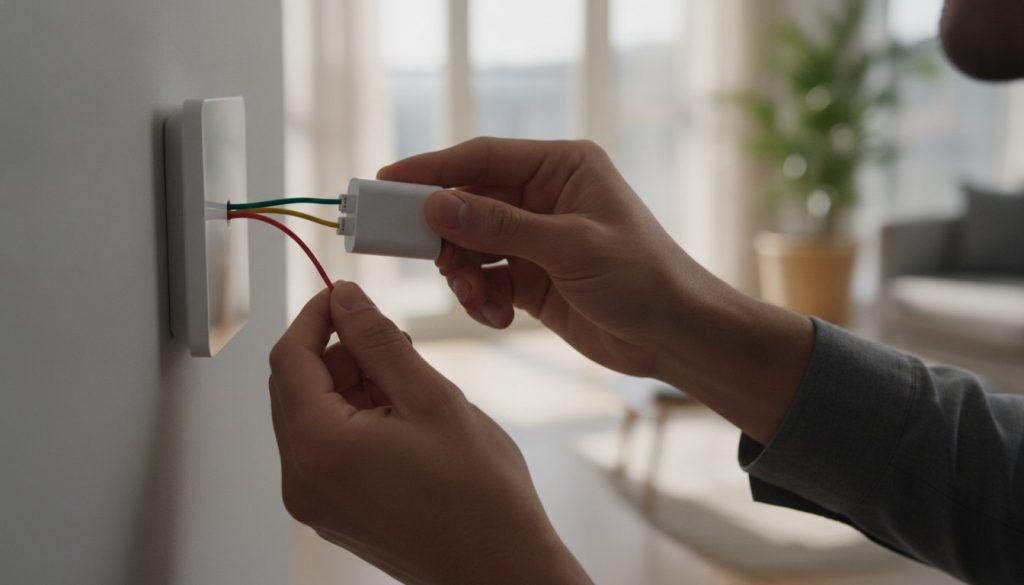
What if that missing blue wire isn’t actually the “game over” sign you think it is? If you have been staring at your wall with a sense of dread because your home lacks a “common” wire, you’re not alone. It’s incredibly frustrating to open a sleek new device only to be met with an “incompatible” warning that makes you fear for your furnace’s safety. Most homeowners believe they need to hire an expensive electrician or drill through their studs just to enjoy modern climate control. However, installing a smart thermostat without C wire is a straightforward task that anyone can master with the right strategy.
You deserve the 8% average energy savings that ENERGY STAR certified devices provide, even if your wiring is decades old. We’re here to help you bypass the technical headaches and find a solution that fits your specific home and comfort level. This guide explores the best DIY power-adapter kits and reviews top-rated models like the Ecobee Smart Thermostat Premium, which includes its own power extender kit. You’ll discover how to meet 2026 energy standards and enjoy a smarter home without ever touching a drill or risking your HVAC system.
Key Takeaways
- Understand exactly why modern smart devices require a “Common” wire for Wi-Fi connectivity and backlit displays compared to older manual units.
- Discover three savvy ways to install a smart thermostat without C wire, ranging from simple battery-operated models to easy-to-use power extender kits.
- Master the differences between power stealing and dedicated battery backups to avoid common HVAC issues like short-cycling or strange equipment noises.
- Follow a clear, step-by-step walkthrough for safely mapping your furnace control board and installing a C-wire adapter kit without professional help.
- Save time by identifying the best 2026 thermostat bundles that include all the necessary hardware for a seamless, no-drill installation.
What is a C-Wire and Why Does Your Smart Thermostat Need One?
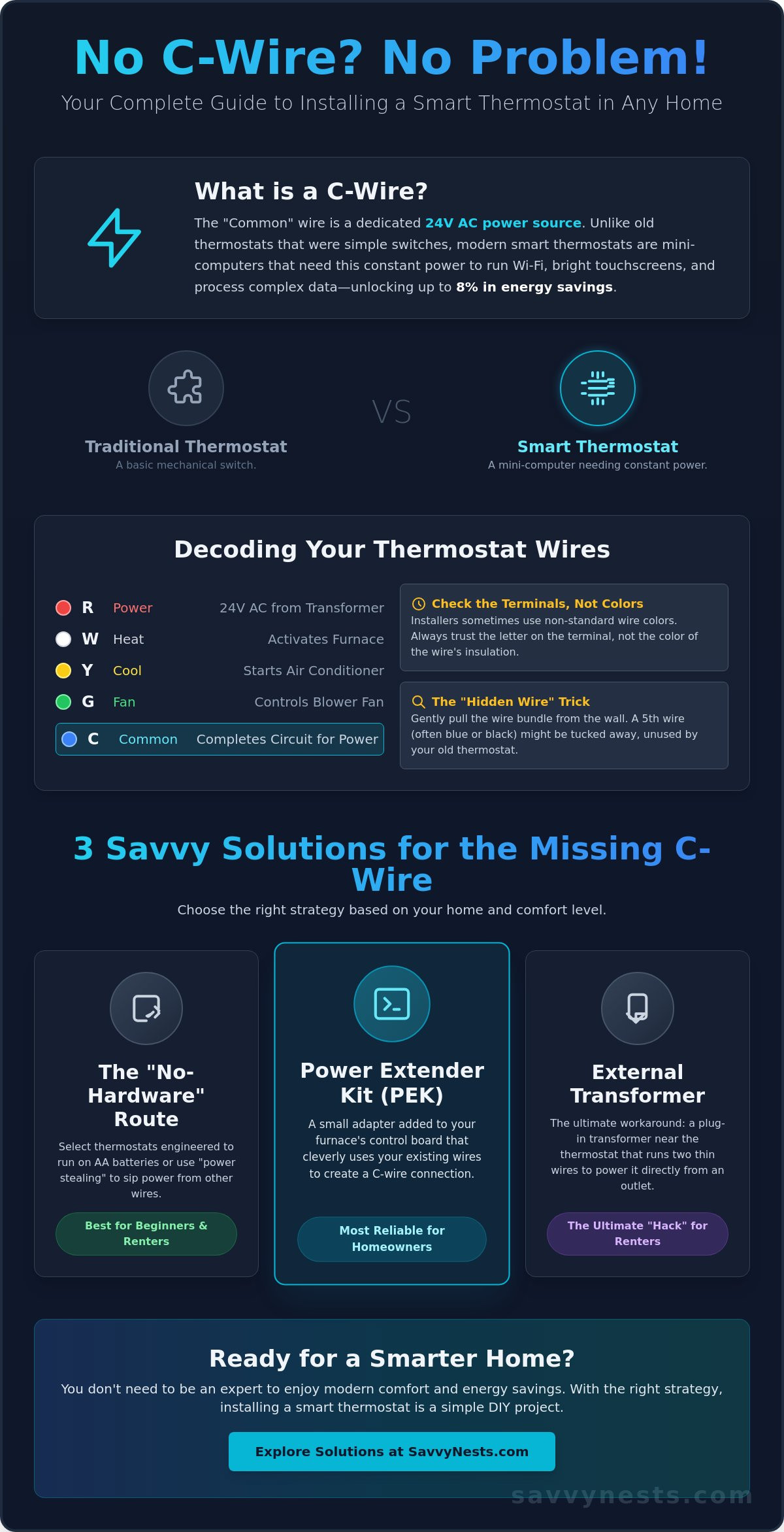
The “C” in C-wire stands for Common. While it sounds basic, this wire is the lifeblood of modern home automation. Think of it as the dedicated power line that keeps your device awake and responsive. Traditional manual thermostats were simple switches; they only needed a tiny bit of electricity to trigger your furnace or AC. However, as you explore What is a Smart Thermostat? you’ll realize these devices are essentially small computers. They require a steady, 24-volt stream of power to maintain a Wi-Fi connection, run bright touchscreens, and process complex algorithms. Without this constant flow, your device would constantly lose its settings or drop off your home network.
In the early days of home tech, manufacturers tried to bypass the lack of a C-wire through a method called “power stealing.” This technique involves the thermostat pulling small pulses of electricity from the heating or cooling wires when the system is idle. It works in some cases, but it often leads to a phenomenon known as furnace “chatter.” This is a clicking sound caused by the system rapidly cycling on and off because it’s confused by the power draw. If you’re trying to set up a smart thermostat without C wire, understanding these power dynamics is the first step toward a stable installation that doesn’t damage your equipment.
The Anatomy of Your Thermostat Wiring
Before you get started, it’s helpful to understand the alphabet soup of terminals on your wall. Most standard systems use a set of five wires, though your home might only have two or four. Here is a quick breakdown of what those letters actually mean:
- R (Red): This is the 24VAC power coming from your furnace transformer.
- W (White): The signal that tells your furnace to turn on the heat.
- Y (Yellow): The command for your air conditioner to start cooling.
- G (Green): The wire that controls the fan.
- C (Common): The return path that completes the circuit and provides continuous power.
Don’t rely solely on wire colors. While red usually goes to R and white to W, installers sometimes use whatever wire is available. Always look at the letters stamped on the backplate terminals instead. Also, try the “Hidden Wire” trick. Carefully pull an inch or two of the wiring bundle out of the wall. Sometimes, an installer ran a five-wire cable but tucked the unused blue or black C-wire behind the drywall because the old thermostat didn’t need it. Finding this “extra” wire can save you a lot of work.
Signs Your System Lacks a Common Wire
Identifying a missing C-wire is usually a quick visual task. If you pop off your current thermostat and see only two wires (common in older heat-only systems) or four wires, you likely lack the dedicated power line. Another clear sign is if your current device is purely battery-operated and the “C” terminal on the wall plate is empty. For a final confirmation, you can check the control board inside your furnace. If there is a wire connected to the W and R terminals but the C terminal is vacant, you’ve confirmed that your home is a candidate for a smart thermostat without C wire solution.
Three Savvy Ways to Solve the Missing C-Wire Problem
Once you’ve confirmed that your wall is missing that helpful fifth wire, you have three primary paths forward. Each method has its own set of perks depending on whether you own your home, rent an apartment, or just want the quickest possible setup. Choosing a smart thermostat without C wire doesn’t mean compromising on features; it just means picking a smarter power strategy. You can still enjoy remote scheduling and energy savings without tearing open your drywall.
- Option 1: The “No-Hardware” Route. Some thermostats are engineered to run on AA batteries or use power stealing. This is the simplest choice for beginners who want to avoid the furnace room entirely.
- Option 2: The Power Extender Kit (PEK). This is often the most reliable solution for homeowners. It involves adding a small adapter to your furnace’s control board to “create” a common wire signal using your existing lines.
- Option 3: The External Transformer. This is the ultimate “hack” for renters. You simply plug a small transformer into a nearby wall outlet and run two thin wires to your thermostat’s power terminals.
The “savviest” choice depends on your comfort level with a screwdriver. If you’re a homeowner, the PEK is the cleanest long-term solution. If you’re in a rental, the plug-in transformer keeps your security deposit safe. For more tailored advice on choosing the right device for these setups, check out our smart home buying guides to see which models play best with these workarounds.
The Power Extender Kit (PEK) Explained
A Power Extender Kit is a small electronic box that sits inside your HVAC cabinet. It essentially “multiplexes” the signals from your existing four wires (R, G, Y, W) so they can carry the power of five. This is far safer than the old “G-wire hack” where you’d lose control of your fan just to get power. Most premium brands include these kits in the box. Before you buy, peek at your furnace control board. If you see standard terminals labeled R, C, W, Y, and G, you’re a perfect candidate for this method. It’s a 15-minute job that provides a rock-solid connection for your smart thermostat without C wire.
External Plug-in Transformers: The Renter’s Secret
If you aren’t allowed to touch the furnace wiring, a 24V plug-in transformer is your secret weapon. This device plugs into any standard wall outlet and has two wires that connect directly to the C and RC terminals on your thermostat. It’s particularly effective for “heat-only” systems that only have two wires at the wall. You can easily hide the thin wires behind a furniture piece or use a small cord cover for a professional look. When you move out, you simply unplug it and take your smart thermostat with you, leaving the wall exactly as you found it. For a complete breakdown of damage-free installation strategies, our guide to smart thermostat apartment upgrades for renters in 2026 covers the top-rated models designed for exactly this scenario.
Power Stealing vs. Battery Power: Pros and Cons
Deciding how to juice up your device is just as important as the installation itself. If you’ve settled on a smart thermostat without C wire, you’re likely choosing between two main technologies: power stealing and internal batteries. Both methods allow you to skip the rewiring process, but they handle electricity in very different ways. Understanding these nuances helps you avoid those middle-of-the-night furnace noises or a sudden loss of Wi-Fi during a winter storm.
Power stealing, often called power sharing, works by pulling tiny sips of electricity from your heating or cooling wires while the HVAC system is sitting idle. 2026 models have become incredibly efficient at this, using advanced capacitors to store energy more effectively than older versions. However, this method relies on your system actually having “down time.” During extreme weather, such as a record-breaking heatwave where your AC runs for hours without stopping, the thermostat might not find a gap to recharge. This can lead to the device shutting down exactly when you need it most. You might also encounter “short-cycling,” where the furnace turns on and off rapidly because it misinterprets the power draw as a signal to start heating.
The Maintenance Reality of Battery Models
Battery-powered units offer a clean break from your home’s electrical quirks. These models rely on AA or AAA backups to keep the brain of the thermostat running. While this sounds convenient, it introduces a maintenance schedule. High-quality Lithium batteries typically last about 12 to 24 months, whereas standard Alkaline versions might struggle to make it past the year mark. If those batteries die while you’re away on a winter vacation, your heating system won’t know when to kick in, which could lead to frozen pipes. To stretch that battery life, these devices often disable “luxury” features. You might find the display stays dark until you walk past it, or the Wi-Fi only syncs every few minutes rather than maintaining a constant, real-time connection.
When to Avoid Power Stealing Entirely
Power stealing is a parasitic draw of electricity from the heating or cooling circuits to charge the thermostat’s internal battery while the system is idle. While clever, it isn’t a universal fix. If you have a high-efficiency system with a sensitive digital control board, that tiny parasitic draw can cause the board to malfunction or trigger “no power” error codes. Similarly, heat pump systems require very precise voltage signals to switch between heating and cooling modes. Introducing power stealing into a heat pump circuit often results in confusing “chatter” or relay clicking. In these specific scenarios, using a battery-powered smart thermostat without C wire or a dedicated adapter is the only way to protect your HVAC investment.
Step-by-Step: Installing a C-Wire Adapter Kit
Installing a C-wire adapter kit is often the most intimidating part of the upgrade, but it is actually a very logical task. Once you’ve chosen your smart thermostat without C wire solution, the adapter acts as the bridge between your existing four wires and the power needs of your new device. You aren’t running new wires through the wall; you’re simply adding a small, intelligent hub inside your furnace cabinet. This process usually takes about 20 to 30 minutes and requires only basic hand tools. For more help selecting the right hardware, explore our home automation tips and hacks to find the most compatible kits for your system.
The first and most vital step is cutting the power. Don’t just flip the toggle switch on the side of the furnace. Head to your main electrical panel and turn off the breaker labeled “Furnace” or “HVAC.” This ensures there is no 24V current that could accidentally blow a fuse on your control board. Once the power is off, you’ll open the furnace cabinet to find the control board, which looks like a green circuit board with several colored wires attached to screw terminals. These terminals are clearly labeled R, W, Y, G, and C. You will simply disconnect the wires from the board, attach them to the adapter, and then run the adapter’s pre-labeled wires back to the corresponding terminals on the furnace board.
Pre-Installation Safety and Tool Checklist
Before you touch a single screw, gather your essentials. You’ll need a standard Phillips or flathead screwdriver, your smartphone, a non-contact voltage tester, and small adhesive labels. Follow the “Photo First” rule: never disconnect a wire without taking a crystal-clear picture of the original setup. This is your safety net if you get confused later. Also, locate the “Kill Switch” on your furnace blower door. This is a small black button that pops out when the door is removed, automatically cutting power. If your furnace doesn’t turn back on later, this switch is often the culprit.
Troubleshooting Your First Power-Up
If you finish the installation and the screen stays black, don’t panic. First, check that the furnace door is fully closed and the panels are seated correctly. If the door isn’t tight, the safety switch won’t engage, and the system won’t receive power. If the screen is on but you see a “No Power to RC/RH” error, double-check your wiring at the wall plate. Ensure the wires are stripped back about a quarter-inch and are firmly gripped by the terminals. A loose R wire is the most common reason a smart thermostat without C wire fails to boot up on the first try.
Top Smart Thermostats That Don’t Require a C-Wire
Finding the right smart thermostat without C wire in 2026 is easier than ever because manufacturers have finally prioritized installation flexibility. You no longer have to choose between a high-tech display and your existing wiring. Instead, you can select a device that fits your specific power strategy, whether that is relying on a battery backup or using a bundled adapter. Many of these models carry an ENERGY STAR certification, which helps homeowners save an average of 8% on heating and cooling bills. This typically amounts to $50 or more in annual savings, and many utility companies offer rebates that make the initial purchase even more affordable.
- The “Battery King”: The Sensi Lite model is a standout choice for those who want a simple, battery-operated setup. It relies on standard batteries to keep the system running, making it a true “plug-and-play” option for older homes with only two wires.
- The “Adapter Included” Bundle: The Ecobee Smart Thermostat Premium is a top-tier choice that ships with a Power Extender Kit right in the box. While the price ranges from $229 to $254.99, it provides the most stable power connection for homes with four-wire systems.
- The “Power Stealing” Specialist: The Google Nest Learning Thermostat (4th Gen) is designed to pull power directly from your HVAC lines. It is a sleek, minimalist option that works well for many modern systems that can handle a small parasitic draw without “chatter.”
Best Options for Renters and Apartments
If you live in a rental, your biggest priority is a “no-drill” and “no-rewire” installation. You need a device that you can pop onto the wall today and take with you when your lease ends. Battery-powered models or those using external plug-in transformers are the clear winners here. They allow you to enjoy modern climate control without making permanent changes to the property’s infrastructure or risking your security deposit. For a deeper look at specific models that fit this lifestyle, check out our best smart thermostat apartment options for renters in 2026 guide.
Making the “Savvy” Choice for Your Home
Choosing the right device is about balancing high-end features with your comfort level during installation. If the idea of opening your furnace cabinet feels overwhelming, a battery-powered unit is your best bet. However, if you want a permanent solution with zero maintenance, taking 20 minutes to install a Power Extender Kit is a savvy move that pays off in long-term reliability. Most homeowners find they can handle the DIY process easily by following the steps we’ve outlined. If your furnace board looks like a tangled mess of unlabeled wires, that is the only time you should consider calling a professional for help.
Ready to upgrade your comfort and start saving? Browse our top smart home buying guides to find your perfect match and see our latest smart device reviews.
Take Control of Your Home Comfort Today
Upgrading your living space doesn’t have to be a source of stress. You’ve learned that a missing common wire is simply a technical puzzle with several easy solutions, from clever power extender kits to renter-friendly plug-in transformers. By choosing the right strategy, you can enjoy the convenience of remote temperature control and the 8% average energy savings that modern devices provide. Installing a smart thermostat without C wire is a manageable project that puts you back in charge of your environment without the need for expensive professional electrical work.
We are here to make your transition to a smarter home as seamless as possible. Our resources include detailed DIY troubleshooting for 20+ HVAC brands and specific renter-friendly tech hacks that keep your security deposit safe. You can also explore our independent reviews of 2026 smart home models to see which features best fit your daily routine. Find the best smart thermostat for your home in our latest buying guide and start your journey toward a more efficient, comfortable living space. You have the tools and the knowledge to master your home technology with total confidence.
Common Questions About Smart Thermostat Installation
Can I use a smart thermostat with only two wires (R and W)?
Yes, you can use a smart thermostat with only two wires by choosing a battery-powered model or using an external plug-in transformer. Since two-wire systems are typically heat-only, they lack the extra lines needed to carry continuous power. Selecting a smart thermostat without C wire that runs on AA batteries ensures your home stays warm without the need for a complex and expensive rewiring job.
Does the Nest Learning Thermostat really work without a C-wire?
The Nest Learning Thermostat is designed to function without a C-wire by using a technique called “power stealing.” It draws tiny pulses of electricity when your system is idle to keep its internal battery charged. While this works for many homeowners, some high-efficiency furnaces might experience “chatter” or clicking noises. If your system reacts this way, adding a Nest Power Connector is a savvy way to stabilize the connection.
Is it safe to use the G-wire (fan) as a C-wire?
Using your G-wire as a C-wire is a common DIY hack, but it isn’t the most functional option. While it provides the necessary power to the thermostat, you will lose the ability to run your fan independently of your heating or cooling. It’s much better to use a dedicated C-wire adapter kit. This keeps all your system’s features intact and prevents potential confusion or damage to your furnace’s control board.
What is the best smart thermostat for an old house with no C-wire?
The Sensi Lite is often the best choice for older homes because it is explicitly designed to run on batteries. It doesn’t require a C-wire or any complex power-stealing workarounds that might confuse an aging HVAC system. If you prefer a model with more features, Ecobee thermostats are excellent because they include a Power Extender Kit in the box. This allows you to use your existing four wires to provide full power.
Will a smart thermostat without a C-wire damage my furnace?
A smart thermostat without C wire won’t typically damage your furnace, but power stealing can cause minor operational issues. Some sensitive systems might experience “short-cycling,” where the furnace turns on and off too quickly. This adds unnecessary wear to your components over time. Using a battery-powered model or a proper adapter kit eliminates this risk entirely, ensuring your HVAC system runs smoothly and efficiently for years.
How much does a C-wire adapter kit cost and is it worth it?
A C-wire adapter kit typically costs between $24.99 and $29.99, and it is absolutely worth the investment for long-term reliability. It provides a dedicated power path that prevents the Wi-Fi drops and screen flickering often seen with power-stealing setups. Compared to the $120 to $200 cost of a professional C-wire installation, these DIY kits are a highly cost-effective way to upgrade your home’s technology without stress.
Can I use a 24V plug-in transformer with a smart thermostat?
Yes, a 24V plug-in transformer is a perfect solution for renters who aren’t allowed to modify the furnace wiring. You simply plug the transformer into a standard wall outlet and run the two thin wires to the C and RC terminals on your thermostat. This provides a constant stream of power that is completely independent of your HVAC system, making it a very reliable and safe workaround for any home.
What happens if my smart thermostat loses power during a Wi-Fi outage?
If your Wi-Fi goes out, your smart thermostat will continue to function as a traditional thermostat. It will follow your last saved schedule and maintain your set temperature using its local memory. You won’t be able to change settings through your smartphone or use voice assistants until the internet connection returns. Once your Wi-Fi is back up, the device will automatically reconnect and resume all its smart features.

Article by
Michael J. Mahon
Smart home automation transforms ordinary homes into intelligent living spaces by connecting devices that improve convenience, security, energy efficiency, and comfort. SavvyNests makes smart home technology easy to understand with expert guides, reviews, and recommendations for every budget.