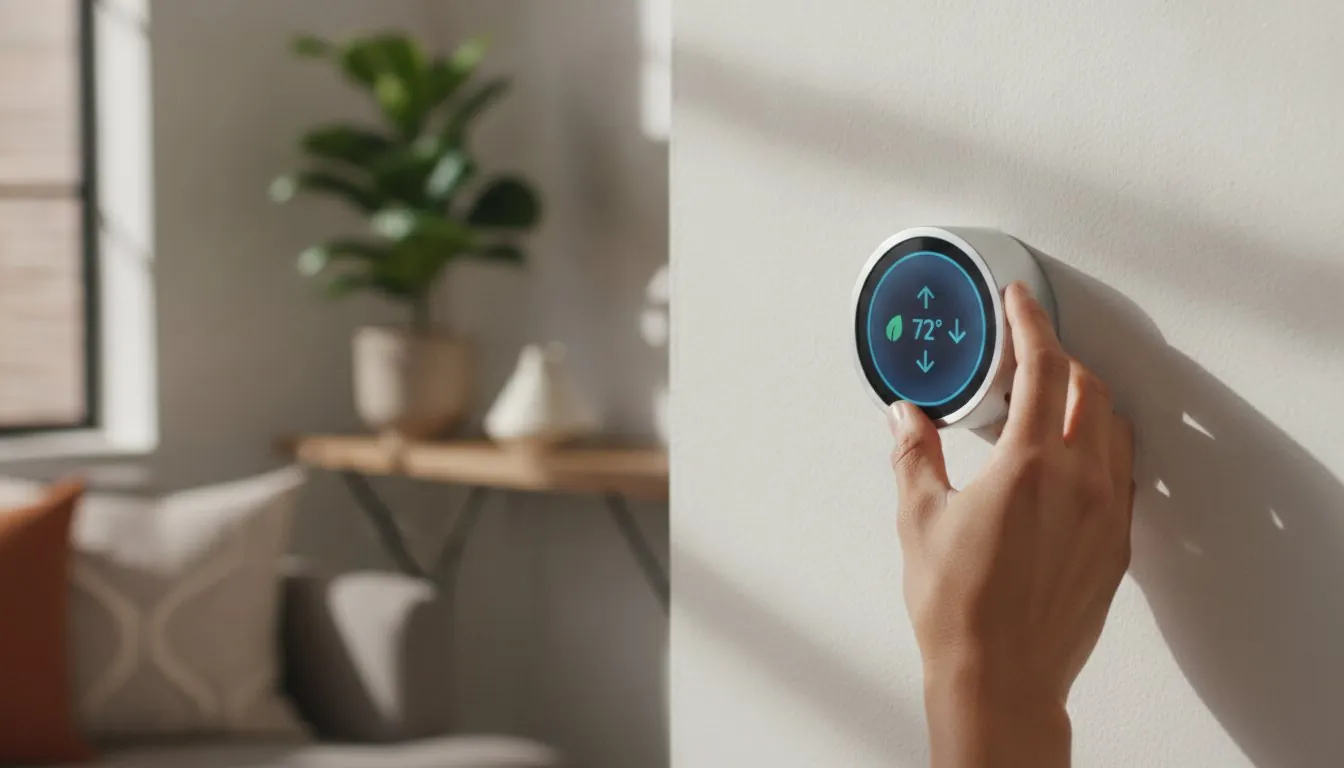
Did you know that roughly 40% of homes built before 1990 lack the common wire, or “C-wire,” required for most modern climate tech? For many renters, this technical hurdle combined with a strict lease agreement makes installing a smart thermostat apartment upgrade feel like an impossible dream. You’re likely tired of watching your utility bills climb while feeling like your hands are tied by a landlord who doesn’t want holes in the drywall or permanent modifications to the wiring.
We agree that you shouldn’t have to choose between a comfortable home and a full security deposit refund. The good news is that 2026 has brought a wave of renter-friendly tech designed for easy, damage-free installation. This guide will show you how to slash your energy bills by an average of 8% using devices that are as easy to remove as they are to set up. We’ll preview the top-rated models that work without a C-wire and explain how to claim the 30% federal tax credit to make your savvy upgrade even more affordable.
Key Takeaways
- Learn why a smart thermostat apartment upgrade is a reversible win that slashes energy costs by an average of 8% without risking your security deposit.
- Identify your building’s wiring quirks and understand the C-wire hurdle to ensure you pick a device that’s compatible with your specific rental unit.
- Explore our top 2026 picks for the best overall and budget-friendly models that offer high-end features with simple, DIY setup.
- Master the “Golden Rule” of documenting your original wiring so you’re ready for a quick and stress-free re-installation on move-out day.
- Discover how to sync your new device with smart lighting and daily routines to create an efficient living space that adapts to your lifestyle.
Why a Smart Thermostat is the Ultimate Apartment Upgrade in 2026
Upgrading your living space shouldn’t require a call to a contractor or a nervous conversation with your landlord. When we talk about a smart thermostat apartment setup, we’re describing a “removable upgrade.” This is a device that replaces your existing wall unit to provide advanced climate control without causing permanent damage. If you’re curious about the technical history, you can read more about what a smart thermostat is and how it evolved from simple programmable timers. In 2026, finding the right smart thermostat apartment solution is easier than ever because these devices are specifically engineered for the rental market. They focus on plug-and-play installation and easy removal so you can take your investment with you when your lease ends.
Many apartment buildings, especially those in urban centers, suffer from outdated insulation. This leads to drafty winters and sweltering summers that drive up utility costs. A smart thermostat acts as a digital shield against these inefficiencies. By using AI-driven energy reports, these modern units identify exactly where your money goes. New 2026 models even include humidity sensing. This is a game-changer for older rentals because it helps prevent that “stuffy” apartment feel while protecting your belongings from moisture damage.
The “Invisible” Savings of Smart Scheduling
Smart scheduling does the heavy lifting so you don’t have to. Geofencing tech uses your phone’s location to detect when you’ve left for work, automatically shifting the system into an eco-mode. This is vital in cities where utility companies use peak-hour pricing. Imagine a summer heatwave in a high-rise. Instead of blasting the AC all day to keep your unit cool, the thermostat maintains a safe baseline. It then starts pre-cooling just before you arrive home. This strategy helps renters achieve the average 8% energy savings reported by ENERGY STAR, all without lifting a finger.
Comfort Meets Convenience in Small Spaces
Apartments often have uneven airflow, leaving you with a freezing bedroom and a boiling living room. Remote sensors solve this by prioritizing the temperature in the room you’re actually using. Most 2026 units integrate seamlessly with hubs like Alexa or Google Home. You can adjust the temperature with a quick voice command without leaving your couch. Plus, the latest designs are sleek and minimalist. They blend into modern decor much better than the beige plastic boxes found in most rentals. You get a high-tech upgrade that looks like it belongs in a luxury condo.
The Renter’s Compatibility Checklist: C-Wires and HVAC Systems
Before you purchase a smart thermostat apartment upgrade, you need to look behind the curtain, or in this case, the plastic wall cover. Most modern smart thermostats are designed for low-voltage systems common in houses and newer apartment complexes. However, many older rentals use high-voltage (line voltage) systems, especially if you have electric baseboard heaters or wall heaters. Installing a standard Nest or Ecobee on a high-voltage system is dangerous and can permanently damage the device or your wiring. You can usually identify a high-voltage system by thick wires connected with wire nuts, whereas low-voltage systems use thin, multi-colored wires similar to doorbells.
The most common hurdle for renters is the C-wire, also known as the “common wire.” This wire provides a continuous stream of 24V power to keep your thermostat’s screen lit and its Wi-Fi connected. Research shows that approximately 40% of US homes built before 1990 don’t have a C-wire. If you pop off your current thermostat and see only two or four wires, don’t panic. You can still enjoy a smart thermostat apartment setup that will deliver energy savings and modern convenience. You just need to choose a model that includes a workaround or is designed for limited wiring.
Solving the No-C-Wire Dilemma
If your apartment lacks that elusive blue wire, you have two renter-friendly options. The first is a Power Extender Kit (PEK). These small adapters sit at your HVAC control board and “create” a power path using your existing wires. It’s a completely reversible modification that doesn’t require new holes in the wall. Alternatively, you can use a plug-in transformer that connects your thermostat directly to a standard wall outlet. For a deeper dive into these methods, check out our Smart Thermostat Without C Wire: The Complete 2026 Installation Guide.
Compatibility with Apartment HVAC Units
Landlords often rely on ancient boilers or furnaces that have been running for decades. While these systems are rugged, they might not speak the same “language” as a brand-new smart device. Most major brands offer online compatibility checkers where you can input your wire labels (like R, W, Y, and G) to see if their model will work. If you’re dealing with a complex system, you might want to browse our smart home buying guides to find a device specifically tested with older HVAC equipment. Always verify compatibility before you buy to ensure a smooth, ten-minute installation on your next Saturday morning.
Top 5 Smart Thermostats for Apartments in 2026
Selecting the right smart thermostat apartment model in 2026 requires looking beyond just the price tag. You need a device that covers old paint lines, connects without a headache, and pops off the wall cleanly when your lease ends. We’ve ranked these top performers based on real-world perspectives from landlords and tenants regarding ease of removal and long-term reliability. Our top picks focus on making your life easier without causing friction with your property manager.
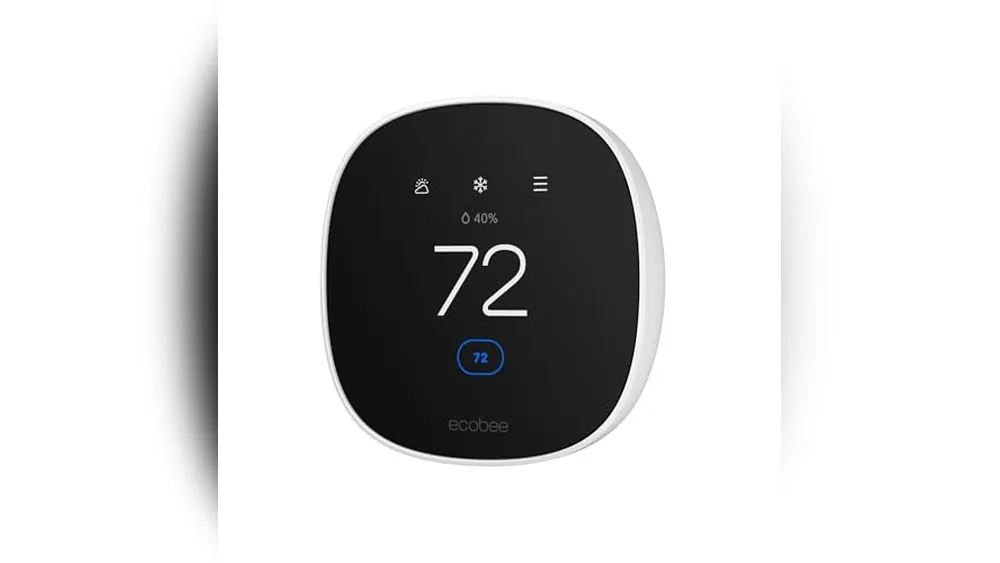
- Best Overall: Ecobee Smart Thermostat Premium ($249). This is the gold standard for renters because it includes a Power Extender Kit in the box. It’s a complete solution for those missing a C-wire and includes a remote sensor to fix that one freezing bedroom.
- Budget King: Amazon Smart Thermostat ($57.99). If you’re on a short-term lease, this is your best bet. It offers essential scheduling and Alexa integration for a fraction of the cost of high-end models.
- The Design Choice: Google Nest Learning Thermostat 4th Gen ($220-$229.99). This model is stunning and features advanced power-sharing tech that often works without a C-wire. Its high-res display acts like a piece of modern art on your apartment wall.
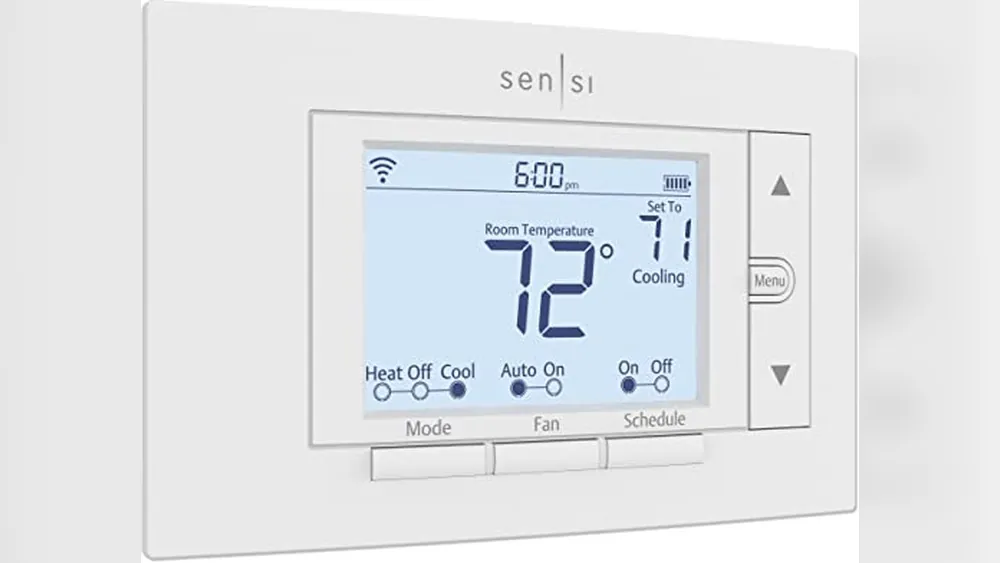
- Reliability Pro: Emerson Sensi Touch Wi-Fi ($169.00). Known for having one of the highest-rated apps, this unit is perfect for those who want a straightforward, traditional look with modern connectivity.
Feature Breakdown: What Actually Matters for Tenants
In a small apartment, you don’t need a system designed for a three-story mansion. Focus on app reliability and “learning” capabilities. The best models in 2026 use your phone’s location to sense when you’ve crossed the threshold of your building, adjusting the temperature before you even reach your front door. If your apartment has uneven heating, prioritize models like the Ecobee or Nest that support remote sensors. These tiny pods sit on a bookshelf and tell the thermostat to keep running until the room you’re actually in reaches the perfect temperature.
The Value Proposition: ROI for a 12-Month Lease
Is it worth spending $200 on a device for a place you don’t own? Absolutely. With ENERGY STAR certified units saving an average of $50 per year, a mid-range thermostat pays for itself in about two years. If you’re only staying for 12 months, consider buying a certified refurbished model to hit that break-even point faster. You’re essentially “renting” the energy savings. For more tips on picking the right tech for your specific space, check out The Ultimate Smart Home Buying Guide: Build Your Savvy Nest in 2026. Remember, you’re not just buying a gadget; you’re investing in a more comfortable, savvy lifestyle that moves with you.

How to Install (and Uninstall) Without Losing Your Security Deposit
The fear of a deducted security deposit keeps many renters from personalizing their space. However, a smart thermostat apartment upgrade is entirely reversible if you follow a disciplined process. Uninstallation is actually the most important part of this journey. Most guides focus only on the “new” tech, but your goal is to leave the wall looking exactly as it did the day you signed your lease. By treating the original hardware with care, you ensure a stress-free move-out day and keep your deposit intact.
Before you disconnect a single wire, follow the “Golden Rule” of renting: take a high-resolution photo of the original wiring. This image is your blueprint for the future. Most smart thermostats come with small sticker labels. Use them to mark every wire according to the letter on the old terminal. Once the old unit is off the wall, place it, along with its screws and any instructions, into a labeled Ziploc bag. Store this bag in a safe place, like the back of a kitchen cabinet or your “junk drawer,” so it’s ready for a ten-minute re-installation when you eventually move.
You can often avoid the need for patching or painting by using the large trim plate included with most smart thermostat apartment kits. These plates are designed to hide the unpainted drywall or old screw holes left behind by the previous, larger thermostat. If your new device is smaller than the old one, the trim plate acts as a clean, professional-looking frame that requires no plaster or touch-up paint. If you’re looking for more ways to customize your rental without damage, explore our home automation tips and hacks.
Getting the Green Light: The Landlord Conversation
You don’t always need to hide your upgrade. Many landlords appreciate tenants who care about the building’s efficiency. When asking for permission, frame the smart thermostat as a safety feature. Mention that it provides freeze protection for pipes and helps you monitor the unit’s health while you’re away. If you plan on staying for several years, you can even offer to leave the device behind as a permanent upgrade. This often turns a “no” into a “yes” because it increases the value of their property at no cost to them.
Step-by-Step Renter Installation Protocol
Safety is your first priority. Always turn off the power at the breaker box before touching the thermostat base. Once the power is off, the physical swap is straightforward. Use the built-in level on the new thermostat’s base to ensure it’s straight before tightening the screws. If you’re worried about making new holes, some renters use heavy-duty removable adhesive strips for the wall plate, though screws are generally more secure and the holes they leave are easily filled with a tiny dab of putty later. Always test both the heating and cooling cycles immediately after installation to verify that everything is functioning perfectly.
Maximizing Your Smart Thermostat in a Rental Environment
Once your device is humming along on the wall, the real fun begins. Maximizing your smart thermostat apartment setup means moving beyond simple temperature settings and into the world of automation. If you’re working from home, your heating and cooling needs are vastly different than someone who commutes to an office. Instead of a static schedule, use your device’s “learning” mode to adapt to your actual movements. This ensures you aren’t paying to heat a living room that stays empty until 5:00 PM, even if you’re technically “home” in your office nook all day.
Integration is where your rental truly starts to feel like a cohesive, modern space. You can sync your thermostat with other renter-friendly tech to create “scenes” that trigger multiple actions at once. For instance, an “Away” scene could dim your lights and lower the heat simultaneously. If your apartment has older electrical systems, you might find that other upgrades are just as easy to install. Check out our Smart Dimmer Switch No Neutral Wire: The Complete 2026 Guide to complete your smart home ecosystem without needing a neutral wire or a call to an electrician.
Living in close proximity to neighbors can occasionally cause technical hiccups. Shared walls and crowded Wi-Fi bands in large buildings can lead to “signal drop” where your thermostat loses its connection. If this happens, try switching your device to a 2.4GHz band rather than 5GHz, as it penetrates walls more effectively. This simple tweak often solves connectivity issues in dense urban environments, keeping your remote control features reliable even during peak evening hours when everyone else is streaming movies.
Smart Routines for the Savvy Renter
Create a dedicated “Vacation Mode” for when you head out to visit family. Unlike a standard “off” setting, this mode maintains a safe minimum temperature to prevent pipes from freezing, which is a major concern for landlords during winter. You should also utilize “Early On” or “Pre-heat” features. These calculate exactly how long it takes your specific unit to reach a target temperature. This way, your bedroom is perfectly cozy the moment you wake up, but you didn’t waste energy running the heater all night long. Use the energy monitoring dashboard to track your usage; it’s a powerful tool if you ever need to challenge an unusually high utility bill from your building management.
Planning for Your Next Nest
Your smart thermostat apartment investment is portable, so treat it that way. Keep the original box and all the internal packaging in your storage closet. When it’s time to move, you’ll have a secure way to transport the device to your next home. Before you pull the unit off the wall, perform a full factory reset through the settings menu. This wipes your Wi-Fi credentials and personal schedule, protecting your privacy before the next tenant moves in. Remember, this device isn’t just a gadget. It’s a savvy investment in your personal comfort that moves wherever you do.
Take Control of Your Rental Comfort Today
You don’t have to wait until you buy a home to enjoy a living space that anticipates your needs and respects your budget. Upgrading to a smart thermostat apartment setup is one of the most effective ways to gain remote control over your environment while lowering your monthly expenses. We’ve shown you that technical hurdles like the C-wire or landlord anxieties are easy to overcome with the right approach. By following our zero-damage installation tips, you can enjoy high-end comfort today and take your investment with you when you move.
Ready to find your next upgrade? Check out our top-rated smart home devices for renters on SavvyNests. Our 2026 Updated Compatibility Guide and expert renter-first advice make it simple to choose tech that fits your current wiring and your lifestyle. Embracing a smarter lifestyle is about making technology work for you, not the other way around. With the right device in hand, you’ll be living more comfortably and saving money before the next billing cycle even begins.
Frequently Asked Questions
Do I need my landlord’s permission to install a smart thermostat?
You should check your lease agreement before making any hardware changes to your rental. Most standard contracts prohibit permanent electrical modifications, but a smart thermostat is usually considered a temporary, reversible upgrade. If you’re unsure, send a quick email to your property manager. Framing the device as a way to prevent frozen pipes or monitor the HVAC system’s health often leads to a quick and friendly approval.
Will a smart thermostat work in an old apartment with only two wires?
You can absolutely use a smart thermostat with just two wires, but your choice of models will be limited. Some devices use “power stealing” to stay charged, while others require a plug-in 24V transformer that connects to a standard wall outlet nearby. It’s a common scenario in older buildings with legacy heating systems. Always verify compatibility on the manufacturer’s website by entering your specific wire labels before you commit to a purchase.
Can I install a smart thermostat if I have baseboard heating?
Standard smart thermostats like Nest or Ecobee won’t work with electric baseboard heaters because they are high-voltage systems. Attempting this installation is a serious fire hazard. You must look for a specific “line-voltage” smart thermostat designed for 120V or 240V systems. These units are specifically built to handle the high electrical load of baseboard or wall heaters while still offering the remote features and scheduling you want.
How much money can a renter actually save with a smart thermostat?
A typical household saves an average of 8% on annual heating and cooling costs according to ENERGY STAR data. For a renter in a one-bedroom smart thermostat apartment, this usually translates to roughly $50 in savings per year. While that might seem small, the device often pays for itself within two years. You’ll also see immediate “invisible” savings by avoiding the high cost of heating an empty unit while you’re at work or traveling.
What happens to the smart thermostat when my lease ends?
You simply take the smart thermostat with you to your next home when your lease expires. This is why keeping the original thermostat and its mounting screws in a safe place is so important. As long as you reinstall the landlord’s hardware and leave the wall in its original condition, you can move your tech from one rental to the next. It’s a portable investment in your own comfort that stays with you.
Is it hard to uninstall a smart thermostat myself?
Uninstalling the device is usually faster than the initial setup, often taking less than 15 minutes. Since you’ve already labeled the wires and have the old unit ready in a Ziploc bag, the process is a simple matter of swapping the wires back to their original terminals. It doesn’t require any special tools beyond a standard screwdriver. This makes it a perfect DIY project for anyone, regardless of their technical skill level or previous experience.
Do I need a Wi-Fi connection for the thermostat to work?
You need a stable Wi-Fi connection to access the “smart” features like remote smartphone control, geofencing, and energy reports. Without Wi-Fi, the device will still function as a basic manual thermostat, allowing you to change the temperature using the physical interface on the wall. However, losing the internet connection means you won’t be able to adjust the settings while you’re away from your smart thermostat apartment, which defeats much of the purpose.
What is a C-wire, and why do people say I need one for my apartment?
A C-wire, or “common wire,” provides a continuous flow of 24V power to your thermostat. While older manual thermostats ran on batteries or simple circuits, modern smart screens and Wi-Fi chips need a constant power source to stay active. If your apartment wiring lacks this blue wire, you’ll need to use a Power Extender Kit or a model specifically designed to work without one to ensure the device stays powered and connected.
Article by
Michael J. Mahon
Smart home automation transforms ordinary homes into intelligent living spaces by connecting devices that improve convenience, security, energy efficiency, and comfort. SavvyNests makes smart home technology easy to understand with expert guides, reviews, and recommendations for every budget.