
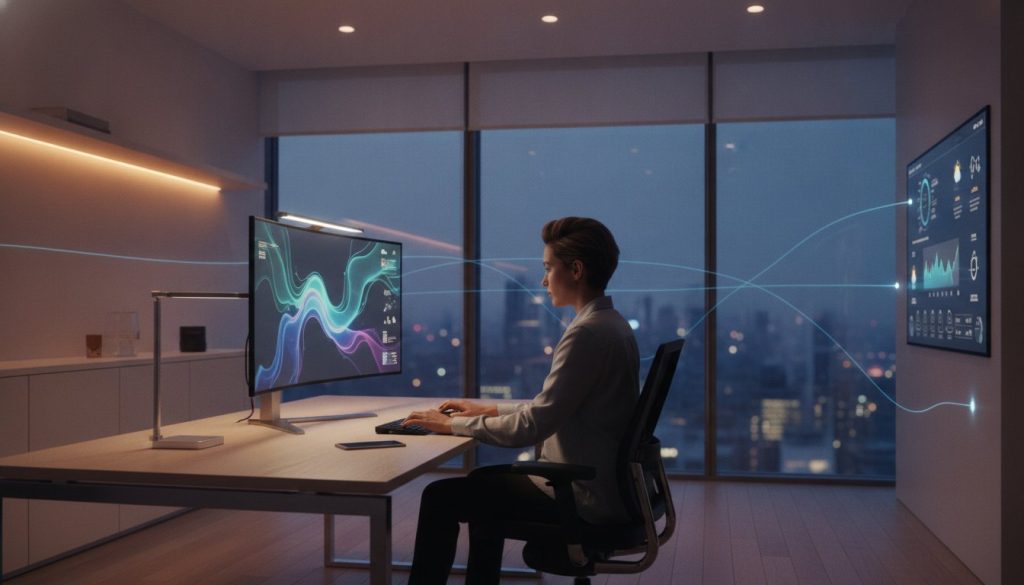
What if your desk knew exactly when you were losing focus and adjusted your environment before you even felt the slump? If you’re among the 79% of professionals currently navigating remote or hybrid roles in 2026, you likely know the frustration of a workspace that feels like it’s working against you. Whether it’s eye strain from static lighting or the clunky transition from “home mode” to “work mode,” these micro-frictions drain your mental energy before the day even begins.
We believe technology should serve you, not add to your to-do list. A truly effective smart home office setup isn’t about filling a room with expensive gadgets. It’s about creating a seamless, automated environment that anticipates your needs so you can stay in the flow. In this guide, you’ll learn how to use the latest Matter 1.6 standards and intuitive automation to manage your lighting, posture, and energy usage without lifting a finger. We’ll preview the essential tools and settings that eliminate daily distractions and transform your office into a sanctuary of productivity.
Key Takeaways
- Discover how to eliminate “Focus Friction” by automating the small, manual tasks that quietly drain your daily willpower.
- Learn to optimize your environment using specific color temperatures and the ideal 71.6°F climate for peak mental alertness.
- Master “Status Signaling” to manage household interruptions and use smart speakers as high-performance focus timers.
- Transition from manual controls to a fully automated environment using the sensor-based SavvyNests Routine Framework.
- Start building your smart home office setup on a budget by using affordable smart plugs to automate your existing “dumb” office equipment.
What is a Smart Home Office Setup and Why Do You Need One?
A smart home office setup is more than a collection of high-tech gadgets sitting on a desk. It’s a cohesive home automation system designed to manage your environment so you don’t have to. While a traditional office requires you to manually flip switches, adjust thermostats, or pull blinds, a smart workspace responds to your presence and habits. It transforms your four walls from a static room into a responsive partner that supports your professional goals.
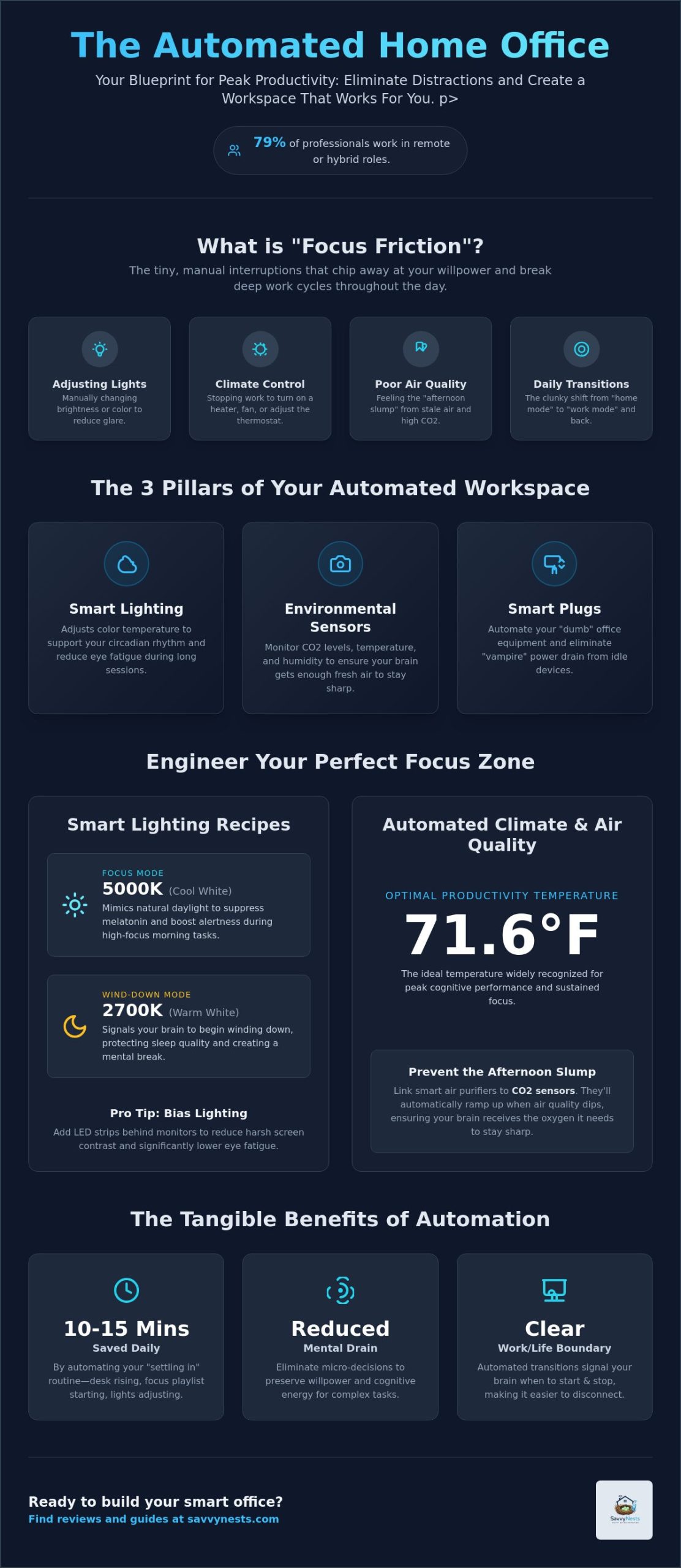
We focus heavily on a concept called “Focus Friction.” These are the tiny, manual interruptions that chip away at your willpower throughout the day. Think about the moments you stop typing to dim a lamp because of glare or stand up to turn on a heater. Individually, these actions take seconds. Collectively, they break your deep work cycles and drain the mental energy you need for complex tasks. An automated setup removes these micro-decisions, allowing you to stay in the zone without distraction.
Beyond productivity, there is a powerful emotional benefit to this integration. When your lights shift from a warm evening glow to a crisp, energizing white at the start of your shift, your brain receives a clear signal that work has begun. This creates a psychological boundary that is often missing in remote work. It makes it much easier to disconnect at the end of the day when the room automatically softens its atmosphere, helping you transition back into home life.
The Core Components of a Savvy Smart Office
Building an effective workspace involves a few foundational pieces that handle the heavy lifting of environmental control:
- Smart lighting: These bulbs adjust their color temperature throughout the day to support your natural circadian rhythm and reduce eye health issues during long sessions.
- Environmental sensors: These devices monitor CO2 levels, temperature, and humidity to ensure your brain is getting enough fresh air to stay sharp.
- Smart plugs and power strips: These simple tools eliminate “vampire” power drain from monitors and printers while allowing you to automate older, non-smart devices.
The Productivity ROI of Automation
The return on investment for an automated workspace is measurable and immediate. Automating your morning transition, where your desk rises to standing height and your focus playlist begins, can save you 10 to 15 minutes of “settling in” time every single day. These systems also reduce physical strain by providing automated reminders to move or by adjusting the climate before you even feel uncomfortable. In 2026, the shift toward proactive environmental management has redefined productivity from a measure of hours worked to a measure of sustained cognitive flow.
Optimizing Your Environment: Smart Lighting and Climate Control
Your body reacts to your surroundings in ways you might not realize. A high-performance smart home office setup uses sensors to regulate these biological triggers. By managing lighting and temperature, you can maintain peak cognitive function for hours longer than in a static room. It’s about moving beyond manual adjustments and letting your room work for you so that your environment actively supports your focus rather than draining it.
Smart Lighting for Focus and Energy
Lighting is a tool for biological management. Use cool white light (5000K or higher) during high-focus morning tasks to mimic natural daylight and suppress melatonin. As your workday concludes, automate your bulbs to shift toward a warm 2700K. This transition signals your brain to begin winding down, protecting your sleep quality and ensuring a clear mental break from your professional responsibilities.
Don’t forget about eye health. Integrating smart LED strips behind your monitors creates bias lighting. This simple addition reduces the harsh contrast between your bright screen and a dark wall, significantly lowering eye fatigue during long sessions. If you’re looking for the best hardware to start with, our smart device reviews can help you filter through the noise to find reliable options.
Automated Climate and Air Quality
Temperature directly impacts cognitive performance. Set your smart thermostat to maintain 71.6°F, which is widely recognized as the optimal productivity temperature for cognitive tasks. To prevent the “afternoon slump,” link smart air purifiers to CO2 sensors. These can automatically ramp up when air quality dips during long meetings, ensuring your brain receives the oxygen it needs to stay sharp and alert.
While many guides focus only on desks and chairs, the hidden thief of productivity is often poor air quality. Stagnant air leads to brain fog, but a smart home office setup can solve this by using smart vent triggers to refresh the room without manual intervention. You can also integrate smart blinds to manage natural light throughout the day. These can automatically adjust to block screen glare or harvest natural heat from the sun, keeping your workspace comfortable and your energy bills low. By automating these environmental factors, you create a consistent, friction-free zone that keeps you productive from your first cup of coffee until you finally log off.
Enhancing Focus with Smart Sound and Status Signals
Sound and social boundaries are often the most overlooked elements of a productive workspace. While we’ve discussed how to optimize what you see and feel, managing what you hear is just as vital for deep work. A high-performing smart home office setup uses auditory and visual cues to protect your focus from the unpredictable nature of a busy household. By automating your “status,” you stop interruptions before they even happen.
The goal is to create a hands-free environment where you never have to break your typing flow to handle a distraction. Whether it’s masking the sound of a neighbor’s lawnmower or signaling to your family that you’re in a high-stakes meeting, smart technology acts as a protective buffer around your concentration. This isn’t just about convenience; it’s about preserving your limited daily willpower.
Managing Interruptions with Status Lights
Status signaling is a powerful way to manage the “human element” of remote work. One of the most effective hacks is placing a smart bulb in a lamp outside your office door. You can set up an automation that turns this light red the moment your microphone becomes active or when a “Deep Work” event begins on your digital calendar. This provides a clear, non-verbal signal to housemates or family members that you’re unavailable.
You can also integrate these lights with your professional tools. For example, if your calendar shows a “Focus Mode” block, your office lighting can shift to a specific hue, like a soft purple or deep blue. This subtle change reminds you, and anyone else in the room, that you’re in a period of high-intensity work where interruptions should be kept to an absolute minimum.
Smart Audio for Deep Work
Smart speakers are far more than just music players; they’re essential tools for sound masking and time management. When you trigger a work routine, your system can automatically start a lo-fi playlist or white noise to drown out household sounds. This creates a consistent auditory “blanket” that helps your brain slide into a flow state much faster. If you need help choosing the right hardware, our smart device reviews offer a curated look at the best speakers for office environments.
Use your voice assistant to handle the “micro-tasks” that usually require you to look at a screen. You can set voice-activated water breaks or stretch reminders that play a gentle chime every 50 minutes. This keeps you mobile and hydrated without the temptation to check your phone or email. Additionally, you can connect your smart doorbell to your office speakers. Instead of a loud, startling chime, your system can play a subtle notification or flash a desk light, letting you know someone is at the door without ruining your concentration.
How to Build Your Smart Office Routines (The “Savvy” Way)
A truly smart home office setup relies on more than just high-end peripherals. It requires a logical framework that handles the transition between your personal and professional life. At SavvyNests, we use a specific routine framework that moves away from manual app control toward sensor-based automation. Instead of opening five different apps to start your day, your office should anticipate your arrival and prepare itself accordingly. This “One-Touch” or “Zero-Touch” approach is what separates a cluttered tech room from a high-performance workspace.
The most critical part of this setup is the hub that connects everything. With the 2026 Matter 1.6 update, choosing a hub that supports “Joint Fabric” features ensures your devices work together regardless of the brand. This allows for complex routines that span across your lighting, climate, and power management systems, ensuring your office is always ready for the task at hand.
Step 1: The “Start My Workday” Sequence
Imagine walking into your office between 8:00 AM and 9:00 AM. A simple motion sensor detects your presence and triggers a chain reaction. Your desk lights glow at a crisp 5000K, your monitors power up via a smart plug, and your coffee maker in the kitchen starts your first brew. This frictionless entry removes the mental load of “settling in” and lets you dive straight into your most important task without hunting for switches.
Step 2: The “Deep Work” Shield
When it’s time for high-intensity tasks, you need a way to lock down your environment instantly. By using a voice command or a dedicated smart button, you can trigger a “Deep Work” routine that silences non-essential smart home notifications and sets your status light to red. A physical smart button simplifies complex office triggers by allowing you to execute multiple device changes with a single press, keeping your phone out of sight. Your speakers begin playing brown noise, creating an auditory barrier that protects your focus from household noise.
Step 3: The “Hard Stop” Shutdown
The shutdown ritual is perhaps the most important automation for your mental health. At 6:00 PM, or via a “Work is Done” command, your system cuts power to your monitors and peripherals to save energy. Your office lights shift to a warm amber, and your smart speaker announces “Day Complete.” This clear signal helps you stop thinking about work and start enjoying your evening. For more inspiration on building these sequences, check out our guide on how to automate your home. If you’re unsure which devices will work best for your specific needs, explore our home automation tips and hacks to see how we’ve solved similar challenges for other remote professionals.
Getting Started: Building Your Smart Office on a Budget
You don’t need to overhaul your entire house to see the benefits of a high-performance workspace. Building a smart home office setup is most effective when you take an incremental, savvy approach. By focusing on high-impact areas first, you can eliminate the most significant distractions without a massive upfront investment. We recommend starting with your lighting or power management, as these provide the most immediate return on your focus and energy levels.
Before you buy your first bulb, ensure your foundation is solid. A reliable Wi-Fi mesh system is the backbone of any automated office. Without a stable connection, your sensors and routines will lag, creating the very friction we’re trying to avoid. Once your network is ready, you can find the best foundational gear by exploring The Ultimate Smart Home Buying Guide.
One of our favorite budget-friendly tactics is the “Smart Plug Strategy.” You likely already own perfectly functional “dumb” equipment like space heaters, fans, or older desk lamps. By adding a smart plug, which you can often find for under $20, you bring these devices into your automated ecosystem. This allows you to include them in the sophisticated routines we discussed in the previous section without replacing expensive hardware.
The “Starter Pack” Priority List
- Smart power strip: This allows you to manage your entire desk, including monitors and printers, through a single routine to eliminate vampire power drain.
- High-quality smart bulb: Focus on a bulb with adjustable color temperatures to support your circadian rhythm during those early morning or late night sessions.
- Dedicated smart button: A physical button on your desk lets you trigger complex routines instantly, keeping your phone tucked away so you aren’t tempted by social media.
Avoiding Over-Complexity
It’s easy to get caught up in the excitement of new tech, but more gadgets don’t always mean more productivity. Avoid “smart” versions of gear that don’t actually benefit from automation. A smart stapler or a connected coffee mug often adds more setup time than it saves. Focus your budget on devices that solve the specific pains of eye strain, climate discomfort, or household interruptions.
To ensure your workspace lasts, prioritize Matter-compatible devices. With the release of Matter 1.6 in June 2026, the standard now supports even better multi-ecosystem integration. Choosing these devices means your office setup will remain flexible and functional regardless of which smartphone or hub you use in the future. Start your savvy transformation today by picking your first routine and reclaiming your focus.
Master Your Workspace Today
Transforming your room into a high-performance smart home office setup doesn’t have to be overwhelming or expensive. By focusing on Matter-compatible devices and strategic routines, you can eliminate the daily distractions that break your concentration. Whether you start with automated lighting to protect your circadian rhythm or a simple smart plug to manage your desk power, every savvy choice brings you closer to a frictionless workday.
We act as your unbiased curator, filtering through the noise to find the best value-for-money technology available in 2026. Our research-driven approach ensures you invest in gear that actually works without over-complicating your life. Ready to build your productive sanctuary? Check out our Smart Home Buying Guide to find the best gear for your office.
You have the tools to master your environment. It’s time to let your technology do the heavy lifting so you can focus on the work that truly matters.
Frequently Asked Questions
What is the most important device for a smart home office?
A reliable Wi-Fi mesh system is the single most important component for your workspace. It provides the stable connectivity required for every other device to function without lag or dropouts. Without a strong network foundation, your routines will fail and cause more frustration than they solve. Once your network is solid, a Matter-compatible hub acts as the brain that coordinates your lighting, sound, and climate.
How can I make my home office smart if I am on a tight budget?
Focus on high-impact, low-cost items like smart plugs and individual smart bulbs. You can automate your existing “dumb” desk lamp or space heater for under $20 using a simple plug. This allows you to build a sophisticated smart home office setup incrementally. Start with one routine, like a morning startup sequence, and add more sensors as your budget allows over time.
Do smart home office gadgets use a lot of electricity?
Most smart devices use very little electricity, and many actually help you save money on your monthly bills. Smart plugs and power strips are specifically designed to cut “vampire power” by completely turning off monitors and printers when they aren’t in use. While these devices use a tiny amount of energy to stay connected to your Wi-Fi, the energy savings from automated management usually outweigh the cost.
Can I set up a smart office in a rental without drilling holes?
You can absolutely build a smart office in a rental without making any permanent changes to the property. Use plug-and-play devices like smart bulbs, which simply screw into your existing fixtures, and smart plugs for your appliances. Battery-powered motion sensors and adhesive LED strips allow you to monitor your environment and improve lighting without drilling a single hole or damaging your walls.
How do I stop my smart office devices from distracting me while I work?
The best way to prevent tech-fatigue is to move your controls away from your smartphone. Use a physical smart button or voice commands to trigger your work routines so you aren’t tempted to check apps or social media. Setting up a “Focus Shield” routine that silences non-essential notifications across your home ensures your smart home office setup works for you rather than against your concentration.
What is the best smart home ecosystem for a home office setup?
In 2026, the best ecosystem is any platform that fully supports the Matter 1.6 protocol. Whether you prefer Apple Home, Amazon Alexa, or Google Home, the Matter standard ensures that your devices can communicate seamlessly across different brands. This flexibility allows you to pick the best individual hardware for your office needs without worrying about being locked into a single manufacturer’s ecosystem.
How do I secure my smart office devices from being hacked?
Protect your privacy by putting all your smart office gear on a separate “Guest” Wi-Fi network. This keeps your work computer and sensitive data isolated from your IoT devices. Additionally, always enable two-factor authentication for your smart home accounts and keep your device firmware updated. This ensures you benefit from the latest security patches and encryption standards included in the Matter 1.6 framework.
Is a smart standing desk worth the extra money?
A smart standing desk is worth the investment if you struggle to remember to change positions throughout the day. While a manual desk works, a smart version can be integrated into your routines to automatically rise or lower at specific intervals. This removes the friction of manual adjustment and ensures you actually use the standing feature to support your physical health during long work sessions.