Imagine it’s 11:00 PM and you’re finally tucked into bed. Instead of fumbling through four different apps to lock the front door, dim the porch lights, and lower the thermostat, your house simply exhales and handles it all for you. It’s a common frustration to feel like your gadgets are making life more complicated rather than easier. You aren’t alone if you’re tired of devices from different brands refusing to talk to each other. Learning how to create smart home routines is the essential step to moving past this “app fatigue” and making your home truly intelligent.
We’re here to help you transform your collection of gadgets into a seamless, self-running environment that anticipates your needs. You’ll learn how to master the art of automation to save time on repetitive daily tasks and enjoy a simplified, single point of control. We will walk you through the latest 2026 updates, including the Matter 1.5.1 standard and the power of AI assistants like Gemini for Home. By the end of this guide, you’ll have the confidence to build a home that finally works for you, not the other way around.
Key Takeaways
- Centralize your control to eliminate “app fatigue” and turn a collection of scattered devices into a single, cohesive system.
- Learn why starting with your daily “friction points” is the most effective way to build a home that actually simplifies your life.
- Discover the foundational logic of how to create smart home routines using simple triggers like time, location, or motion sensors.
- Get step-by-step instructions for five essential beginner routines that automate your morning wake-up and evening security.
- Understand how the Matter standard and local hubs help your different device brands talk to each other for a more reliable setup.
Table of Contents
What Are Smart Home Routines and Why Do They Matter?
Think of a smart routine as the “brain” of your house. It takes a single trigger, like your alarm going off or you pulling into the driveway, and tells multiple devices to act at once. This is the heart of What is home automation. In 2026, this technology has reached a turning point. With the recent release of the Matter 1.5.1 standard, devices from different brands finally play well together. You no longer need to be a tech expert to make your lights, locks, and thermostat work as a team.
Understanding how to create smart home routines is about moving your home from being reactive to being proactive. Instead of you constantly adjusting settings, your home begins to anticipate your needs. This shift removes the friction of daily life. It’s the difference between walking into a dark house and fumbling for a switch versus having the entryway glow softly as soon as your smart lock detects you’re home. 2026 is the year of the routine because AI assistants like Alexa+ and Gemini for Home now have the power to handle complex, multi-step tasks without you needing to program every tiny detail yourself.
The Difference Between Commands and Automations
Many beginners confuse simple commands with true automations. A command requires your active input. When you say, “Gemini, turn on the reading light,” you’re still the one initiating the action. Automations happen behind the scenes. They use data from your environment, such as the time of day, your GPS location, or a humidity sensor, to trigger actions. A savvy home uses a mix of both. You might use a voice command to start a “Movie Night” routine, but you’ll rely on an automation to turn off the porch lights at sunrise every morning without ever thinking about it.
How Routines Solve the ‘Fragmented Home’ Problem
One of the biggest headaches for new users is “app fatigue.” If you bought your bulbs from one company and your plugs from another, you might find yourself switching between five different manufacturer apps just to shut down the house for the night. Routines eliminate this mess by centralizing control into one ecosystem. Whether you use Apple Home, Amazon Alexa, or the updated Google Home Spring 2026 interface, routines allow you to create a unified experience. If you’re unsure which platform best fits your household, our smart home ecosystem comparison of Alexa, Google, and HomeKit can help you choose the right foundation. This makes life much easier for guests and family members. They don’t need to learn which app controls which device; they just need to enjoy a home that works exactly as it should.
The Savvy Secret: Adopting a Routine-First Philosophy
Most beginners fall straight into the “Gadget Trap.” They pick up a smart plug here and a doorbell camera there because they’re on sale or look cool. This usually leads to a digital drawer full of tech that doesn’t talk to each other. The savvy approach is different. You should focus on how you live before you focus on what you buy. By adopting a routine-first philosophy, you ensure that every device you add serves a specific purpose in your daily life.
Thinking this way saves you money. You’ll stop buying redundant hardware that doesn’t fit your ecosystem. Instead of managing a collection of individual tools, you begin to think in “Scenes” or “Moments.” Whether it’s your morning wake-up call or your house shutting down for the night, these moments are the building blocks of a truly automated home. Learning how to create smart home routines effectively starts with a plan, not a shopping cart.
Identifying Your Home’s Friction Points
Start by noticing the small, annoying tasks you perform manually every day. These are your “Friction Points.” Do you walk around the house every night to check if the back door is locked? Do you find yourself constantly turning off lights that the kids left on in the hallway? Perhaps you’re worried about energy waste because the AC runs at full blast when no one is home. These repetitive actions are the perfect candidates for automation. Once you identify these points, you can build routines that handle them for you, giving you back time and peace of mind.
Mapping Moments to Technology
Once you have your list of friction points, map them to specific goals. Don’t worry about the specific brand of lightbulb yet. Simply write down the desired outcome, such as “I want the living room to feel cozy at 7 PM.” Next, look at your existing devices to see what can contribute to that goal. If you find you’re missing a piece of the puzzle, you can use our smart home buying guide to fill the gaps with devices that are guaranteed to work within your setup. This targeted approach ensures your home remains simple and easy to manage for everyone in the family.
If you’re ready to stop guessing and start building, take a look at our latest Smart Device Reviews to find the most reliable hardware for your new routines.
How to Create Smart Home Routines in 4 Simple Steps
Building your first automation doesn’t require a degree in computer science. Every routine, regardless of the brand you use, follows a universal logic: If [Trigger], then [Action] under [Condition]. Once you grasp this simple formula, you can master how to create smart home routines that feel like magic. Whether you are using the new Gemini for Home interface or the latest Alexa+ features, the process remains remarkably consistent.
Step 1: Picking the Right Trigger
The trigger is the “when” of your routine. It is the specific event that tells your home to start a task. In 2026, triggers have become much more precise thanks to the Matter 1.5.1 update, which improved how sensors report data. You generally have three types of triggers to choose from:
- Time-based triggers: These follow a schedule, such as “at 7:00 AM” or “30 minutes before sunset.” They are perfect for predictable daily habits.
- Sensor-based triggers: These react to the environment. A motion sensor in the hallway or a contact sensor on the front door can start a routine the moment activity is detected.
- Geofencing triggers: These use your phone’s GPS location. Your house can automatically prepare for your arrival when you cross a digital boundary, such as being two blocks away from home.
Step 2 & 3: Actions and Smart Conditions
Once you’ve set a trigger, you need to select your actions. This is the “what” of your routine. The real power comes from stacking multiple actions together. A single “Movie Night” routine can dim the overhead lights, turn on the LED accent strips, and power up your media center simultaneously. This eliminates the need to open three different apps just to start a show.
Conditions are the “secret sauce” that prevents your home from acting at the wrong time. For example, you might want a motion sensor to turn on the porch light, but only if it is actually dark outside. The Google Home Spring 2026 Update recently introduced more advanced conditions, allowing you to trigger routines based on specific humidity levels or the status of other appliances. You can also add delays to your actions, such as “turn off the bathroom fan 15 minutes after the light is switched off,” to ensure your home runs efficiently. Pairing these conditions with the best Matter smart plugs means your Alexa, Google, and Apple devices can all respond to the same routine without any compatibility headaches.
Step 4: Test and Tweak
Automations are rarely perfect on the first try. You might find that your geofence is too wide, or a light turns on when you’re just passing through a room for a second. Don’t get discouraged if a routine needs adjustment. Most savvy users spend a few days observing how a new routine fits into their lives before making small tweaks to the timing or conditions. This iterative process is how you move from a collection of gadgets to a truly seamless, self-running home. When a device behaves unexpectedly during testing, our smart home troubleshooting guide can help you quickly diagnose whether the issue is with power, your network, or a protocol conflict.
5 Essential Smart Home Routines for Every Beginner
Now that you understand the logic behind triggers and actions, it’s time to put that knowledge into practice. You don’t need a house full of expensive sensors to see immediate benefits. Most beginners start with a few high-impact automations that target the most repetitive parts of their day. If you’re wondering how to create smart home routines that provide the most value, these five examples are the perfect starting point for any savvy nest.
- The ‘Good Morning’ Kickstart: Instead of a jarring alarm, your bedroom lights gradually brighten over 15 minutes to mimic a sunrise. As you head to the kitchen, the coffee pot is already hot and your smart speaker provides a quick weather update.
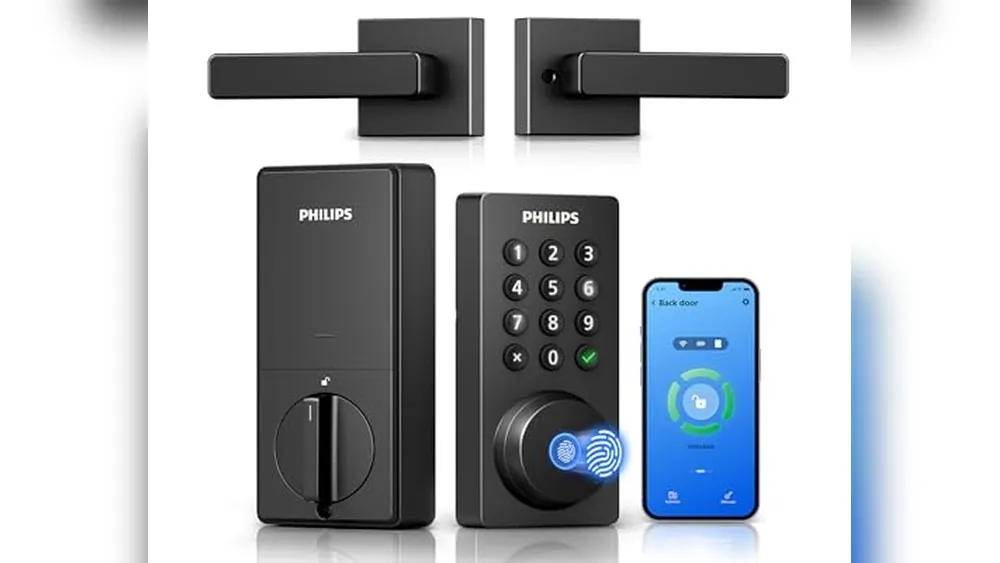
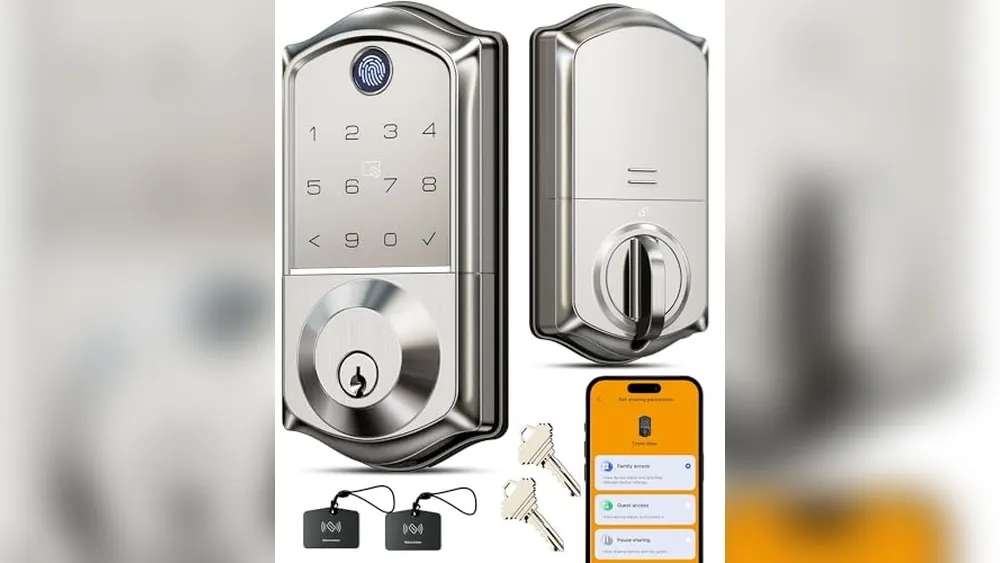
- The ‘I’m Leaving’ Energy Saver: With a single tap or voice command, every light in the house turns off, the smart lock engages, and the thermostat shifts to an eco-friendly setting. This helps you join the growing number of homeowners using technology to intelligently manage energy consumption.
- The ‘Welcome Home’ Path: Using geofencing, your house detects when your phone is within a block of the driveway. It automatically turns on the porch and entryway lights, ensuring you never walk into a dark home with your hands full of groceries.
- The ‘Goodnight’ Lockdown: This routine secures the perimeter. It checks that the garage is closed, locks the front door, and dims the hallway lights to a low glow for late-night navigation.
- The ‘Vacation Mode’ Presence: This routine makes your home look occupied while you’re away by cycling lights and blinds in a natural pattern, deterring potential intruders.
The ‘Goodnight’ Routine: Peace of Mind
Nothing beats the feeling of security before you close your eyes. A well-designed “Goodnight” routine handles the heavy lifting of home security. You can set this to trigger at a specific time, like 11:00 PM, or via a voice command. The routine should lock all exterior doors and ensure the garage is shut. Thanks to the Matter 1.5.1 update, your cameras and sensors can now communicate more reliably to confirm the state of your home. A savvy addition is to set a condition: the routine only adjusts the thermostat to a cooler sleeping temperature if the sun has set and no motion has been detected in the living room for 10 minutes. This prevents the house from cooling down while you’re still finishing a late-night movie.
The ‘Vacation Mode’ Routine: Deterring Intruders
Static timers are a relic of the past. Professional burglars can easily spot a light that turns on at exactly 6:00 PM every night. A modern “Vacation Mode” uses randomized lighting to mimic real human behavior. Your smart home system can turn the kitchen lights on for twenty minutes at dinner time and then switch to the bedroom lights later in the evening, but at slightly different times each day. If you have smart blinds, you can integrate them to follow natural daylight patterns, further enhancing the illusion that someone is home. This proactive approach to security is one of the most powerful reasons to master your automation setup.
Ready to find the best hardware for these setups? Explore our Home Automation Tips and Hacks to see which devices offer the best “randomized” features for your vacation security.
Scaling Your Setup: Making Devices Work Together
As you add more devices, the challenge shifts from basic setup to ensuring everything stays synchronized. You’ve already learned the foundational logic of how to create smart home routines, but a growing system needs a solid backbone to prevent lag. Scaling your setup isn’t just about buying more gear. It’s about making sure your existing devices communicate efficiently. This is where modern standards and dedicated hardware become your best allies in maintaining a seamless environment.
Building this robust foundation often requires upgrading your home’s infrastructure. Asthome Smart Electrical Supplies provides the high-quality electrical components and specialized hardware necessary for a truly professional and reliable automated setup.
One of the most effective ways to manage a larger system is by using “Scenes.” Scenes allow you to group multiple devices together so they act as a single unit. Instead of your hub sending ten individual commands to ten different light bulbs, it sends one command to a “Evening Scene.” This reduces network traffic and ensures your automation executes much faster. If a routine ever fails to fire, your first step should be checking your Wi-Fi signal strength or looking for cloud dependencies. Moving toward a setup that relies less on the internet and more on local communication is the key to long-term reliability.
Understanding Matter and Thread in 2026
The biggest leap forward for smart homes is the Matter standard. As of the Matter 1.5.1 update released in March 2026, compatibility issues have largely vanished. Matter allows an Apple HomeKit motion sensor to trigger a Google Home light bulb without any complex workarounds. This cross-brand harmony is the savvy way to build. It prevents you from being locked into a single manufacturer’s ecosystem. To support this, many newer devices use Thread. This is a low-power mesh network that makes battery-operated sensors faster and more reliable than traditional Wi-Fi. Always look for the Matter logo on all new purchases to ensure your routines remain future-proof. Choosing the best Matter smart plugs for a unified smart home is one of the simplest ways to start building a cross-brand setup that actually works seamlessly.
When to Upgrade to a Dedicated Hub
While a smart speaker is a great starting point, a dedicated smart home hub is essential for a truly proactive home. Hubs offer local processing. This means your routines don’t have to travel to a distant server and back just to turn on a light. Local control results in near-instant execution and significantly better privacy. It also keeps your home running even if your internet connection drops. If you find yourself managing more than 15 devices, a hub that bridges the gap between platforms like Alexa+ and Gemini for Home is a wise investment. Not sure which platform to anchor your hub to? Our 2026 smart home ecosystem comparison of Alexa, Google Home, and Apple HomeKit breaks down exactly which platform best suits different household needs. As you scale, try to document your routines in a simple notes app. It’s easy to forget the specific conditions you’ve set once your house starts handling dozens of tasks on its own.
Start Your Journey to a Seamless Home
You now have the blueprint to move from managing individual apps to enjoying a home that anticipates your every move. By focusing on your daily moments rather than just the latest hardware, you ensure that every upgrade adds real value to your life. Mastering how to create smart home routines is the most effective way to eliminate technical frustration and reclaim your time. Whether you’re starting with a simple morning wake-up or a complex vacation security plan, the logic remains the same: make the technology serve you.
Ready to start building? Check out our Ultimate Smart Home Buying Guide to find the perfect devices for your routines. We provide expertly curated device reviews and beginner-friendly setup tips using no-jargon explanations to make your upgrade stress-free. You’ve got the knowledge; now it’s time to take that first step toward a simpler, smarter lifestyle. You’ll be amazed at how quickly these small changes create a house that finally feels like a sanctuary.
Frequently Asked Questions
What is the easiest app to use for smart home routines?
Amazon Alexa and the new Gemini for Home are the most user-friendly options for beginners. These apps provide simple, visual menus that guide you through the process of choosing a trigger and an action. If you’re learning how to create smart home routines for the first time, these ecosystems offer the most straightforward path without requiring any technical knowledge.
Can I create routines with devices from different brands?
Yes, you can absolutely mix and match brands as long as they are compatible with your central app. The Matter 1.5.1 standard, which was released in March 2026, makes this easier than ever by allowing devices from different manufacturers to communicate directly. This means your smart bulbs can easily work with a door sensor from a completely different company within a single routine.
Do I need a smart home hub to set up routines?
You don’t strictly need a hub to start, but it’s a savvy choice for a more reliable home. Many basic Wi-Fi devices can run routines through the cloud using just your phone and a smart speaker. However, a dedicated hub allows your routines to run locally. This is faster and ensures your house stays smart even if your internet connection drops.
How do I make my lights turn on automatically when I get home?
The most efficient way is to use a geofencing trigger within your smart home app. By setting a digital boundary around your property, your phone’s GPS signals your lights to turn on the moment you arrive. You can also add a condition so this only happens after sunset. This prevents energy waste by keeping the lights off during the day.
Can smart home routines work without an internet connection?
Routines will only work without the internet if your system supports local execution through a smart home hub. While cloud-based routines in standard apps often fail during an outage, systems using Matter or local hubs process commands within your own walls. This provides better privacy and significantly faster response times for your automations.
What is a ‘trigger’ in home automation?
A trigger is the specific event that tells your smart home to start a routine. Common triggers include a specific time of day, a motion sensor detecting movement, or a change in temperature. Once the trigger occurs, your system automatically carries out the actions you’ve pre-selected, such as locking the doors or starting your coffee maker.
Are smart home routines safe from hackers?
Smart home routines are generally very secure if you follow basic digital safety rules. Always use strong, unique passwords and enable two-factor authentication on your primary accounts. As of 2026, manufacturers are prioritizing cybersecurity more than ever, but keeping your device firmware updated remains the best way to protect your home’s privacy.
How many routines can I have in my smart home?
Most major platforms allow you to create hundreds of individual routines, which is far more than the average household ever needs. While there isn’t a strict limit that will hold you back, it’s best to keep your setup organized. Periodically review your automations to delete any you no longer use, which keeps your smart home running smoothly. If any of your devices start behaving erratically after updates or changes, refer to our smart home troubleshooting guide to diagnose and fix the issue quickly.
Article by
Michael J. Mahon
I research and compare smart-home products for homeowners and renters, focusing on practical setup, compatibility, affordability, and everyday usefulness.