Direct answer: apartment security does not require indoor cameras. A camera-free setup can use door and window sensors, a contact alarm, a video-free door sensor, a loud siren, better lighting, and a clear response plan. These tools can alert you to an unexpected opening without recording roommates, neighbours, or guests.
For many renters, the goal is not constant surveillance. It is knowing when an entry point opens and having a quick, proportionate response. That is especially true in shared apartments, where an indoor camera can create more anxiety than reassurance. Start with the door or window that creates the clearest concern, then choose the least intrusive tool that gives you a useful alert.
Build around the entry points that matter
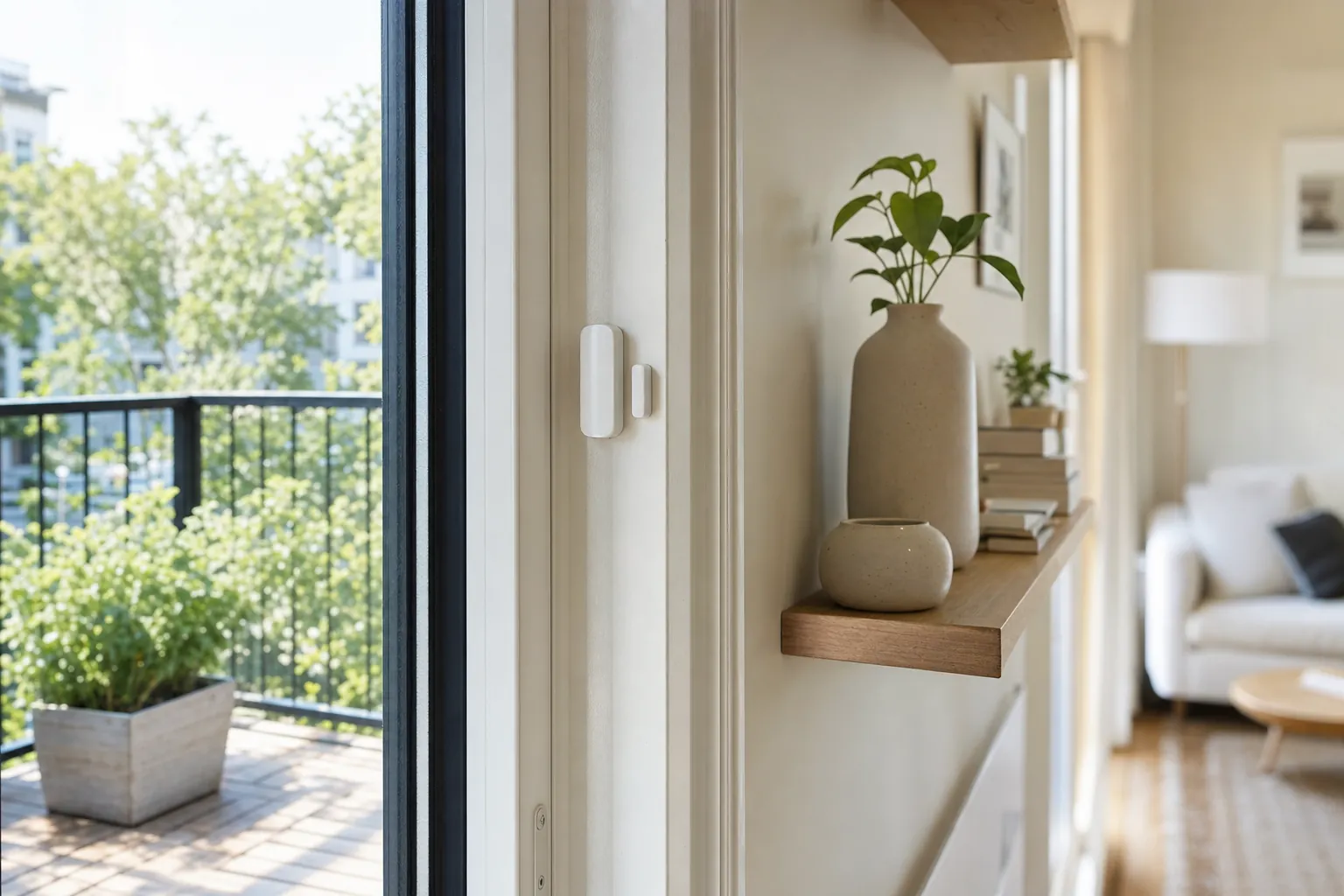
Walk through the apartment and list accessible openings: the front door, a patio door, ground-level windows, and any door that connects to a shared hallway. A contact sensor uses two pieces that separate when the door or window opens. It is small, removable, and often the simplest first device. Place it where the two halves align when the opening is closed, then test it before depending on an alert.
A sensor can tell you that an opening changed state. It cannot tell you why. That distinction keeps expectations realistic and avoids turning ordinary events into panic. Consider what you will do for each alert: check the household group, call a neighbour, contact building security, or call emergency services if there is an immediate threat. A notification without a decision path becomes background noise quickly.
Use a local alarm where an immediate signal helps
A battery-powered contact alarm can make a loud sound when a door opens. This can be useful for a balcony door, an infrequently used window, or an entry that needs a simple local deterrent. Test its volume with the household present and make sure everyone knows how to disarm it. An alarm that surprises a roommate at 6 a.m. will be removed, no matter how good its specifications look.
Check building rules before attaching anything to a shared corridor door or common-area surface. Avoid devices that interfere with a fire exit, emergency egress, or required building hardware. The U.S. Fire Administration's home-fire guidance is a helpful reminder that security devices must never block a safe exit. Keep the door's normal lock and handle easy to operate.
Improve visibility without recording people
Light is a practical security layer. A lamp near the entry on a schedule can make arrival safer and help you see keys and locks clearly. Motion-activated lighting can be useful inside your own unit, particularly near a hallway or entry, provided it does not shine into a neighbour's home. A peephole viewer or a non-recording door sensor can also improve awareness without collecting video.
Do not treat lights as a performance that makes an empty apartment look occupied. Use them for actual routines: getting home after work, walking to the kitchen, or checking the door. A dependable, simple schedule is usually better than a complex random routine that nobody can explain.
Make smart alerts private and useful
Before adding a sensor to an app, decide who should receive alerts. In a solo apartment, that may be only you. With roommates, a front-door alert may be too noisy because people come and go normally. A balcony sensor, water alert, or exterior-facing window alert may make more sense. Use separate accounts rather than one shared password, and remove access immediately when someone moves out.
Set alert names that explain the action: “Balcony door opened” is better than “Sensor 2.” Test notifications when your phone is on Wi-Fi and cellular service, and test the low-battery warning if the maker provides a test mode. The CISA Secure Our World guidance recommends strong, unique passwords and multi-factor authentication, two basics that matter just as much for a security account as the sensor on the door.
Choose a renter-friendly kit
A balanced camera-free starter kit is one contact sensor for the front door, one for a priority window or patio door, and a simple lamp or motion light for the entry. Add a local siren only after you know a loud alert would be useful in your building. Battery-powered devices with removable adhesive are usually easier to move and restore than wired equipment.
Check the communication method before buying. Some sensors need a brand hub, while others join a Wi-Fi, Thread, or Matter setup. A hub can be reasonable when it improves reliability or runs local automations, but do not buy a large system for two sensors. Start small, test signal strength at the furthest window, and expand based on an actual gap.
Coordinate with the building instead of working around it
Smart devices cannot replace a working building lock, a functioning intercom, or responsive property management. Report a damaged door frame, broken exterior light, faulty lock, or window that does not latch. Keep written records of maintenance requests. In an urgent situation, follow local emergency guidance rather than waiting for an app alert to make the decision for you.
For a broader list of portable options, read SavvyNests' apartment security guide. If a front-door camera is permitted and truly suits your situation, the apartment video-doorbell guide covers the building and privacy questions to settle first.
How SavvyNests helps
SavvyNests helps renters separate useful awareness from invasive monitoring. We look at mounting, notifications, Wi-Fi, shared access, and the move-out plan so your security setup protects the apartment without making it harder to live in.
Use a seven-day test before expanding
Set up one device or one routine, then live with it for a week. Notice what happens when you leave in a rush, when another person is home, when the Wi-Fi is slow, and when you want to use the room differently. A good smart-home choice fades into the background because it saves a small amount of effort without asking for constant attention. A bad one asks for troubleshooting, creates arguments about access, or makes a basic task harder when the app is unavailable.
Keep a short note of the outcome. Did it solve the original problem? Did it need a subscription, a hub, a new charger, or a work-around you did not expect? Was there an easy manual fallback? This small review protects the budget better than buying a matching device for every room before you know whether the first one is useful.
Keep the setup portable and understandable
Rentals change. Wi-Fi names change, roommates change, and a future apartment may have different window sizes, door hardware, or signal strength. Prefer equipment that can be unplugged, reset, and packed without leaving a permanent change behind. Store manuals, adapters, brackets, spare adhesive, and original hardware together. A labelled box is not glamorous, but it prevents a smart-home upgrade from becoming a move-out scramble.
Make sure the people who live in the home can still use it without your phone. Retain ordinary keys where appropriate, physical controls for lights and shades, and a plain-language note for any shared routine. Do not make safety, heat, or normal access depend on one account holder being available. Simpler systems are usually the ones that remain useful after the novelty wears off.
Protect accounts as carefully as the hardware
A connected device is also an account. Use a unique password for the primary smart-home account, enable multi-factor authentication when it is offered, and update devices through the maker's official app. Review household members and guest access after a move, breakup, or change in cleaners and pet sitters. The Federal Trade Commission's security basics are a useful reminder that updates and unique passwords reduce avoidable risk.
Never buy a device solely because it promises every feature. Check what works without a subscription, what happens during an internet outage, and whether the maker still publishes support information. Technology should give you a clear benefit and a clear fallback, particularly in a home you may leave next year.
Frequently Asked Questions
What is the best camera-free security device for an apartment?
A contact sensor on the entry point you care about most is often the simplest starting point. It is small, removable, and gives a specific alert when the opening changes state.
Can I put an alarm on my apartment door?
A removable local alarm may be allowed, but check the lease and make sure it does not interfere with the lock, handle, or emergency exit.
Should roommates share door alerts?
Only if everyone agrees they are useful. In a busy shared apartment, alerts for every normal arrival can become noise.