A smart power strip with energy monitoring can be a useful way to understand a small group of plug-in devices, such as a desk setup, television accessories, or a lamp-and-charger corner. It is not a shortcut to a lower bill, and it is not a universal answer for every appliance. Its real value is narrower and more useful: it shows whether a compatible group of devices is using power when you expect it to be idle, then gives you a safe way to act on a pattern you can actually change.
Start with a question rather than a shopping list. You might want to know whether a home-office monitor and speakers are drawing power overnight, whether a media cabinet stays active after everyone leaves the room, or whether a simple lamp schedule would be easier than remembering a switch. A clear question makes it easier to choose the right tool and avoid putting a connected strip where it does not belong.
Quick answer: use one for a compatible group of low-risk electronics
An energy-monitoring smart power strip is best for a small cluster of ordinary plug-in electronics that can safely lose power together. Think of a desk lamp, external monitor, powered speakers, a printer that does not need to stay available, or media accessories that are not recording, updating, or needed for security. It can show the group’s live power draw, accumulated energy use, and sometimes a history in the manufacturer’s app.
It is not a substitute for an electrician, a whole-home monitor, or an appliance manual. Do not use one as a remote switch for equipment that produces heat, needs continuous power, has a compressor or motor, supports life safety, or should not restart unattended. That includes space heaters, cooking appliances, refrigerators, freezers, medical devices, sump pumps, air conditioners, and similar loads unless the exact appliance and the exact strip explicitly allow that use.
- Good starting point: a desk or entertainment setup where every connected device is clearly within the strip’s rating and can be shut down together.
- Better tool for one device: an individual energy-monitoring smart plug, when the goal is to measure one suitable lamp or device rather than a group.
- Better tool for the whole home: a whole-home energy monitor or utility data, when the question is about major circuits or the household’s overall pattern.
What energy monitoring on a power strip can tell you
Monitoring can answer two different questions. A live watts reading tells you what the group is drawing right now. An accumulated kilowatt-hour reading tells you how much energy it used over a day, week, or month. Those are not interchangeable. A high live reading for a few minutes may add up to very little, while a small background draw that continues all day can become worth investigating.
The Environmental Protection Agency includes connected plug-load devices such as smart plugs and smart power strips in its smart-home energy-management criteria when they can report power or energy consumption. That does not mean every retail strip has the same features or accuracy. Check the exact model’s documentation for the measurements it reports and whether those readings appear in the app and smart-home system you plan to use.
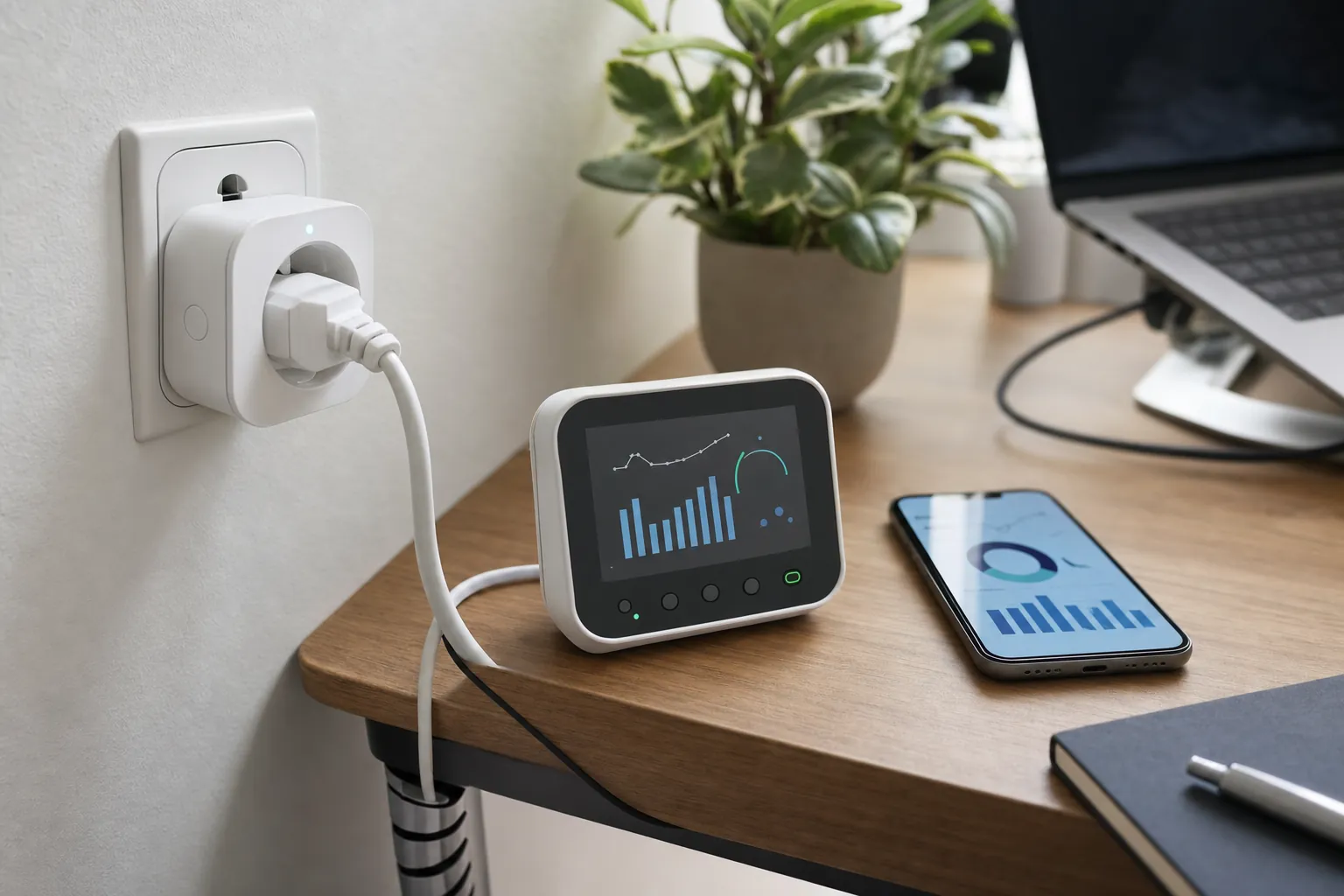
A useful measurement is one that changes a decision. If a desk setup uses very little power overnight, you may decide it is not worth building an automation around it. If it uses a steady amount while nobody is there, you can test a manual shutdown or a schedule. If the number looks unexpectedly high, check which device is actually active before assuming the power strip is the problem.
Smart power strip vs. smart plug: choose by the question
A smart plug is usually the cleaner choice when you need a reading for one suitable device. It is easier to see what belongs to the measurement because there is only one connected load. A smart power strip is more useful when several low-risk devices behave like one routine, such as a monitor, speakers, desk lamp, and charging dock used during working hours.
The trade-off is clarity. When a strip reports one total, it cannot always tell you which connected item used the power. You can still learn a lot by testing in stages: measure the group in its ordinary routine, switch off one nonessential device at a time, then compare the result. Do not turn that into a guessing game with important or sensitive equipment. If you need appliance-level detail, measure one compatible device at a time instead.
For a wider explanation of plug-in versus panel-based measurement, read SavvyNests’ smart home energy monitor guide. It helps separate an appliance-level question from a circuit or whole-home question before you buy hardware.
Safety and setup checks before you plug anything in
The lowest rating in the setup controls what is safe. A wall outlet or circuit that can supply a certain amount of power does not make a lower-rated power strip suitable for every connected device. Read the strip’s instructions, verify the voltage, current and wattage rating, and compare them with the labels and manuals for the equipment you want to connect. Stop if the outlet or plug is loose, damaged, discoloured, unusually warm, buzzing, or exposed to moisture.
Keep the strip visible and ventilated. Do not cover it with a rug, squeeze it behind furniture, stack adapters, or connect one power strip to another. Avoid arranging a setup that makes it impossible to unplug equipment quickly. A connected strip should make an ordinary setup easier to understand, not make an already questionable setup feel acceptable.
Before using remote controls or schedules, confirm what each device does after power returns. Some electronics can be safely switched off and on. Others may need a manual restart, lose a setting, begin an update, or should stay powered so they can provide alerts or communication. A router, security camera hub, medical device, or equipment that supports emergency communication should not be casually added to an off schedule.
A simple seven-day measurement plan
You do not need to watch an app all day. Give the setup enough time to include the way you actually use it. A single weekday can miss a late work session, a movie night, a weekend, or a day when nobody is home. Seven days is a practical starting window for a recurring desk or entertainment routine.
- Write down the question. For example: “Does this desk setup use enough power overnight to justify a shutdown routine?”
- Check compatibility first. Confirm the strip, the outlet and each device are suitable, and remove anything that needs continuous power.
- Use the setup normally. Do not change five habits on the first day. Let the reading establish a believable baseline.
- Note the exceptions. Record an unusual workday, travel, guests, or a long gaming session so you do not mistake it for the normal pattern.
- Try one change. Use a schedule, a manual shutdown, or a shorter charging window only if it is safe and convenient.
- Compare like with like. Look at another similar period, then keep the change only when it makes sense in everyday life.
If the app offers a cost estimate, enter your own current electricity rate only when you understand which charge it represents. Electricity costs vary by location, plan, timing, and fees. The U.S. Energy Information Administration explains why electricity prices vary. Treat a smart-strip cost display as a planning aid, not a replacement for reading your own bill.
Schedules should support a routine, not create a new problem
A schedule is most useful when it matches a predictable, low-stakes routine. A lamp that nobody needs after midnight is a sensible example. A group of desk accessories that is only used during working hours may also work, once you have confirmed that none of the equipment needs to remain on. A schedule is less useful when someone regularly works late, relies on an overnight update, or needs the equipment ready without a delay.
Begin with a conservative rule. Instead of cutting power the moment a workday normally ends, choose a later time and test it for a week. Make sure household members know about the change and have an easy way to override it. The best automation is one that prevents waste without becoming another thing people have to fight.
When you want to connect a useful result to the rest of the home, use the Smart Home Automation Guide to plan a routine around the devices you already have. Keep energy data as evidence for a small decision, rather than an excuse to automate every outlet in the house.
Common mistakes to avoid
Buying for a feature you will not use: If you only need a lamp on a timer, a basic compatible control may be enough. Energy monitoring earns its place when you want to measure a real question.
Assuming every outlet is independently controlled: Some strips measure or switch the whole group, while others divide outlets into groups. Read the exact model details before planning a routine around one device staying on while another turns off.
Using the strip to diagnose a fault: A reading can show a pattern, but it cannot tell you why an appliance is failing. If you notice heat, an electrical smell, repeated breaker trips, or damaged wiring, stop using the setup and seek qualified help.
Chasing tiny numbers: The goal is not to track every fraction of a cent. Focus on a repeated, meaningful pattern that you can change without losing comfort, safety, or convenience.

How SavvyNests helps you act on the reading
SavvyNests helps turn a measurement into a practical home decision. Once you can see a recurring plug-load pattern, the next step may be a simple lamp schedule, a cleaner desk shutdown habit, or a better choice between an individual plug and a wider energy monitor. The useful answer is usually the smallest safe change that fits the household.
For more ideas that protect comfort as well as energy use, explore energy saving with smart-home technology. If the question becomes “what is the home using overall?”, return to the energy monitor guide instead of adding more strips at random.
Frequently asked questions
Can a smart power strip measure electricity use?
Some models can report live power, accumulated energy use, or both. Check the exact product documentation, because features and how readings appear in an app vary by model. A strip usually measures the connected group rather than identifying each device separately.
Are smart power strips safe?
They can be safe for compatible, low-risk plug-in electronics when used within the manufacturer’s rating and instructions. Do not use one to control heaters, cooking appliances, refrigeration, medical equipment, critical safety equipment, or other loads that should not lose power unless the specific manuals explicitly permit it.
Will a smart power strip lower my electric bill?
Not automatically. It can help you find a repeated standby or scheduling opportunity, but savings depend on the devices, how often they run, your electricity plan, and whether the change is safe and easy to keep.
Is a smart plug or a smart power strip better for energy monitoring?
Choose a smart plug when you want a clear reading for one suitable device. Choose a power strip when a small, compatible group of low-risk electronics belongs to the same routine and can safely be measured or switched together.