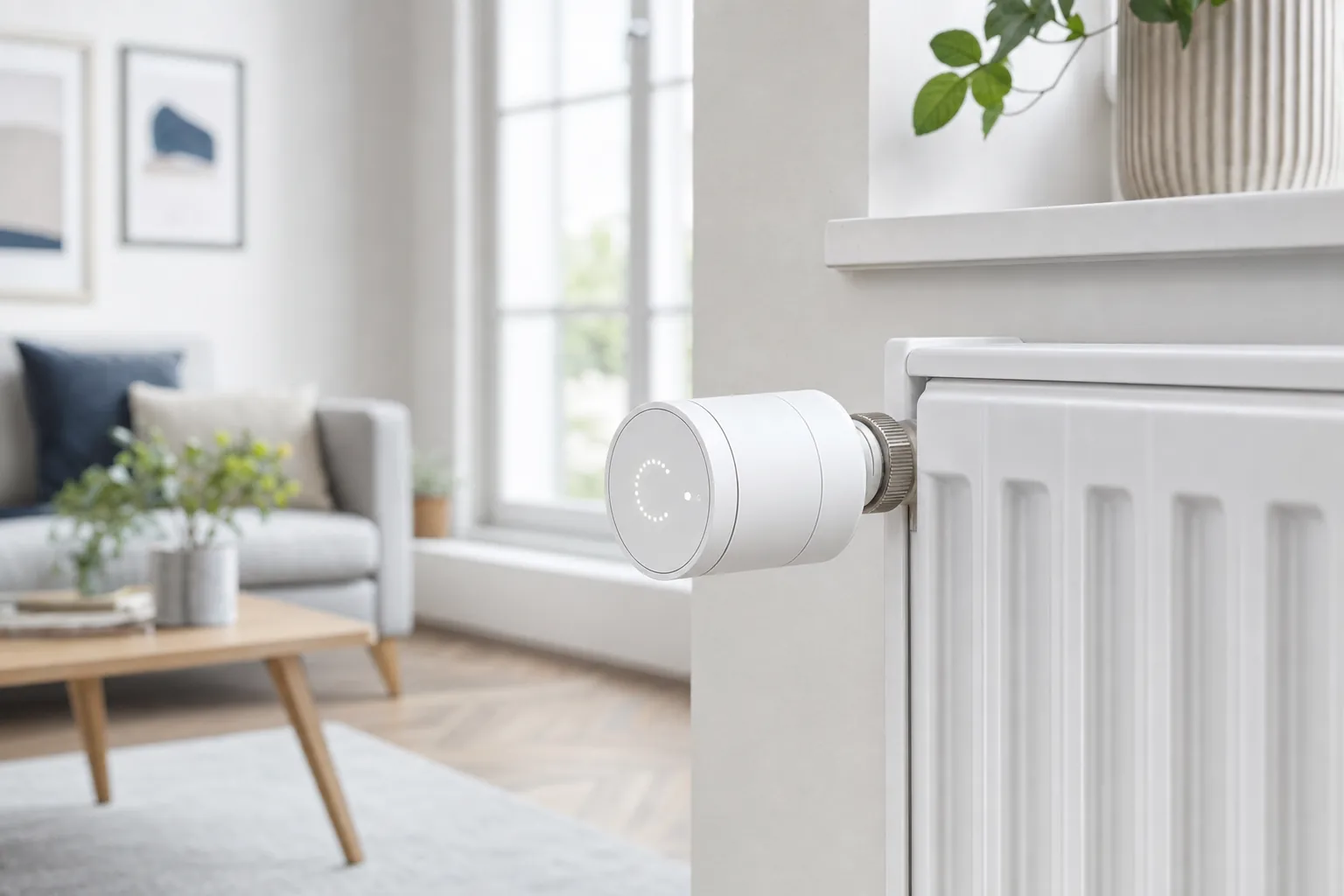
The Aqara Radiator Thermostat W600 is a smart thermostatic radiator valve for homes that want room-by-room heating control without replacing the boiler thermostat. It sits between a basic manual TRV and a full heating platform: turn one radiator down, set a schedule for a bedroom, or add a sensor where the radiator itself is not the best place to measure comfort.
The important decision is not whether the W600 is “smart enough.” It is whether it fits the heating system and smart-home setup you already have. Aqara gives buyers a choice between Thread/Matter and Zigbee, which is genuinely useful, but the two paths do not offer the same experience.
Verdict: a strong fit for Aqara homes
The W600 is most compelling for households already using an Aqara hub and sensors. In Zigbee mode, it can take advantage of Aqara scheduling, sensor linking, open-window behavior and room automations. In Thread/Matter mode, it is easier to bring into a compatible Apple Home, Alexa, Google Home, SmartThings or Home Assistant setup, but some Aqara-specific options are not part of that route.
It is not a direct boiler controller. A radiator valve can reduce or increase heat to its own radiator only when the central heating system is available. If the boiler needs a separate call for heat, plan that part of the system first. For a single cold room, or a home with several radiators and a compatible heating plan, that limitation can still be perfectly workable.
What Aqara confirms
Aqara specifies Thread and Zigbee support, Matter compatibility, 0.5°C temperature adjustments, a reversible LED display, frost protection, two AA batteries and six valve adapters in the box. The company also lists an M30 × 1.5 connection and support for common RA, RAV, RAVL, Caleffi, Giacomini and M28 × 1.5 fittings. That broad adapter set is useful, but it is not a substitute for checking the valve on your own radiator before ordering.
The thermostat can be installed horizontally or vertically, although the official manual recommends an external Aqara temperature and humidity sensor when placement close to the radiator could distort room readings. That is a sensible consideration for any smart TRV: a sensor beside a warm valve may not represent the temperature where you sit or sleep.
Installation and everyday controls
For a compatible water-heated radiator, installation should be a mechanical replacement rather than an electrical project. Remove the old thermostatic head, select the right adapter if necessary, mount the W600 and run its valve calibration. Aqara's documentation describes the device as a radiator valve thermostat; it is not designed for every heating type, including systems without compatible TRV valves.
The outer body works as a dial for temperature changes and the display can rotate for different installation angles. That makes everyday adjustment straightforward. Before buying, check where the radiator sits, whether the display will be readable and whether the valve has enough clearance from furniture or curtains. Small physical details decide whether a smart radiator valve remains convenient after the first week.
Thread/Matter or Zigbee?
Thread/Matter is the better choice when you want the W600 to join a broader multi-brand smart home. You will need a compatible Matter controller and Thread border router for that path. It can be the cleaner route for a household that already runs Apple Home, Alexa, Google Home, SmartThings or Home Assistant and wants one place to control devices.
Zigbee is the better choice when Aqara is the centre of the system. Aqara says its native path enables local schedules, external temperature-sensor linking, more detailed automation and window-related behavior. The trade-off is that you need a compatible Aqara hub, and switching protocols later requires resetting the device. Choose the ecosystem before mounting several valves so every room follows the same plan.
Features that matter in a real room
Room-level heating is the W600's main appeal. A bedroom can have a lower overnight target, a home office can warm before work, and a rarely used room can avoid being heated to the same level as the living room. Aqara also describes frost protection, which activates when the device detects a low temperature, and open-window behavior when paired with the right sensor or temperature-drop setting.
Those features should be treated as comfort and efficiency tools, not as a substitute for maintaining a heating system. Keep the existing boiler controls understandable, test a schedule before relying on it during cold weather and use a qualified heating professional if the radiator valve, boiler or plumbing needs work.
Schedules, sensors and window detection
The W600 becomes more useful when it is given a narrow job. A bedroom can drop to a lower target after bedtime, a work room can warm before the first meeting, and a guest room can stay at a modest background temperature until it is needed. Aqara says Zigbee mode supports local schedules through the Aqara Home app, which is valuable because a basic routine can continue even if the internet connection drops.
External sensing matters more than it first appears. A radiator valve lives in one of the warmest spots in a room, so its built-in reading can differ from the temperature near a sofa, desk or bed. Aqara supports linking compatible climate sensors in its Zigbee setup. That extra device adds cost, but it can be a sensible upgrade for a large room, a radiator behind furniture or a room where comfort has always been uneven.
Open-window behavior is another feature worth setting carefully. Aqara describes a mode that pauses heating after an open-window signal or a sharp temperature drop, depending on the setup. That can reduce obvious waste, but it should be tested in the actual room. A drafty hallway, a frequently opened exterior door or a poorly placed sensor can create an automation that is more annoying than useful. Start with one valve and review the results before applying the same rule across a whole home.
Noise, battery life and maintenance
Aqara rates the W600 at under 30 dB and says the two AA batteries can last up to two years. Actual battery life depends on valve movement, signal strength, room temperature and how often the device is adjusted. Put the battery change on a seasonal home-maintenance list rather than waiting for a cold morning. Keep fresh batteries nearby and do not mix old and new cells.
Every radiator valve should also be checked mechanically. If a valve pin is sticky, the radiator itself is not balancing correctly or the central heating system is not providing heat, a smart head cannot solve the underlying problem. Remove the device only according to the instructions, keep its adapters together and ask a heating professional about plumbing or boiler faults. Smart controls work best after the heating system is basically healthy.
Where Matter fits—and where it does not
Matter can simplify a mixed-brand home, but it does not make every feature identical across every platform. The W600 can join Matter through Thread when the home has a compatible controller and border router. That is useful for common controls and automations in a preferred platform. It does not guarantee that every Aqara setting, sensor link or schedule will appear with the same depth outside the Aqara app.
For a household already using Aqara hubs, temperature sensors and door or window sensors, Zigbee is usually the more complete route. For a household built around Apple Home, Alexa, Google Home or Home Assistant, Thread/Matter may be the cleaner starting point. The key is not to switch back and forth casually: protocol changes require a reset, so decide which ecosystem will own the day-to-day controls before building several rooms around it.
Who should buy it?
Choose the W600 if you have compatible water radiators, want room-by-room control and are comfortable planning the boiler side of the system separately. It is particularly appealing for existing Aqara users who can take advantage of a hub, external sensors and local automations. It can also suit a Matter-focused household that already has reliable Thread infrastructure and only needs standard thermostat controls.
Skip or pause before buying if the home uses incompatible radiator valves, depends on a simple all-or-nothing boiler control with no plan for room demand, or has no practical place for a Thread border router or Aqara hub. Renters should also confirm that changing the radiator head is allowed and keep the original hardware for move-out. A manual valve can be the better option when a room rarely changes or the household does not want another battery-powered device to maintain.
A practical first-room setup
- Identify the room that regularly feels too warm, too cold or heated when empty.
- Confirm the valve type and take a photo before removing the old head.
- Pick the protocol and platform before pairing the device.
- Set only two or three temperature periods for the first week.
- Use an external sensor only if the radiator location clearly gives a misleading reading.
- Review comfort, boiler behavior and battery reporting before buying valves for other rooms.
This measured approach helps distinguish a useful heating improvement from an expensive collection of devices. If the first room becomes more comfortable with less unnecessary heating, expand gradually. If it does not, investigate the valve, radiator balance, insulation or boiler controls before adding more automation.
What to check before you buy
- Valve fit: Confirm your radiator has a compatible thermostatic valve and identify the adapter it needs.
- Heating logic: Decide how the boiler will be called for heat when one room asks for warmth.
- Protocol: Choose Thread/Matter for multi-brand platform control or Zigbee for the fuller Aqara feature set.
- Hub and border router: A Matter controller is not automatically a Thread border router; check both requirements.
- Room sensing: Consider an external sensor when the radiator location is unusually warm or enclosed.
- Manual fallback: Make sure everyone in the home can still adjust heating when an app or internet connection is unavailable.
Amazon product to compare
The W600 is worth comparing when your radiator valve and home platform are compatible. Check the current listing, regional availability and included adapter details before buying, since smart-heating products can differ by market.
As an Amazon Associate, SavvyNests may earn from qualifying purchases.
How SavvyNests helps you choose
Smart heating is easier when the radiator valve, boiler controls, sensors and household routine are considered together. SavvyNests focuses on the compatibility and daily-control details that turn a promising product into a dependable room-by-room setup. For a wider energy-saving plan, read Energy Saving With Smart Home Technology.
Frequently Asked Questions
Do you need an Aqara hub for the W600?
Not for every setup. The W600 can use Thread/Matter with a compatible controller and border router. An Aqara hub is needed for Aqara's Zigbee path and its fuller native feature set.
Can the Aqara W600 control a boiler directly?
No. It regulates the radiator valve. A separate compatible thermostat, relay or heating control is needed when the boiler must receive a call for heat.
Does the W600 work with Matter?
Yes. Aqara lists Matter support through its Thread connection, but the home also needs compatible Matter and Thread infrastructure.