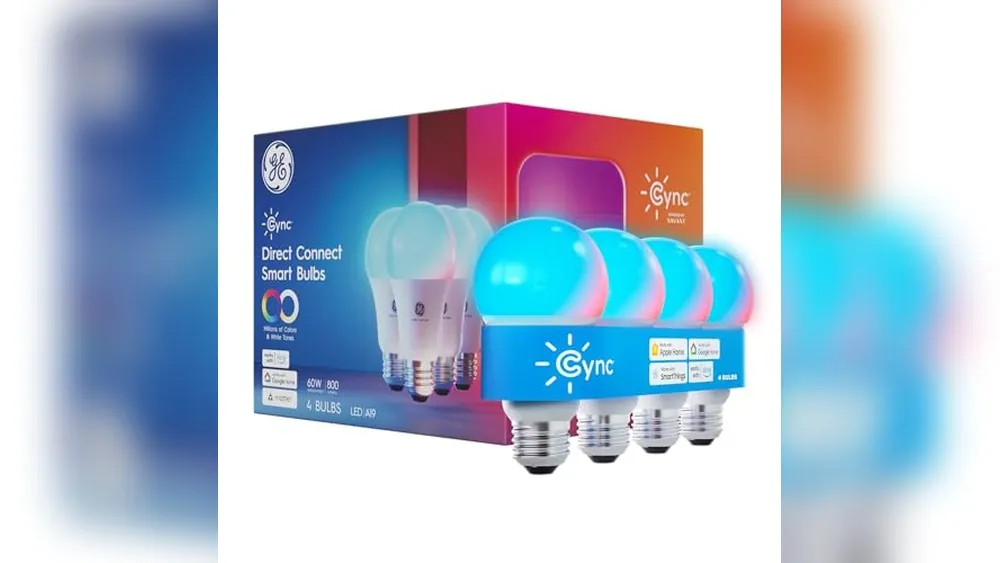
Smart light bulbs and smart switches can both make lighting easier, but they solve different problems. A smart bulb gives one lamp or fixture a quick upgrade. A smart switch changes the control for the whole circuit, so the wall control still works for everyone in the room. The better choice is usually not about which product has more features. It is about how the light is wired, who uses the room, and whether you need the upgrade to come with you when you move.
Here is the short answer: choose smart bulbs for lamps, a small number of fixtures, color lighting, and rental-friendly experiments. Choose a smart switch or dimmer for a ceiling light that the household uses from the wall every day. If people routinely flip the existing switch, a smart bulb can become frustrating because it loses power. If you want one familiar control that works for guests, kids, and anyone without the app, a smart switch is usually the cleaner answer.
This guide walks through the trade-offs without treating every room the same. A bedside lamp, a kitchen ceiling fixture, a rental hallway, and a shared family room deserve different answers. Start with the room and the daily habit, then buy the smallest setup that makes that habit better.
Smart bulb vs. smart switch at a glance
| Choose this | Best when | Watch out for |
|---|---|---|
| Smart bulb | You want an easy, portable upgrade for a lamp, a single fixture, color scenes, or a rental. | The regular wall switch must stay on for the bulb to remain smart. |
| Smart switch or dimmer | You want every bulb on one circuit to work from the wall, app, voice assistant, and schedules. | Compatibility, wiring, fixture type, and installation effort matter more. |
| Both, carefully | You need special color bulbs in a room that also needs a reliable wall control. | Do not put a smart bulb behind a conventional dimmer. Use the manufacturer’s stated compatible control method. |
For most first setups, do not start with both. Pick one room, identify the control people use most, and let that decide. A well-placed smart bulb or dimmer is more useful than a larger system that nobody remembers how to operate.
Choose smart bulbs when the bulb is the feature
A smart bulb replaces the ordinary bulb in a lamp or compatible fixture. Once it has steady power, you can usually turn it on, off, dim it, change its white tone, and sometimes change colors through its app, a voice assistant, a hub, or an automation. The physical swap is simple, which makes bulbs an approachable first upgrade.
The biggest advantage is flexibility. A table lamp can become a soft morning light, a reading lamp can warm up before bedtime, and a bedroom fixture can use a simple schedule without changing the wall box. Smart bulbs are also easy to remove, reset, and take to another home. That makes them especially practical for renters and for people who are still learning which lighting routines they will actually keep.

Good rooms for smart bulbs
- Bedside and reading lamps: a gentle wake-up routine or warm evening dimming can make the lamp more useful without touching the room wiring.
- Living-room accent lamps: these are often plugged in, easy to move, and not the only source of light in the room.
- Decorative fixtures: a color-capable bulb can be worthwhile when the color or tunable white light is the point of the upgrade.
- Renter-friendly lighting: the bulb can go back in its box at move-out, while the original bulb goes back into the fixture.
- Small experiments: one bulb lets you test an app, voice control, or an evening schedule before buying for an entire house.
The smart-bulb rule that causes the most frustration
A smart bulb needs continuous electrical power to stay connected. When someone turns off the ordinary wall switch, the bulb is not simply “off” in the app. It has no power, so it cannot receive a schedule, voice command, or remote instruction. That is why a smart bulb is easiest in a lamp with its own switch left on, or in a fixture where everyone agrees to leave the wall switch on.
This is not a minor detail. It shapes the entire experience. If the kitchen ceiling light is controlled by a wall switch that every visitor can see, people will naturally use it. The bulb will then appear unreliable, even though the real problem is that the chosen control method did not fit the room. Philips Hue’s wall-switch guidance is a useful reminder to check the intended control approach before building a room around connected bulbs.
Before buying, stand in the room for a day or two and notice what happens. Does someone flip the switch on the way out? Does a child use it? Does a guest need a clear physical control? If the answer is yes, a smart switch is usually more natural.
Choose a smart switch when the wall control is the feature
A smart switch or smart dimmer replaces the existing wall control. Rather than making one bulb smart, it controls the circuit that feeds the connected lights. That can mean a ceiling fixture with several bulbs, recessed lights, a pendant light, or a run of standard lamps wired to the same switch. The wall control still works, while the light can also follow a schedule, app command, voice command, or automation.
This is the better answer for a shared space because it respects the habit people already have. Walk into the room, press the familiar wall control, and the lights work. Nobody has to find a phone, remember which bulb belongs to which app, or avoid touching the switch. Smart control becomes an extra convenience instead of a replacement for ordinary use.

Good rooms for smart switches
- Kitchens and hallways: several people may use the same light, often without a phone in hand.
- Ceiling fixtures with multiple bulbs: one switch can control the whole group without buying and managing several connected bulbs.
- Family rooms: wall dimming is easy for guests and household members who do not use the smart-home app.
- Outdoor and entry lighting: a predictable physical control and an automatic schedule are often more valuable than color effects.
- Fixtures with preferred standard bulbs: the switch can add automation while you choose ordinary dimmable LEDs that match the fixture.
There is a practical distinction between a smart on-off switch and a smart dimmer. An on-off switch is for lights that should simply turn on and off. A dimmer is for a fixture and bulbs that are rated for dimming, where you want brightness control. Do not assume every LED bulb dims well with every dimmer. Confirm the bulb, fixture, and control compatibility before buying, and follow the switch maker’s guidance for the actual load type.
Wall controls can also involve wiring details that a bulb does not. Some locations have a neutral wire in the box and some do not. Some circuits are three-way, which means one light is controlled from two locations. Some fixtures include a fan or use specialty bulbs. Those details do not make the project impossible, but they do mean the product page should be treated as a compatibility checklist, not an afterthought. Lutron’s product support is a useful place to review the requirements for a specific dimmer before choosing one.
If you are not fully comfortable identifying the wiring and safely working at the electrical box, hire a qualified electrician. A smart-lighting upgrade is not worth turning into an electrical problem. The right professional can also tell you whether the existing box, circuit, bulbs, and multi-way controls are suitable.
Do not put smart bulbs behind a regular dimmer
This is the setup to avoid. A regular dimmer changes the power delivered to a light. A typical smart bulb expects steady full power, then manages brightness electronically. When the bulb is connected to a conventional dimmer, the dimmer can make it flicker, disconnect, behave unpredictably, or fail early. It may also create a frustrating situation where the bulb looks dimmed at the wall but still needs app control to behave normally.
There are exceptions only when a manufacturer explicitly documents a compatible pairing. Treat the documentation for the exact bulb and exact control as the authority. If the fixture currently has a traditional dimmer and you want connected lighting, the clean choices are usually:
- Use ordinary dimmable LEDs with a compatible smart dimmer.
- Replace the existing dimmer with the manufacturer-approved control for your smart-bulb system.
- Keep the fixture conventional and use a smart bulb in a separate lamp where it can have constant power.
A small compatibility check before checkout prevents the most expensive kind of smart-home frustration: buying the right-looking product for the wrong electrical relationship.
Cost: compare the room, not one item
Compare the cost of the finished room:
- One lamp: a smart bulb is usually the simpler, better-value option.
- One ceiling fixture with many bulbs: a compatible smart switch or dimmer can cost less than several premium bulbs.
- Color lighting is important: smart bulbs may justify the extra cost because the bulb itself provides the effect.
- Installation is needed: include electrician time in the switch budget. The reliable answer may still be worth it for a heavily used room.
- Moving soon: portable bulbs can make more sense than a permanent wall upgrade, unless written permission and restoration are easy.
Also count the cost of confusion. A system that is technically cheaper but forces everyone to remember a special rule for the wall switch can be poor value. Lighting is used several times a day. Familiar controls have real value.
When a smart switch and smart bulbs can work together
There are rooms where you may eventually want both types of control, but this is an advanced choice rather than the default. For example, a media room may benefit from color-capable accent lamps while the main ceiling lights still need a reliable wall dimmer. The practical approach is to give each job a clear boundary: the smart dimmer controls the ordinary dimmable ceiling bulbs, while the smart bulbs stay in separate lamps or fixtures that receive continuous power.
What does not work is asking two products to control the same electrical job in conflicting ways. A normal dimmer and a smart bulb both want to manage brightness. A standard switch can remove power from the smart bulb entirely. Even a compatible wall accessory or wireless remote should be chosen as part of one system, not added because the name sounds smart. Start with the manufacturer’s compatibility list for the exact bulb, bridge, remote, and wall control.
That distinction matters for scenes, too. A good movie-night setup might lower the ceiling lights through a smart dimmer and shift two plug-in smart lamps to a warm color scene. Each device does what it is designed to do. The household can still press the wall control for normal lighting, while a scheduled scene has room to feel special rather than fragile.
Brightness, color, and bulb quality still matter
Neither “smart bulb” nor “smart switch” tells you how much useful light the room will have. Check the bulb’s stated brightness in lumens, not only its watt-equivalent label. A dim hallway, a high-ceiling kitchen, and a reading corner need different amounts of light. A smart switch controls what is on the circuit, but it cannot make an undersized bulb brighter than its rated output.
For white light, consider color temperature. Warm white can make bedrooms and evening spaces feel calmer, while neutral or cooler white can be useful where you cook, work, or need to see detail. A tunable smart bulb gives you the option to change that tone during the day. A smart dimmer with ordinary LEDs can still be an excellent choice when you know the room’s preferred light and mostly want dependable control.
Also check whether the bulb lives in an enclosed fixture, a recessed can, or an outdoor-rated location. Heat, fixture shape, and weather affect which bulbs are appropriate. The product page and fixture label matter more than a generic recommendation. Smart features are useful only after the bulb is suitable for the light itself.
Renters: start with the option you can reverse
Renters should start with the lease and the room, not with a product sale. Smart bulbs, plug-in lamps, light strips, and plug-in controls are generally easier to remove because they do not change the property’s wiring. Keep the original bulbs and packaging together so restoring the room at move-out is straightforward.
A smart switch can still be possible in a rental, but do not assume it is allowed just because the switch is inside your apartment. Read the lease, ask for written approval when the rule is unclear, and keep the original switch and cover plate if the property manager approves the change. Factor in safe installation and restoration. A smart bulb in a floor lamp may deliver most of the useful benefit with none of those moving parts.
For more small, removable upgrades beyond lighting, see SavvyNests’ renter-friendly smart-home automation guide. It focuses on habits that can move with you instead of turning a temporary home into a renovation project.
Three real-world decisions
“I want my bedroom lamp to turn on gently in the morning.”
Choose a smart bulb. It is an easy fit for one lamp, it can create a soft schedule, and it can move with you. Leave the lamp switched on, use the app or voice assistant for control, and set the original bulb aside for later. You do not need a wall dimmer to solve a bedside-lamp routine.
“Our kitchen lights are controlled by one switch, and everyone uses it.”
Choose a compatible smart switch or dimmer. A kitchen needs a control that works when someone walks in with groceries, when a guest is visiting, or when the person cooking does not want to open an app. The switch can control the whole fixture, while schedules and voice control stay available as extras.
“I want colorful movie-night lighting in a rented apartment.”
Choose smart bulbs in plug-in lamps or a removable light strip. Color is a bulb-level feature, and the portable setup is easy to take down. Avoid putting those bulbs in a ceiling fixture controlled by a conventional dimmer. Put the color where it is an accent, not where the room depends on a normal wall switch.
Compatibility checklist before you buy
- Identify the room’s main control. Is it a lamp switch, a wall switch, a dimmer, or two wall switches for the same light?
- Count the bulbs on the circuit. One lamp and six recessed lights are different purchases.
- Check the fixture and bulb base. Confirm the bulb shape, base size, enclosed-fixture rating, and brightness you need.
- Look for dimming. If the existing control is a dimmer, do not buy smart bulbs unless the maker clearly says the pairing is compatible.
- Check your control ecosystem. Confirm whether the exact product works with the voice assistant, home platform, bridge, or app you intend to use.
- Consider the people in the room. Guests and family members should still be able to turn on the light without learning a workaround.
- For switches, review the wiring requirements. Check the product’s neutral-wire, load, three-way, and box-space guidance before ordering.
- For rentals, confirm permission first. Keep the original parts and get written approval before changing fixed electrical controls.
If you are building a broader setup around Google Home, start with the SavvyNests guide to smart lights that work with Google Home. If the bulb itself is your best answer, the smart-bulb compatibility guide can help narrow the ecosystem before you buy.
Set up one room before expanding
After choosing the right control, give the room a short real-life test. Turn the lights on and off at the wall, in the app, and through any voice assistant you plan to use. Test the schedule at the time it will run, not just while you are standing beside the fixture. If multiple people use the room, ask them to try the physical control without instructions. That small test uncovers confusing naming, weak Wi-Fi, forgotten wall switches, and dimming problems before you repeat the setup across the home.
Keep the names simple. “Kitchen ceiling” is easier to use than a brand name or a joke only one person understands. Put related lights into a room group only when they normally turn on together. A precise setup is easier to keep than a large, impressive-looking list of devices that nobody can identify six months later either.
The practical choice
Buy a smart bulb when you want to improve one lamp, create a color effect, test a routine, or keep the upgrade portable. Buy a smart switch when the household expects the wall control to work normally, the fixture has multiple bulbs, or the room needs a predictable whole-room control. In a shared home, that second answer is more common than product ads make it sound.
The best smart lighting does not make a simple light harder to use. It gives the people in the room an obvious physical control, then adds the schedule, scene, and automation that make the everyday routine easier.