What if your smart home’s biggest problem isn’t the gadgets you bought, but the invisible “language” they use to communicate? Navigating the zigbee vs z-wave vs wifi smart home landscape can feel overwhelming when your lights take five seconds to turn on or your WiFi network crawls because you’ve added too many sensors. You likely just want a system that works every time you walk through the door, without requiring a degree in computer engineering to keep it running. We agree that technology should serve you, not the other way around.
In this 2026 guide, we’ll show you how to build a “set it and forget it” system that stays fast even when the internet goes down. You will discover the critical differences between mesh networking and standard WiFi so you can eliminate connection drops and phone-clutter once and for all. We’ll preview the latest Matter standards, explain why dedicated hubs are the secret to reliability, and help you find the perfect balance for a responsive, savvy home. By the end of this article, you’ll have a clear roadmap to a reliable, clutter-free automation system without the technical headache.
Key Takeaways
- Learn why choosing the right “language” for your devices is the secret to a fast, responsive home that never leaves you in the dark.
- Master the “relay race” of mesh networking to extend your signal across your entire property without cluttering your WiFi router.
- Identify which high-bandwidth devices, like cameras and video doorbells, should remain on WiFi for peak performance and easy setup.
- Use our 2026 comparison framework to settle the zigbee vs z-wave vs wifi smart home debate based on your specific home size and automation goals.
- Discover how a multi-protocol hub acts as a universal translator, allowing you to mix and match the best devices from every ecosystem for a truly seamless experience.
Table of Contents
Understanding Smart Home Protocols: Why “Languages” Matter
Imagine walking into a room where everyone is shouting in a different language. That is exactly what happens inside your walls without a clear communication plan. In the zigbee vs z-wave vs wifi smart home ecosystem, a protocol is simply the “language” your devices use to talk to each other and your phone. If your smart lock speaks one language and your hub speaks another, they’ll never understand the command to unlock the door when you arrive home with groceries.
You’ve likely started your journey with WiFi because it feels familiar and accessible. It is the most popular protocol, holding roughly 61% of the market share as of 2025. However, as you grow your system, you’ll face the “Hub vs. No Hub” dilemma. While WiFi devices connect directly to your existing router, Zigbee and Z-Wave require a dedicated hub to act as a central brain. This choice often balances the immediate convenience of a quick setup against the long-term reliability of a dedicated, professional-grade network.
To better understand how these different languages work together in a modern house, watch this helpful breakdown:
The Problem with “Just Use WiFi”
The biggest trap for beginners is assuming that more WiFi devices are always better. Every time you add a cheap WiFi smart plug or bulb, it competes for bandwidth with your 4K Netflix stream or your important work calls. This leads to “network congestion,” which is why your internet might feel sluggish even if you pay for high speeds. Most WiFi devices also suffer from “cloud dependency.” If your internet provider has an outage, your home suddenly becomes “dumb” because the devices cannot reach the external server to process a simple “lights on” command. Additionally, having dozens of individual devices connected to your primary router creates multiple potential entry points for security risks, especially with budget-friendly hardware that rarely receives firmware updates.
Why Dedicated Protocols Exist
Specialized protocols like Zigbee and Z-Wave were built from the ground up for home automation. They are designed for low-power communication, which is why a Zigbee motion sensor can run on a tiny coin battery for over two years without a swap. These systems prioritize local control, meaning the signal stays inside your house rather than traveling to a server in another country. This results in near-instant response times and significantly better privacy. At its simplest level, a protocol is a standardized set of rules that governs how data is formatted, transmitted, and received between devices. If you want to dive into the technical history and layers of these systems, the Zigbee protocol specification offers a deep look at how these robust networks manage data without ever touching your main WiFi signal. By moving your sensors and switches to these dedicated lanes, you ensure your home stays fast, private, and functional even if the internet goes down.
Zigbee and Z-Wave Explained: The Power of Mesh Networking
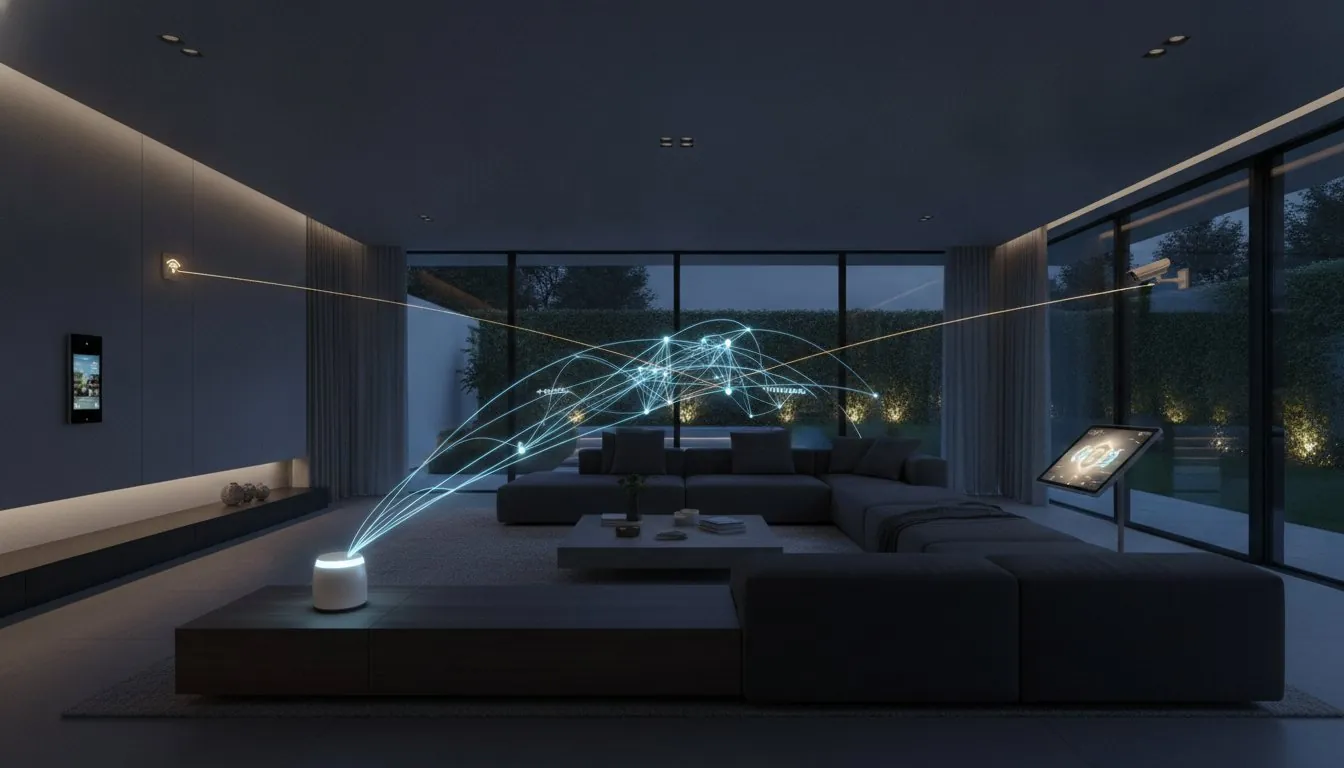
Mesh networking is the secret sauce that makes a professional smart home feel effortless. While WiFi devices are like teenagers all trying to talk to one parent (the router) at once, Zigbee and Z-Wave devices work like a coordinated relay race. Each mains-powered device, such as a smart switch or plug, acts as a repeater. If a sensor in your basement is too far from the central hub, it simply “hops” its signal through a nearby light bulb to reach its destination. This structure is why a single hub can easily cover a large mansion or reach out to a detached garage without needing expensive WiFi extenders.
One of the most reassuring features of this setup is its “self-healing” ability. If you unplug a smart plug that was acting as a bridge, the network doesn’t crash. Instead, it automatically reroutes the signal through the next best path. This reliability is a core reason why the zigbee vs z-wave vs wifi smart home choice is so critical for anyone wanting a “set it and forget it” experience. These networks offer three distinct advantages:
- Better Range: Every plugged-in device extends the network further into dead zones.
- Reliability: The system automatically reroutes around broken links or unplugged devices.
- Battery Life: Sensors “sleep” to save power, often lasting over two years on a single coin battery.
Zigbee: The Fast and Universal Choice
Zigbee is widely loved for its speed and massive ecosystem. Big names like IKEA, Philips Hue, and Amazon have built their systems on this protocol. It typically operates on the 2.4 GHz frequency, which allows for fast data transfer. The trade-off is that it shares this space with your WiFi and microwave, which can sometimes lead to interference in crowded apartments. If you’re curious about the technical layers, you can learn more about how Zigbee networks operate to see how it manages these connections. As of 2026, Zigbee 4.0 has introduced “Suzi,” a sub-GHz feature that helps the signal penetrate thick walls even better. It also serves as a primary foundation for Matter, making it a very safe bet for future-proofing.
Z-Wave: The Reliable Long-Range Specialist
If you want zero interference, Z-Wave is your specialist. It operates on the 900 MHz band, meaning it never competes with your WiFi or Bluetooth devices. This lower frequency is naturally better at passing through solid concrete and heavy timber. Z-Wave is famous for its strict certification process. Every Z-Wave device is guaranteed to work with every Z-Wave hub, removing the “will this work?” guesswork. With the current 800 series chipset, Z-Wave Long Range (LR) can now support up to 4,000 devices on one network with a range of up to 1.5 miles. For those building a high-security or large-scale system, looking through our smart home buying guides can help you pick the right Z-Wave sensors for your needs.
WiFi Smart Devices: The Entry Point for Beginners
WiFi is the most common starting point for anyone building a smart home because it requires zero extra hardware. You don’t need to buy a specific hub or learn a new technical standard; you simply buy a bulb, download an app, and connect it to the router you already own. This “plug and play” nature makes it incredibly accessible for non-technical users. However, as your system grows, the choice between a zigbee vs z-wave vs wifi smart home becomes less about convenience and more about your router’s survival. While WiFi is great for a few devices, it isn’t always the best foundation for a fully automated house.
The most significant hurdle with WiFi is the “device ceiling.” Most standard routers provided by internet companies are designed to handle a handful of laptops and phones, not a house full of 50 smart switches. These routers typically have an IP address limit that causes stability issues once you hit 20 to 30 connected devices. If you’ve ever noticed your smart lights becoming unresponsive for no reason, your router might simply be overwhelmed. For a deeper look at the data behind these performance limits, this academic comparison of smart home protocols provides a rigorous breakdown of how WiFi manages power and congestion compared to dedicated mesh networks.
When WiFi Makes Sense
WiFi is the undisputed king for high-bandwidth devices that need to move a lot of data quickly. If you’re installing a 4K security camera or a video doorbell, WiFi is often the only protocol that can handle the heavy lifting of streaming live video. It’s also the perfect choice for renters or those living in small apartments. If you only plan to automate two or three lamps, paying for a dedicated Zigbee or Z-Wave hub is an unnecessary expense. In these scenarios, the simplicity of WiFi wins every time.
The Hidden Costs of WiFi Automation
The low upfront cost of WiFi bulbs often hides long-term frustrations. Many budget-friendly WiFi devices rely on unstable third-party clouds to function. If the manufacturer’s server goes down, your “smart” home effectively breaks. WiFi is also extremely power-hungry. This is why you’ll rarely find a high-quality WiFi motion sensor that runs on a small battery; the constant connection to your router drains power far too fast. If your devices are frequently losing connection, The Savvy Smart Home Troubleshooting Guide offers practical steps to fix these common bottlenecks and restore your peace of mind.
- Pros: No hub required, cheapest entry price, best for video cameras.
- Cons: High battery drain, cloud dependency, slows down your home internet.
- Best for: Renters, cameras, and those with fewer than 20 total devices.
The Comparison Framework: Which Protocol Wins for Your Home?
Deciding on a protocol isn’t just about the gadget in your hand. It’s about the invisible infrastructure of your home. When you evaluate the zigbee vs z-wave vs wifi smart home landscape in 2026, the winner depends entirely on your specific living situation and how many “conversations” your network needs to manage at once. Choosing the right foundation now saves you from the frustration of a system that works one day and fails the next.
Latency is the first thing you’ll notice in daily use. WiFi devices often have a perceptible lag because the signal frequently travels to your router, out to a cloud server, and back again. Zigbee and Z-Wave feel instant. Because they use local mesh networking, the command to turn on a light doesn’t have to leave your house. This local-first approach is why your smart home stays responsive even if your internet service provider has an outage. It’s the difference between a light that turns on as you enter a room and one that leaves you standing in the dark for three seconds.
Scalability is where these protocols truly diverge. A few WiFi devices are perfectly fine for most users. However, once you hit 40 or 50 devices, a standard home router will likely struggle or crash. Mesh protocols actually get stronger as you add more devices. Every new plugged-in gadget creates a new pathway for data, ensuring that your signal remains robust even in the furthest corners of your property. Interoperability has also improved with the release of Matter 1.6, which helps bridge the gap between these “Wall of Gardens” and creates a more open standard for everyone.
Scenario A: The Small Apartment (1-10 Devices)
If you’re in a rental or a small condo, WiFi is usually sufficient. You don’t need a complex mesh network for a few bulbs and a smart speaker. The 2026 trend for apartments leans toward Matter-over-WiFi because it offers the easiest setup with no extra hardware footprint. If you want to add security without making permanent changes, consider a Smart Lock for Apartments that can be installed without drilling and connects directly to your existing phone or hub.
Scenario B: The Growing Smart Home (20+ Devices)
For homeowners or enthusiasts with 20 or more devices, a dedicated mesh becomes mandatory. You need to offload that traffic from your main router so your work-from-home setup and streaming services don’t suffer. By using a multi-protocol hub, you can safely mix Zigbee sensors for their low cost and Z-Wave for high-security applications like door locks and sirens. This hybrid approach ensures your home remains a sanctuary of convenience rather than a source of technical stress. If you want to ensure your hub works seamlessly with both voice assistants, our best smart home hub for Alexa and Google comparison guide walks you through the top 2026 options that bridge both ecosystems without compromise. If you’re ready to design your system, our smart home buying guides provide the expert research you need to make savvy choices.
Building Your Savvy Nest: Why a Multi-Protocol Hub is the Real Winner
The most important secret to a stress-free smart home is realizing you don’t actually have to pick a side. In the zigbee vs z-wave vs wifi smart home debate, the smartest move is to embrace all three. By using a multi-protocol hub, you create a “universal translator” that lets your devices work together regardless of their native language. This hybrid approach, favored by 41.1% of the market in 2025, allows you to pick the best device for every task. You can use WiFi for your high-def cameras, Zigbee for your light bulbs, and Z-Wave for your high-security door locks, all managed from a single screen.
Your hub acts as the central brain, offloading the heavy lifting from your phone and your router. Modern hubs from platforms like Home Assistant, Hubitat, or SmartThings are designed to process your automations locally. This means your “goodnight” routine still runs even if your internet provider has a major outage. When you look for your first brain, use this quick checklist to ensure it’s ready for the long haul:
- Multi-Radio Support: Does it have Zigbee 4.0 and Z-Wave 800 series chips built-in?
- Matter Compatibility: Can it act as a Matter bridge for your older devices?
- Thread Border Router: Does it support the new Thread protocol for low-power Matter sensors?
- Local Processing: Does it work without a constant cloud connection?
Choosing Your “Brain”: Hub vs. Speaker
It’s easy to confuse a voice assistant with a true automation hub. While a smart speaker is great for setting timers or playing music, a dedicated hub is built to manage complex interactions between dozens of devices. Many modern smart speakers now include “Zigbee Built-in” labels, which is a great starting point for smaller setups. However, if you want deep customization and true reliability, you’ll want to understand the difference between a Smart Home Hub vs. Smart Speaker before you spend your budget. A dedicated hub offers more “savvy” control over how your home reacts to your daily life. If you use both Alexa and Google Assistant, our guide to the best smart home hub for Alexa and Google in 2026 will help you find a single device that keeps all your voice assistants and protocols working in perfect harmony.
Future-Proofing with Matter
Matter is the biggest shift in home automation since the invention of the smart bulb. Released in its 1.6 version in June 2026, Matter isn’t a new radio protocol like Zigbee. It’s a unifying standard that runs over your existing WiFi and a new, Zigbee-like technology called Thread. This is great news for your current setup because most modern hubs can “bridge” your existing Zigbee and Z-Wave devices into the Matter ecosystem. Buying Zigbee sensors today is still a safe and smart investment. They’ll continue to work perfectly while gaining compatibility with Apple Home, Google Home, and Amazon Alexa through your hub. If you’re ready to start your journey, check out The Ultimate Smart Home Buying Guide to build a system that’s truly “set it and forget it.”
Ready to Master Your Smart Home Environment?
You now have the tools to move beyond the frustration of dropped connections and slow response times. By understanding the zigbee vs z-wave vs wifi smart home landscape, you can build a system that values your time and your privacy. Remember that mesh networking offers the reliability needed for sensors and switches, while WiFi remains your best ally for high-data video streams. With Matter 1.6 and multi-protocol hubs, you no longer have to worry about buying the “wrong” device. You can simply focus on the convenience and security that a truly intelligent home provides.
We’ve performed the heavy lifting of researching over 100 devices to ensure you make the most savvy choice for your lifestyle. Our guides provide no-jargon explanations and are fully updated for 2026 standards. Build your perfect system with our Smart Home Buying Guide and take the first step toward a home that finally serves you. You have everything you need to start building with confidence today.
Frequently Asked Questions
Do I need a hub for Zigbee or Z-Wave devices?
Yes, you need a dedicated hub or a smart speaker with a built-in radio to use Zigbee or Z-Wave devices. Unlike WiFi gadgets that talk directly to your router, these protocols require a central brain to manage the mesh network and connect to your phone. This extra piece of hardware is what allows for local control and keeps your automation running fast and private.
Can Zigbee and Z-Wave work together in the same house?
Zigbee and Z-Wave can absolutely work together if you use a multi-protocol hub. These hubs act as a universal translator, allowing you to mix a Zigbee light bulb with a Z-Wave door sensor in the same automation. It’s a savvy way to manage a zigbee vs z-wave vs wifi smart home because it lets you pick the best device for each task without compatibility headaches.
Will WiFi smart devices slow down my internet speed?
Yes, having too many WiFi smart devices can noticeably slow down your internet speed. Every bulb and plug competes for bandwidth on your router’s 2.4 GHz band, which is also used by your laptops and phones. If you exceed 20 to 30 devices on a standard ISP router, you’ll likely experience lag during video calls or 4K streaming as the network becomes congested.
Which protocol is more secure: Zigbee, Z-Wave, or WiFi?
Z-Wave and Zigbee are generally more secure than WiFi because they operate on local networks rather than being directly exposed to the internet. Z-Wave requires a strict Security 2 framework certification for every device, while Zigbee uses robust AES-128 encryption. WiFi devices often rely on cloud servers, which creates more potential entry points for hackers if the manufacturer doesn’t provide regular security updates.
What happens to my smart home if the internet goes out?
Your Zigbee and Z-Wave automations will continue to work perfectly even if your internet goes down. Because these protocols communicate locally with your hub, your motion sensors can still trigger your lights without a cloud connection. Most WiFi devices will stop responding to schedules or app commands until the internet is restored, as they require an external server to process every request.
Is Zigbee being replaced by Matter in 2026?
Zigbee isn’t being replaced by Matter; instead, it’s becoming a key part of the wider ecosystem. Matter 1.6, released in June 2026, allows your existing Zigbee devices to talk to Matter-certified hubs through a process called bridging. This means your current Zigbee investments are safe and will actually gain more compatibility with platforms like Apple Home and Google Home as the standard evolves.
Which smart home protocol has the best range for large homes?
Z-Wave currently offers the best range for large homes, especially with the 800 series chipset. Z-Wave Long Range supports direct connections up to 1.5 miles away, making it ideal for detached garages or large properties. While WiFi HaLow is emerging in 2026 with a 1-kilometer range, Z-Wave’s established mesh networking ensures that every plugged-in device further strengthens the signal across your entire property.
Are Z-Wave devices more expensive than Zigbee or WiFi?
Z-Wave devices are often slightly more expensive than Zigbee or WiFi alternatives. This price difference comes from the strict certification process every Z-Wave product must undergo to guarantee 100% interoperability. When weighing a zigbee vs z-wave vs wifi smart home budget, remember that Z-Wave’s cost reflects its reliability and zero interference. You’re paying for a system that works the first time, every time.
Article by
Michael J. Mahon
I research and compare smart-home products for homeowners and renters, focusing on practical setup, compatibility, affordability, and everyday usefulness.