
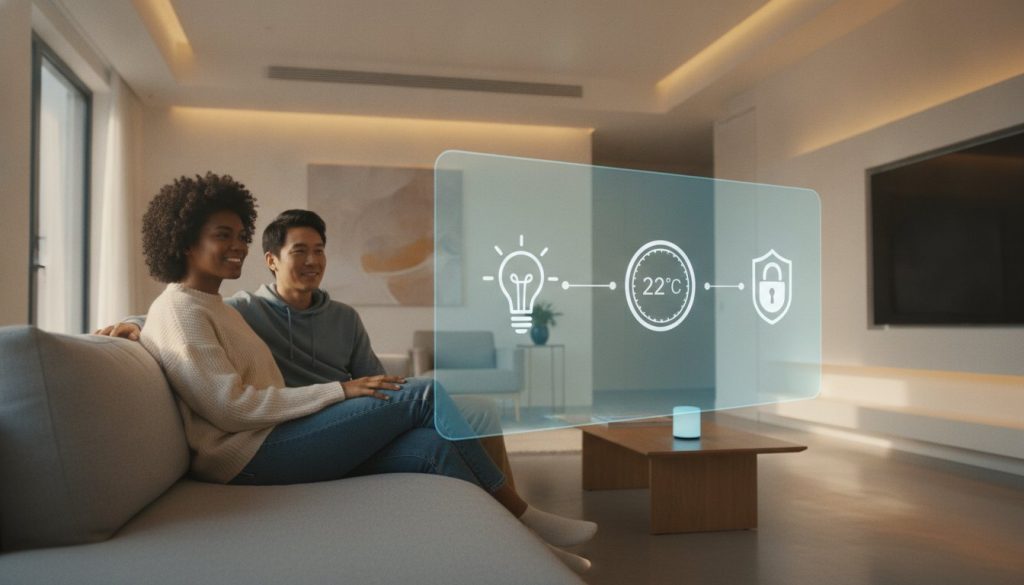
Did you know that as of 2026, over 51% of U.S. households are actively using smart devices to manage their daily lives? It’s a staggering number, yet it’s perfectly normal to feel a bit hesitant about joining them. You might be worried about picking the wrong hub, fearing that your new gadgets won’t play nice together, or feeling anxious about those new data privacy laws that took effect on January 1. It is common to feel overwhelmed by the sheer volume of smart options hitting the shelves this year.
The good news is that home automation for beginners has never been more accessible or secure. This guide is your stress-free roadmap to mastering the basics without needing a degree in computer engineering. We’ll show you how to leverage the latest Matter 1.6 standards for seamless compatibility and help you choose an ecosystem that fits your lifestyle. You’ll gain the confidence to pick the right devices and walk away with simple, working routines that make your home feel like it’s finally working for you. From voice assistants to automated lighting, let’s turn that technical clutter into true peace of mind.
Key Takeaways
- Learn why choosing a single ecosystem like Alexa, Google, or Apple is the first step to ensuring all your future devices speak the same language.
- Discover the “beginner starter kit” essentials, including how smart plugs can instantly modernize your existing manual appliances.
- Master the simple “Trigger-Condition-Action” formula to build your first hands-free routines for lighting and home security.
- This guide to home automation for beginners helps you avoid common technical pitfalls like Wi-Fi congestion and the “over-automation” trap.
- Gain the confidence to transform repetitive daily chores into invisible, automated habits that save you time and energy every day.
What is Home Automation? Demystifying the Smart Home
Many people assume a smart home is just a collection of expensive gadgets that require a professional electrician and an engineering degree. In reality, What is Home Automation? is simply the “Internet of Things” (IoT) working to make your life easier. It’s about taking those repetitive, manual tasks and turning them into “set it and forget it” routines that happen in the background. Home automation is a system of connected devices that perform tasks automatically based on triggers.
One of the biggest hurdles for home automation for beginners is the fear of massive construction. You don’t need to rewire your entire house or spend thousands on custom installations to see results. Most modern devices connect via Wi-Fi, Matter 1.6, or Zigbee 4.0. This means you can often just plug a device into a wall outlet and get started immediately. The core benefit isn’t just the “cool factor” of talking to your house; it’s the peace of mind that comes from knowing your home is looking out for you while you focus on more important things.
The Difference Between Smart Control and True Automation
It’s easy to confuse these two concepts. If you open an app on your phone to turn off a lamp, you’re using remote control. It’s convenient, but it still requires your attention and manual input. True automation happens when that lamp turns off because the sun rose or because you left the room. This logic follows a simple “If This, Then That” framework. For example, if the motion sensor detects no movement for ten minutes, then turn off the lights. This shift from manual input to logical triggers is where you truly start to save time and energy.
Why Starting Small is the Savvy Way
You might feel tempted to automate every corner of your house in a single weekend. Resist that urge. That’s a quick recipe for technical glitches and user frustration. The most successful home automation for beginners projects start with a single room or a single problem, like a dark hallway at night or a coffee pot that stays on too long. Building a smart home on a budget is actually the most strategic way to learn. By adding devices slowly, you ensure they all work together correctly before moving on to the next upgrade. It’s cost-effective, manageable, and much more reliable than a rushed, expensive setup.
Step 1: Choose Your Ecosystem and Foundation
Before you buy a single light bulb, you need to decide which “language” your home will speak. This choice defines your ecosystem. For those starting out with home automation for beginners, sticking to one primary ecosystem prevents a frustrating mess of apps that don’t communicate. Think of your ecosystem as the brain of your home. It coordinates your devices so they work together as a single, cohesive unit rather than a collection of isolated gadgets.
Your foundation also relies on a rock-solid Wi-Fi network. Standard routers often struggle when you add dozens of smart devices. A mesh Wi-Fi system acts as the backbone, ensuring every corner of your house has a strong connection. In 2026, we have the added benefit of Matter 1.6, which was released on June 17, 2026. This standard ensures that devices from different brands can finally talk to each other without a struggle. Pair this with Thread, a low-power mesh technology, and you have a future-proof setup that is fast and reliable.
Alexa vs. Google Home vs. Apple HomeKit
Choosing your primary voice assistant is a personal decision based on how you already live. Amazon Alexa remains the leader for device compatibility. With the June 2026 update to the Alexa App (version 2.2.689582.0), it’s easier than ever to manage thousands of different products. Google Home is a fantastic choice if you value AI-driven intelligence. The Spring 2026 update integrated Gemini 3.1, making voice commands feel more like a natural conversation. For those deeply embedded in the Apple world, HomeKit offers the best privacy protections, ensuring your data stays local and secure.
The Role of the Smart Home Hub
You might wonder if you need a dedicated hub or if a smart speaker is enough. For most home automation for beginners, a smart speaker with a built-in Matter controller is the perfect starting point. However, as you grow, you might look into dedicated hubs that support Zigbee 4.0 or Z-Wave Long Range for better distance and reliability. If you feel stuck on which hardware to choose, check out The Ultimate Smart Home Buying Guide: Build Your Savvy Nest in 2026 for a detailed breakdown of the best hubs currently on the market. Starting with a clear plan helps you avoid “smart home fragmentation,” where you end up with a dozen different apps just to turn on your kitchen lights. You can also browse our Smart Device Reviews to see which foundation fits your lifestyle best.
Step 2: The Beginner Starter Kit—What to Buy First
Once you’ve settled on an ecosystem, the next step is choosing the physical hardware that will bring your home to life. It’s tempting to browse through high-end gadgets, but the most effective approach to home automation for beginners is starting with a few versatile “starter” devices. These items offer the highest impact for the lowest investment, allowing you to see immediate benefits without a complex installation process.
Begin with a reliable smart speaker, such as the Amazon Echo Dot (5th Gen) or the newer Echo Dot Max. These act as your primary interface, giving you a way to issue voice commands and receive feedback. From there, add a few smart plugs. Think of smart plugs as the “Swiss Army Knife” of the smart home world. They allow you to add connectivity to almost any “dumb” appliance, from a vintage floor lamp to your morning coffee maker, simply by plugging them into the wall. They’re affordable, portable, and incredibly easy to set up.
Smart Lighting: Instant Gratification
Smart lighting is usually the first thing people notice in an automated home. For beginners, smart bulbs are almost always a better choice than smart switches. Bulbs, like the Philips Hue White and Color Ambiance, simply screw into your existing fixtures and offer features like dimming and color-changing capabilities. Switches require electrical work and permanent changes to your home’s wiring. If you are living in an apartment, the best smart home devices for renters in 2026 focus heavily on bulbs because they leave no trace when you move out. You can use white bulbs for utility in the kitchen and color-changing bulbs to set the mood in the living room.
Smart Plugs and Sensors
While voice commands are fun, true home automation for beginners relies on sensors to act as the “eyes and ears” of your system. Motion sensors are a game-changer for hallways, bathrooms, and entryways. Instead of fumbling for a switch with your hands full of groceries, the lights simply turn on as you walk in and off once you leave. Contact sensors are equally practical; they can be placed on doors or windows to alert you if something was left open. These small, battery-powered devices provide the data your ecosystem needs to run routines automatically. By combining a smart plug with a motion sensor, you can ensure your space is perfectly lit and your appliances are only running when you actually need them.
Step 3: How to Build Your First Automation Routines
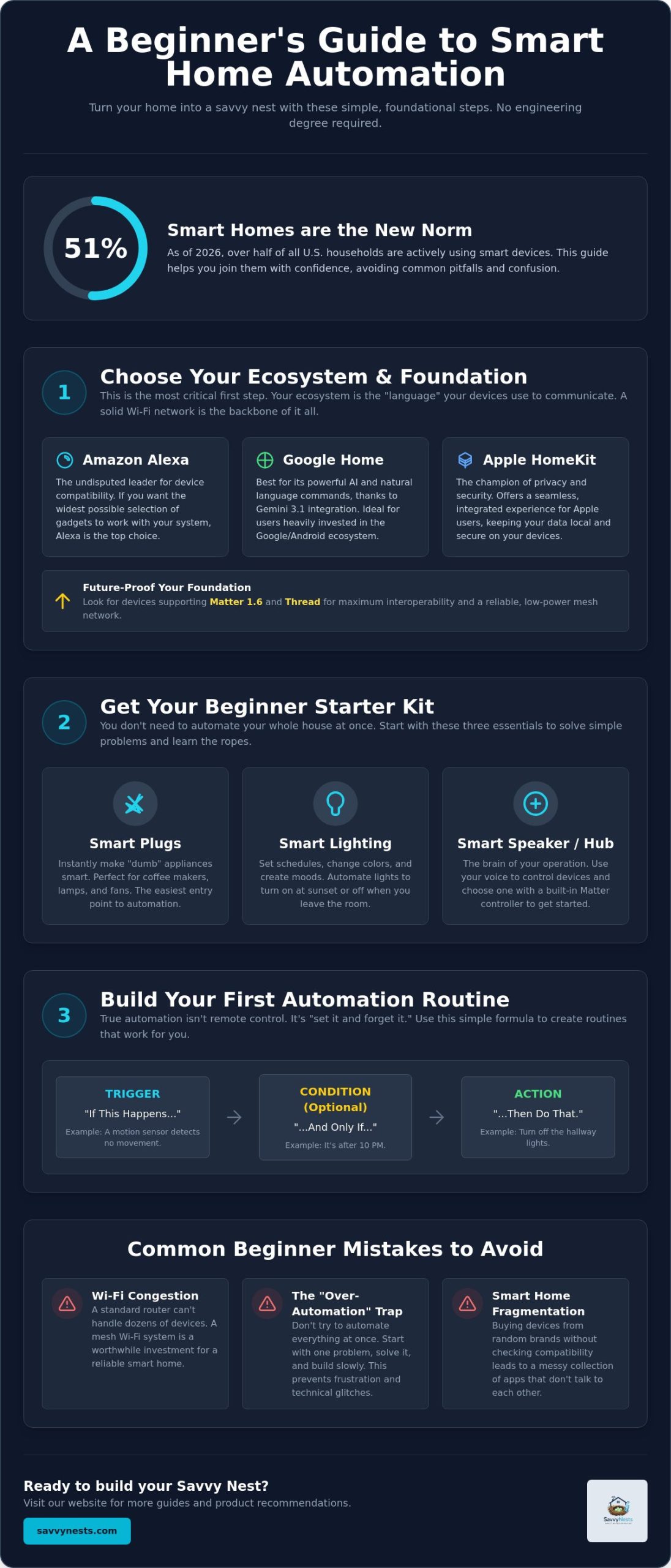
Building a smart home isn’t just about owning the right bulbs; it’s about making them work for you without a second thought. The true magic happens when you create routines. Think of a routine as a simple recipe consisting of a Trigger, a Condition, and an Action. The trigger is what starts the process, the condition is a specific requirement, such as “only after sunset,” and the action is the final result. Mastering this logic is the heart of home automation for beginners, moving you from manual control to a truly “set it and forget it” lifestyle.
To get started, identify a repetitive chore you do every single day. This might be checking the front door lock or turning off the living room lamps before you head to sleep. Once you’ve picked a task, open your primary ecosystem app, like Alexa, Google Home, or Apple Home, and navigate to the “Routines” or “Automations” section. First, set your trigger. This could be a specific time of day, a voice command like “I’m going to bed,” or even a motion sensor detecting your movement. Finally, select your action. You can tell the system to dim the lights to 10%, lock the smart bolt, and turn off the TV all with one simple command.
The “Good Morning” Routine
Imagine waking up to a home that prepares itself for your arrival in the kitchen. Set your trigger for a specific time, like 7:00 AM, or link it directly to your phone’s morning alarm. Your actions could include slowly brightening your bedroom lights to mimic a sunrise, starting the coffee pot via a smart plug, and having your speaker read the day’s weather forecast. A morning routine reduces decision fatigue by automating your first 15 minutes of the day, letting you focus on waking up rather than managing your environment.
The “Leaving Home” Routine
Security and energy savings are the top priorities when you head out for the day. You can trigger this routine with a voice command like “Goodbye” or use geofencing to detect when your phone leaves your property. Typical actions include turning off every light in the house, lowering the thermostat to save on energy bills, and arming your security cameras. For those ready to explore even more creative setups, check out our guide on How to Automate Your Home: A Beginner’s Guide to Smart Routines. If you want to see which devices work best for these setups, you can explore our Home Automation Tips and Hacks to find the perfect fit for your savvy nest.
Common Beginner Mistakes and How to Avoid Them
Starting your journey with home automation for beginners is exciting, but it’s easy to trip over a few common hurdles. One of the most frequent mistakes is the “Over-Automation Trap.” You don’t want your house to become a source of frustration because you’ve automated every single light to turn off exactly at 10:00 PM, even when you’re hosting guests. Automation should be invisible and helpful, not a rigid set of rules that you have to fight against. Another classic error is the “Physical Switch Problem.” Remember that if you flip the wall switch to “off,” you’ve cut the power to your smart bulb, making it impossible for your ecosystem to control it. Train yourself to leave the switches on or invest in smart switch covers to keep the connection live.
As you add more gadgets, you might notice your internet speed dropping. This is often due to WiFi congestion. Many budget-friendly smart bulbs use the 2.4GHz band, which is the same frequency used by your microwave and older laptops. If you have 30 bulbs all trying to talk to one router, your Netflix stream will suffer. This is why we emphasized Matter 1.6 and Thread in earlier sections. These standards help offload that traffic and keep your main network clear for high-bandwidth tasks like gaming or streaming.
Privacy and Security Checklist
Security is a top priority in 2026, especially with the updated U.S. data privacy laws that took effect on January 1. Protecting your “savvy nest” starts with a few basic habits:
- Enable Two-Factor Authentication (2FA) on every smart home account without exception.
- Change default passwords immediately after unboxing any new device.
- Set up a guest network on your router specifically for your smart devices to keep them isolated from your primary computer and phone.
- Keep firmware updated to ensure you have the latest security patches from the manufacturer.
What to Do When Things Stop Working
Even the best setups occasionally glitch. Before you panic, try the classic “Power Cycle” trick: unplug the device, wait ten seconds, and plug it back in. This simple move fixes the vast majority of connectivity issues. If the problem persists, check for ecosystem-wide outages on the Alexa or Google Home status pages before you start resetting your local router. For more persistent technical headaches, consult The Savvy Smart Home Troubleshooting Guide to get your devices back online quickly. Mastering home automation for beginners is a learning process, and every small fix makes you more of an expert in your own environment.
Start Your Savvy Home Journey Today
Your transition into a more connected lifestyle doesn’t have to be a source of stress. By choosing a solid foundation and focusing on 2026 Matter-ready recommendations, you ensure that your devices will work together seamlessly for years to come. The secret to successful home automation for beginners is starting small. Use budget-friendly DIY tips like adding smart plugs and bulbs first, then gradually layer in the routines that eliminate daily friction. Always prioritize your peace of mind by following a privacy-first security checklist to keep your data safe and your network secure.
You now have the foundation to transform your living space into a responsive environment that serves your needs. Technology should simplify your life, not complicate it. Ready to build your smart home? Start with our Ultimate Smart Home Buying Guide to find the best hardware for your specific goals. You’re ready to take control of your environment and enjoy the comfort and convenience of a truly savvy home.
Frequently Asked Questions
Do I need a hub to start a smart home in 2026?
You don’t need a dedicated hub to begin your journey with home automation for beginners. Most modern devices connect directly to your Wi-Fi or use a smart speaker like the Amazon Echo Dot Max as a Matter controller. This simplified setup reduces the initial cost and technical complexity for new users. You can always add a specialized hub later if you decide to expand into more advanced protocols like Zigbee 4.0 or Z-Wave.
How much does a basic home automation setup cost for beginners?
A basic starter kit typically costs between $100 and $200 depending on your specific hardware choices. For instance, an Amazon Echo Dot Max currently lists for $99.99, and a single Philips Hue color bulb is approximately $54.99. You can often find these on sale, such as the regular Echo Dot (5th Gen) frequently dropping to $35. Starting small allows you to build your system without a large upfront investment.
Will smart home devices work if the internet goes out?
Many devices will still function locally even if your internet connection drops. If you use Matter-certified products, your smart speaker can often control them over your local home network without needing a cloud connection. However, you won’t be able to control them remotely from your phone while you’re away or receive cloud-based notifications until your service is restored. It’s a good idea to check for local control support when buying.
Are smart home devices safe from hackers?
Smart devices are generally safe if you follow basic security hygiene. Use Two-Factor Authentication (2FA) and change default passwords immediately to block most unauthorized access. The new data privacy laws that took effect on January 1, 2026, also require manufacturers to be more transparent about how they handle your personal information. This provides an extra layer of consumer protection and accountability that wasn’t always present in older gadgets.
Can I use different brands of smart devices together?
You can absolutely mix and match different brands if you look for the Matter 1.6 logo on the box. This industry standard, updated in June 2026, was specifically designed so that a light from one company works perfectly with a sensor from another. This interoperability is a huge win for home automation for beginners, as it prevents you from being locked into just one manufacturer’s product line or app ecosystem.
Do smart home devices use a lot of electricity?
Smart devices use a very small amount of “standby” power to stay connected to your network. While this adds a tiny amount to your monthly bill, the energy savings from automated routines usually far outweigh the cost. For example, AI-powered energy management can automatically lower your thermostat or turn off lights when rooms are empty. These smart choices can significantly reduce your overall utility expenses over time.
What is the best smart home ecosystem for beginners?
Amazon Alexa is currently the most popular choice for beginners due to its massive range of compatible devices. If you prefer deep AI integration, the Google Home “Spring 2026 Update” with Gemini 3.1 offers incredibly natural voice interactions. Apple HomeKit remains the top choice for users who prioritize privacy and already own an iPhone, though it sometimes supports fewer third-party gadgets than its competitors.
How do I automate my home if I live in an apartment?
Focus on “plug-and-play” devices that don’t require permanent modifications to your rental property. Smart bulbs are a perfect replacement for standard ones, and smart plugs can automate any existing lamp or fan without touching the wiring. Since these devices are portable, you can simply unplug them and take your entire setup with you when you move. This flexibility makes automation accessible even without owning a home.
Article by
Michael J. Mahon
Smart home automation transforms ordinary homes into intelligent living spaces by connecting devices that improve convenience, security, energy efficiency, and comfort. SavvyNests makes smart home technology easy to understand with expert guides, reviews, and recommendations for every budget.