
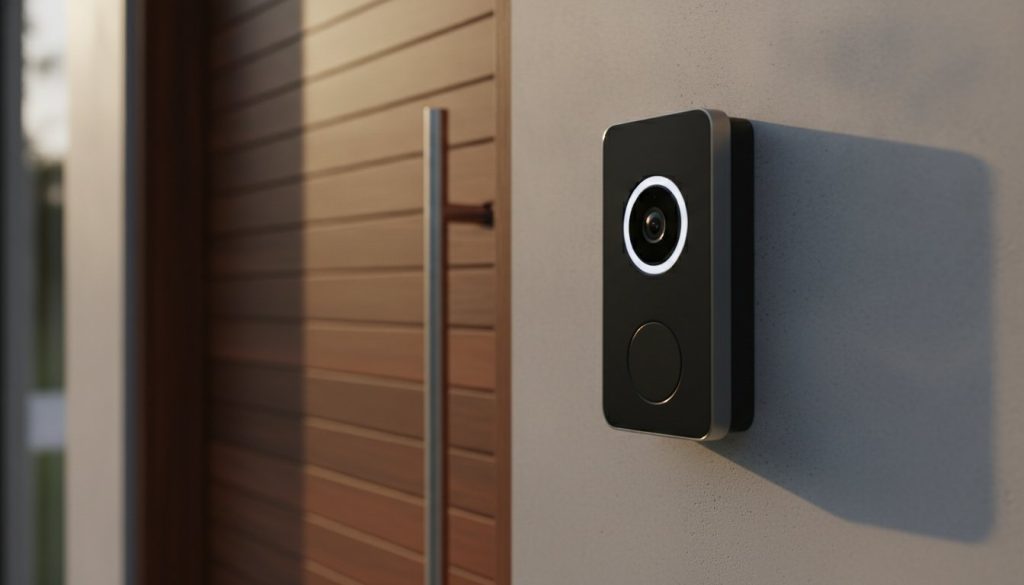
Why are you paying a monthly “ransom” just to see who is standing on your own porch? It’s a common frustration for many homeowners who realize too late that essential features like person detection and video history are trapped behind a recurring $10 paywall. If you’re tired of hidden costs and anxious about your private footage sitting in a corporate cloud, you’re not alone. Finding the best video doorbell without subscription requirements is the smartest way to reclaim control over your home security while keeping your data right where it belongs.
You deserve a security solution that serves you, not a service plan that drains your bank account. We’ll show you how to protect your front door with high-quality 2K or 4K video and reliable smart alerts without ever paying a monthly fee. This guide breaks down the top picks for 2026, including local storage powerhouses like the Eufy E340 and the Reolink WiFi doorbell. We’ll explore how these devices use modern edge computing to provide instant notifications and secure video history with zero recurring costs, helping you make a savvy choice for a safer, simpler home.
Key Takeaways
- Understand the vital difference between hardware ownership and service leasing to eliminate recurring monthly fees for good.
- Discover why the best video doorbell without subscription often relies on secure local hubs or high-capacity microSD cards to keep your footage private.
- Compare the performance and features of 2026’s top-rated models, including dual-camera systems and budget-friendly alternatives.
- Learn how to assess your existing doorbell wiring to choose the most reliable power source for uninterrupted porch protection.
- Find out how to integrate your new device with Alexa or Google Home for seamless voice notifications and a fully automated smart home.
Why Choose a Video Doorbell Without a Subscription in 2026?
For years, the smart home industry pushed a “service-first” model. You bought the camera, but you essentially rented the right to use its best features. In 2026, savvy homeowners are finally pushing back. Choosing the best video doorbell without subscription requirements means you actually own the device you paid for. Instead of a monthly “lease” for your own security, you’re making a one-time hardware investment that keeps your front porch safe without an expiration date or a recurring bill.
The core definition of what is a smart doorbell has changed. It’s no longer just a camera that sends clips to a server thousands of miles away. With the rise of advanced Edge AI, your doorbell can now process complex tasks like person detection and package recognition right on the device. This shift creates what experts call a “Privacy Dividend.” Your sensitive front-door footage stays on your own network, protected from third-party server vulnerabilities and corporate data sharing.
To see how these devices perform in real-world testing, watch this helpful breakdown:
The Problem with “Subscription Fatigue”
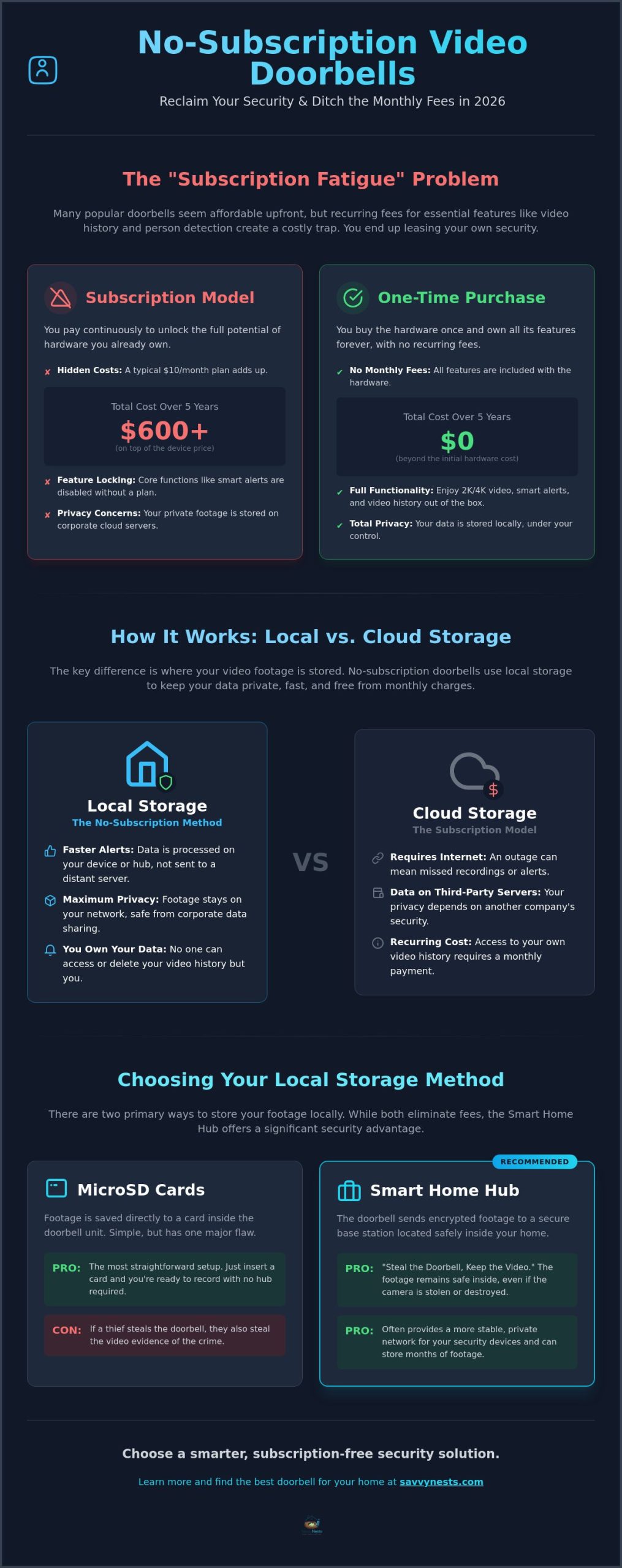
Many popular brands like Ring, Nest, and Arlo appear affordable on the shelf. However, the total cost of ownership tells a different story. If you pay just $5 to $10 a month for five years, you’ve spent hundreds of dollars on top of the original purchase price. Beyond the cost, there’s the frustration of “feature locking.” This happens when brands prevent you from using the hardware you already bought unless you keep paying the monthly fee. Finding the best video doorbell without subscription fees ensures your security system stays fully functional even if you decide to cut the cord later.
Local Storage vs. Cloud Storage: The Basics
Local storage handles motion events by saving them directly to a microSD card or a centralized home hub. This setup avoids the monthly “toll” associated with cloud-based systems. In 2026, local processing is actually faster than cloud storage. When someone rings your bell, your phone receives an alert instantly because the data doesn’t have to travel to a distant data center and back. You get immediate, high-resolution playback over your home Wi-Fi. For privacy-conscious users, this is the only way to ensure that your video history remains under your roof and under your control.
Understanding Local Storage Options: SD Cards, Hubs, and NVRs
To find the best video doorbell without subscription requirements, you have to understand where the data actually goes. Unlike cloud-based models that beam your life to a remote server, these devices keep things local. This choice is often driven by valid security concerns with smart devices and a desire for total privacy. There are three main ways to handle this: on-device storage, dedicated hubs, or professional-grade network recorders.
MicroSD Cards: Simple but Vulnerable?
On-device storage is the most straightforward entry point. You simply slide a small card into a slot on the doorbell itself. High Endurance cards are specialized storage modules engineered to survive the non-stop pressure of constant video writing and overwriting that would quickly kill a standard SD card. Most doorbells use loop recording. This means the device automatically overwrites the oldest footage once the card hits its limit, ensuring you never miss a new event. While this is the simplest setup, it has a glaring flaw. If a thief rips the doorbell off your wall, they’ve also stolen the evidence of their crime.
The Power of the Smart Home Hub
This is where the smart home hub shines as a superior alternative. Systems like the Eufy HomeBase 3 act as a secure vault located safely inside your home. When the doorbell detects motion, it immediately transmits and encrypts that footage to the hub via your private network. This “Steal the Doorbell, Keep the Video” architecture is a game changer for security. Even if the camera is destroyed or stolen, the video remains safe on your internal hard drive. Hubs often provide a significant range boost. They use dedicated wireless frequencies to maintain a stronger connection through thick exterior walls than standard Wi-Fi can manage. This makes a hub-based system a top contender for the best video doorbell without subscription fees.
For those who want a truly professional setup, some brands like Reolink allow for NVR (Network Video Recorder) or NAS (Network Attached Storage) integration. This allows you to store months of footage from multiple cameras on a single massive hard drive. It’s a savvy move for enthusiasts who want zero monthly fees and total control over their data ecosystem. If you’re feeling overwhelmed by these technical choices, you can find more expert advice in our latest smart home buying guides to help you pick the perfect fit.
The Best No-Subscription Video Doorbells of 2026: Our Top Picks
Choosing the right hardware is the final step in reclaiming your front porch. In 2026, the market is no longer dominated by subscription-hungry giants. Instead, we have powerful devices that process data locally, keeping your information safe and your wallet full. This shift is backed by significant research on smart home privacy policies, which highlights how local processing minimizes the data shared with third-party vendors. If you want the best video doorbell without subscription fees, these top picks deliver performance without the monthly bill.
Eufy Dual Camera Series: Seeing the Whole Porch
The Eufy Video Doorbell E340 stands out as the ultimate all-rounder for most homes. Its dual-camera design solves a common problem: most doorbells can see a visitor’s face but miss the package sitting on the mat. The primary 2K lens captures the guest, while a second downward-facing lens monitors your deliveries. What makes this truly savvy is the BionicMind AI. This technology identifies family members and friends using local facial recognition, so you don’t get alerted every time your spouse comes home. It works entirely on the device or the HomeBase 3 hub, meaning no data ever leaves your house. You can choose to hardwire it for constant power or use the long-lasting battery for a simple setup.
Reolink: The King of Local Customization
For those who want total control over their network, Reolink is the prosumer choice. Their video doorbell comes in both Wi-Fi and PoE (Power over Ethernet) versions. PoE is widely considered the gold standard for reliability because it carries both power and data over a single cable, eliminating Wi-Fi interference. With a 5MP resolution, you get a significant clarity advantage when zooming in on license plates or distant faces. Reolink is also a favorite for enthusiasts because it plays well with third-party software like Blue Iris or Home Assistant. It’s a robust, flexible option that fits perfectly into a larger, self-hosted security ecosystem. If you’re looking to expand beyond your front door, pairing your doorbell with one of the best DIY home security systems can give you comprehensive, professional-grade protection without a costly installation fee.
Tapo: Affordable Security for Beginners
If you’re looking for the best video doorbell without subscription costs on a budget, the TP-Link Tapo D230S1 is a fantastic entry point. It offers crisp 2K resolution and impressive color night vision at a fraction of the cost of high-end models. Tapo uses a clever “Chime with Storage” system. The indoor chime doubles as a hub where you can insert a microSD card, keeping your footage safely inside your home rather than in the doorbell itself. It’s an ideal choice for anyone transitioning away from brands like Ring or Nest who wants a familiar, easy-to-use app without the recurring fees. For apartment dwellers, many of these models now offer no-drill mounts, making them perfectly renter-friendly.
Installation and Setup: Making Your Doorbell “Savvy”
Setting up your new device doesn’t have to be a headache. Whether you’re a DIY pro or a total beginner, a few smart steps ensure your porch stays protected without any tech-induced stress. The goal is to move from unboxing to active monitoring quickly while ensuring your local storage system is rock-solid. By taking a methodical approach, you’ll ensure your best video doorbell without subscription fees performs at its peak from day one.
Start with your power source. If you’re going the hardwired route, you need to check your existing doorbell transformer. It should typically provide between 16V and 24V AC to keep your camera powered and your physical chime ringing. If your current wiring is old or non-existent, don’t worry. A battery-powered model is your best friend here. While hardwired setups offer slightly faster response times because the camera is always “awake,” 2026 battery technology is efficient enough to last several months on a single charge under normal use.
Your Wi-Fi signal is the backbone of a subscription-free system. Since your footage is stored locally on a hub or SD card, a weak signal can cause frustrating lag when you try to view a live stream. Position your router or a mesh node as close to the front door as possible to maintain a crisp connection. Once the hardware is mounted, dive into the AI sensitivity settings. High-quality local processing allows you to filter out swaying trees or passing cars, focusing only on people or packages. This reduces “notification fatigue” and keeps your local storage from filling up with useless clips of the neighborhood cat.
Special Considerations for Renters
Living in an apartment or a rental home shouldn’t mean sacrificing security. You can easily find specialized no-drill mounts that clamp onto your door, leaving zero holes or permanent marks behind. This is a brilliant way to keep your security deposit safe while enjoying the protection of a modern smart home. If you’re looking for more ways to upgrade your space without the risk, explore The Best Smart Home Devices for Renters in 2026. Just remember to angle your camera so it doesn’t peer directly into a neighbor’s windows, as privacy laws regarding shared hallways are strictly enforced in many regions.
Troubleshooting Common Connectivity Issues
It’s frustrating when your doorbell loses its connection to the local hub. Usually, a quick restart of the hub or checking for the latest firmware updates fixes the glitch. To ensure your local notifications are just as fast as cloud ones, enable “Push Notifications” in your app and check that your phone isn’t restricting the app’s background data to save battery. For a deeper dive into fixing tech hiccups, The Savvy Smart Home Troubleshooting Guide has everything you need to get back online. If you want to master your setup even further, check out our latest Home Automation Tips and Hacks to get the most out of your savvy investment.
Maximizing Value: Smart Home Integration and Longevity
Owning the best video doorbell without subscription fees is just the first step toward a more secure home. The real magic happens when your doorbell starts talking to the rest of your house. Instead of relying on a single smartphone notification, you can turn your entire home into an alert system. By integrating your device with Alexa or Google Home, your smart speakers can act as internal chimes, announcing “Someone is at the front door” the moment the button is pressed. This ensures you never miss a visitor, even if your phone is in another room or charging upstairs.
If you have a smart display like an Echo Show or a Google Nest Hub, the integration goes even deeper. You can set these screens to automatically pull up a live video feed the second someone rings the bell. This hands-free approach adds a layer of convenience that makes your daily life feel much smoother. Beyond simple alerts, choosing a device with local storage means your system remains snappy and responsive. Since the data stays on your local network, the delay between a doorbell press and the video appearing on your screen is often significantly shorter than cloud-based alternatives.
Creating Routines That Work
The true power of a savvy home lies in automation. You can create routines that link your doorbell’s motion sensors to your outdoor lighting. For example, you can set a rule that turns on your porch lights to 100% brightness whenever the doorbell detects a person after sunset. This doesn’t just help you see your guests; it acts as a powerful deterrent for potential intruders. If you’re new to these setups, our guide on How to Automate Your Home provides a perfect starting point for building these smart sequences. These small touches transform a basic security camera into a proactive guardian of your property.
Future-Proofing Your Front Door
To ensure your investment lasts, keep a close eye on firmware updates. Manufacturers of no-subscription devices frequently release software patches that improve AI accuracy and patch security vulnerabilities. In late 2026, keep an eye out for expanded Matter and Thread support. These new smart home standards will make it even easier for different brands to work together seamlessly. Maintaining your hardware is equally vital. Check your microSD card health annually and ensure your home hub is kept in a well-ventilated area to prevent overheating. A little bit of maintenance ensures your “Savvy Nest” remains functional for five years or more.
The final verdict is clear. While the upfront cost of a subscription-free model might be slightly higher, the long-term freedom and privacy are well worth the investment. You’ve successfully reclaimed your data and eliminated a recurring bill from your life. You’re no longer just a consumer; you’re a savvy home security owner who knows that the best video doorbell without subscription requirements is the one that serves you, not the other way around.
Take Control of Your Front Porch Security Today
You now have the knowledge to break free from the cycle of monthly security bills and reclaim your digital privacy. By choosing the best video doorbell without subscription fees, you’ve prioritized long-term savings and local data control. You’ve seen how modern hubs and high-end AI processing can deliver elite security features without a recurring paywall. This shift isn’t just about saving money; it’s about making a savvy investment in hardware that you truly own and control.
Our team of smart home enthusiasts has carefully vetted these recommendations against 2026 technology standards to ensure you get the most reliable performance. We rely on 100% independent affiliate research to help you filter through the noise and find the perfect fit for your specific needs. Check out our full Video Doorbell Review 2026 to see these models in action! Protecting your home should be simple and empowering. With the right device installed, you can enjoy total peace of mind without the burden of hidden costs.
Frequently Asked Questions
Do no-subscription doorbells still send notifications to my phone?
Yes, you’ll still receive real-time mobile notifications just like you would with a subscription-based model. These alerts are sent over your home’s Wi-Fi network directly to your smartphone app. You can customize these pings to only alert you when a person is detected, ensuring you stay informed without being overwhelmed by every passing car or swaying tree branch. This ensures you never miss a visitor even without a monthly plan.
What happens if someone steals my video doorbell with the SD card inside?
If a thief steals a doorbell that uses on-device SD card storage, they also take the physical evidence of the crime. This is why many savvy homeowners prefer models that connect to an indoor hub or a HomeBase. These systems store the footage safely inside your house, meaning you can still access the recording of the theft even if the camera itself is ripped off the wall. It is a much more secure way to manage your data.
Can I still see a live view of my front door when I am away from home?
Yes, you can access a live view of your porch from anywhere in the world as long as your phone has an internet connection. The best video doorbell without subscription requirements uses a secure peer-to-peer connection to stream video directly from your home to your device. This allows you to check in on deliveries or speak to visitors in real time using the two-way audio feature. You aren’t limited to your local network for viewing.
How much video can a 128GB SD card actually hold?
A 128GB SD card can typically hold several weeks of motion-triggered video clips at 2K resolution. If your camera is set to record only when it detects movement, you might get 30 to 60 days of history before the oldest footage is overwritten. For 24/7 continuous recording, a card of this size usually fills up within 3 to 5 days, depending on the video’s bitrate and resolution settings. Most users find motion-only recording more than sufficient.
Do I need a special Wi-Fi router for local storage doorbells?
You don’t need a specialized router, but a strong signal at your front door is essential for a smooth experience. Since the best video doorbell without subscription models often process high-resolution video, a mesh Wi-Fi system can help eliminate dead zones. If you choose a model with a dedicated hub, that hub often creates its own private wireless network to take the load off your main router and improve overall connection stability.
Is the video quality as good on no-subscription models compared to Ring or Nest?
Video quality on no-subscription models is often superior to cloud-based competitors because the footage isn’t heavily compressed for internet uploading. Many top picks for 2026 offer 2K or 5MP resolution, providing sharper details and better facial recognition. Because the data stays on your local network, you can often view high-bitrate streams without the lag or buffering issues sometimes found with cloud servers. You get a clearer picture of your property without the compression artifacts.
Can I use a no-subscription doorbell with my existing mechanical chime?
Most wired no-subscription doorbells are designed to work with your existing 16-24V mechanical chime. During the setup process, you’ll usually install a small power kit inside your chime box to ensure the doorbell gets consistent power without causing the chime to hum. Battery-powered models typically use a separate wireless digital chime that plugs into a standard indoor wall outlet instead of your old mechanical one. Always check the manufacturer’s compatibility list before starting your installation.
Article by
Michael J. Mahon
Smart home automation transforms ordinary homes into intelligent living spaces by connecting devices that improve convenience, security, energy efficiency, and comfort. SavvyNests makes smart home technology easy to understand with expert guides, reviews, and recommendations for every budget.