
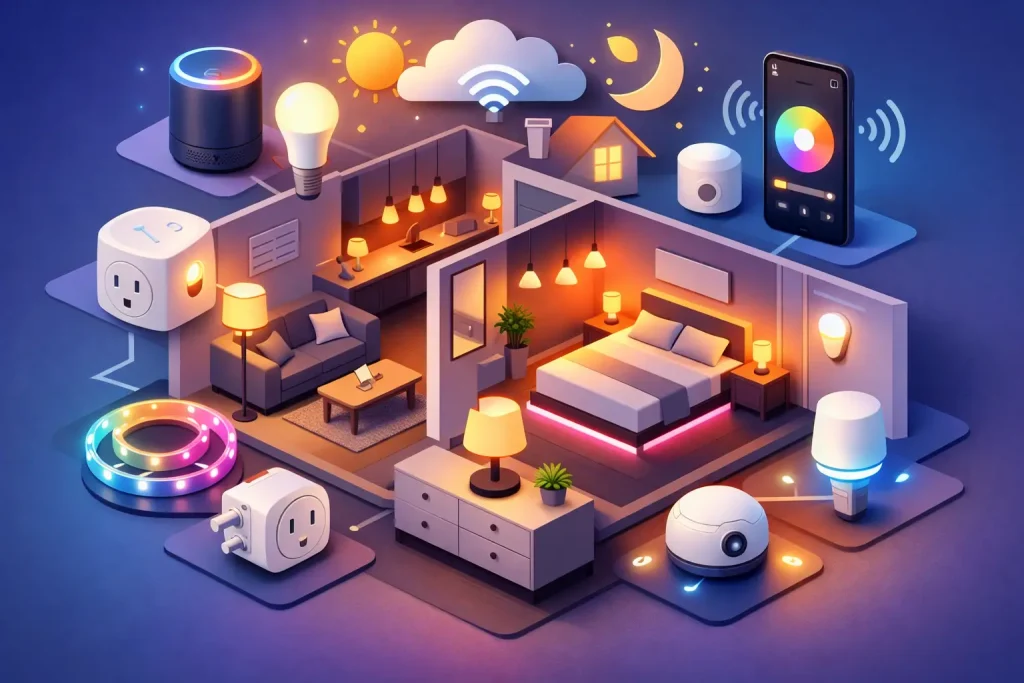
A dark entryway when your hands are full, a living room light left on all day, and a bedroom that feels too bright at midnight are small apartment problems that add up. The best apartment smart lighting automation ideas solve those daily annoyances without asking you to rewire a rental, drill into walls, or build a complicated smart-home system.
Start with the lights you already use most. A few well-chosen bulbs, plugs, and sensors can make a studio or two-bedroom apartment feel more comfortable, safer, and easier to manage. The goal is not to automate every lamp. It is to create routines that still make sense when you are tired, traveling, or carrying groceries.
Apartment Smart Lighting Automation Ideas That Work for Renters
1. Put your arrival lights on a sunset schedule
Set the lamp nearest your entry, plus a living room light, to turn on around sunset. This creates a welcoming apartment without leaving lights on from breakfast until bedtime. Most lighting apps can follow your local sunset time, so the schedule adjusts as the seasons change.
A sunset schedule is usually more reliable than a location-based trigger, especially in apartment buildings where your phone may report that you are home while you are still in the parking garage or elevator. Use a warm white setting in the evening so the room feels inviting rather than overly bright.
2. Create a one-command “I’m home” scene
An arrival scene is a simple way to make smart lighting feel useful immediately. Use a voice command or a button near the door to turn on the entry lamp, brighten the kitchen, and set the living room to a comfortable level.
Keep this scene practical. A renter in a small apartment may only need two or three lights, while someone with a long hallway or a pet at home may want more coverage. Avoid setting every bulb to full brightness by default. It wastes energy and can feel harsh after dark.
3. Use motion sensors for closets, pantries, and hallways
Motion automation works best in places where you only need light for a few minutes. A battery-powered sensor can turn on a closet, pantry, laundry nook, or dark hallway light when someone enters, then switch it off after a short delay.
This is one of the most renter-friendly upgrades because the sensor can often sit on a shelf, use removable adhesive, or attach magnetically. Place it carefully, though. A sensor aimed toward a busy hallway may trigger every time a roommate passes by. In a bathroom, use a dim nighttime setting rather than a bright overhead light that wakes everyone up.
4. Make bedtime a gentle shutdown routine
A bedtime routine should reduce the number of things you have to remember. At a set time, have living room lamps dim to a warm level, then turn off after 15 or 30 minutes. You can also include bedside lamps so a single voice command handles the final lights of the night.
The trade-off is flexibility. A rigid 10 p.m. shutdown can be annoying during a movie, late work night, or weekend gathering. Rather than turning every light off automatically, start with a dimming reminder. Save a full shutoff for lights that are commonly forgotten, such as a kitchen lamp or decorative floor lamp.
5. Wake up with a gradual sunrise effect
Instead of flipping on a bright ceiling fixture, schedule a compatible bedside bulb to slowly brighten before your alarm. Begin with a low, warm glow and increase the brightness over 15 to 30 minutes. It is a small change, but it can make early mornings feel less abrupt.
This works especially well when your bedroom has limited natural light. If you share a room or your partner sleeps on a different schedule, use a lamp on only one side of the bed. Smart lighting should support the people in the room, not create a new reason to argue before coffee.
6. Turn ordinary lamps into smart lamps with plugs
Smart plugs are an affordable answer for floor lamps, table lamps, string lights, and other fixtures that use a physical on-off switch. Leave the lamp switched on, plug it into a smart plug, and control it by schedule, app, or voice assistant.
This is often a better first purchase than replacing every bulb. It is also useful when a lamp has several bulbs or an unusual bulb shape. The limitation is that a plug only controls power. It cannot dim a basic lamp or change its color, so choose it for simple on-off routines.
7. Set a low-light path for late-night trips
A smart home should not blind you at 2 a.m. Create a late-night routine that turns on an entry, hallway, or bathroom lamp at 5% to 15% brightness. A motion sensor can trigger it, or you can schedule the behavior for overnight hours.
Warm white light is usually easier on sleepy eyes than a cool white setting. If you live with children, roommates, or a partner, this automation can be more valuable than flashy color-changing effects. It gives you enough light to move safely without waking the whole apartment.
8. Use vacation lighting that looks lived in
When you are away for a weekend or longer, schedule a few lights to turn on and off at slightly different times each evening. An entry lamp and a living room lamp are usually enough. The pattern should look natural, not like every bulb switches on at exactly 7:00 p.m.
Do not treat smart lights as a substitute for apartment security. They are a helpful layer, not a guarantee. Before leaving, secure windows and doors, avoid posting travel plans publicly, and make sure your lighting account uses a unique password and two-factor authentication when available.
9. Pair lighting with a door or leak alert
Lighting can make other apartment alerts easier to notice. For example, a hallway lamp can flash when a contact sensor reports that a door has opened, or a living room lamp can turn red when a water leak sensor detects moisture under the sink.
This kind of automation depends on compatibility. Devices need to work in the same app, through your preferred voice assistant, or through a supported automation platform. Check that before buying. A cheap sensor is not much of a bargain if it cannot communicate with the lights you want to use.
10. Build a “leaving home” routine that catches waste
The easiest energy-saving lighting routine is the one that turns off forgotten lights when you leave. Create a “goodbye” voice command or app scene that shuts down lamps, decorative lights, and other nonessential fixtures. If your setup supports it, you can add selected smart plugs for devices like a fan or coffee maker, following each device’s safety instructions.
Location-based automations can help, but use them carefully. They may misfire when you step outside to take out trash, lose phone signal, or leave while someone else remains home. For roommates and families, a manual goodbye command is often more dependable than having the apartment go dark whenever one person’s phone leaves the building.
Choose the Right Starting Setup
For most renters, a starter setup of one or two smart bulbs, a smart plug for a favorite lamp, and one motion sensor delivers more everyday value than a cart full of gadgets. Choose devices that support the voice assistant you already use, whether that is Alexa, Google Home, or another ecosystem. If you prefer physical controls, look for a wireless smart button rather than relying entirely on your phone.
Before installing anything, check your lease and avoid altering hardwired switches unless your landlord approves it. Smart bulbs are easy to remove when you move, while smart switches may require wiring knowledge and a neutral wire. Also keep the original bulbs in a labeled bag so move-out day stays stress-free.
Finally, protect the setup you build. Put your home Wi-Fi on a strong password, keep device apps updated, and remove old devices from your account after a move. A smart apartment does not need to be elaborate to be useful. Start with the one moment each day that frustrates you most, automate that first, and let your nest grow only when the next upgrade earns its place.