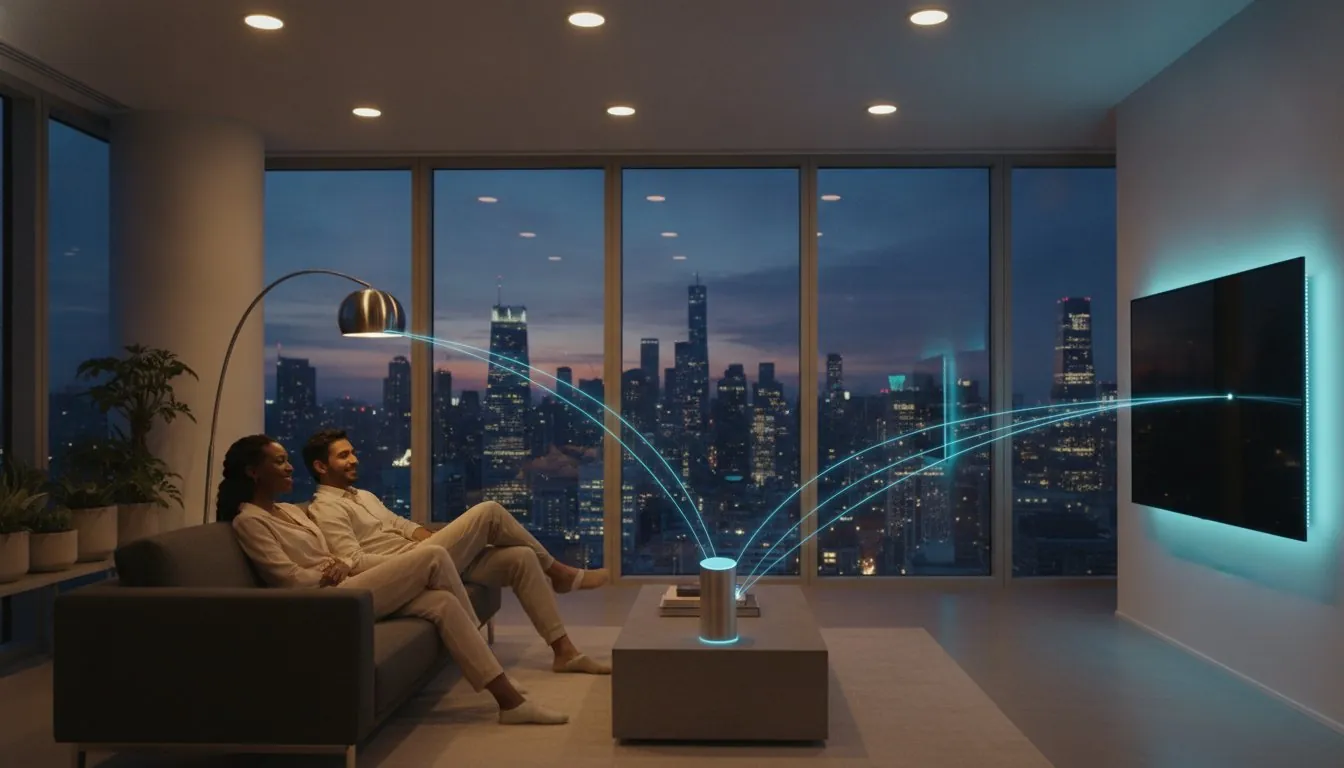
The sleek smart speaker sitting on your kitchen counter might actually be the weakest link in your home automation setup. It’s frustrating when your “smart” lights won’t turn on because the Wi-Fi is acting up or when your new sensors refuse to talk to your existing apps. You probably bought that speaker thinking it would be the command center for everything, but the debate of smart home hub vs smart speaker is more complex than just voice commands. We understand the headache of dealing with device drop-off and the confusing alphabet soup of Zigbee, Z-Wave, and the latest Matter 1.6 standards. You want a home that just works, even when the internet goes down.
In this guide, you’ll discover the critical differences between these two devices so you can build a stable, future-proof system without wasting money on redundant tech. We’ll show you why a dedicated hub acts as the nervous system of your home while your speaker is often just the mouth. You’ll learn if your current Echo or HomePod is “enough” for your specific needs and how to prepare your setup for the latest 2026 connectivity standards. From local processing to Thread 1.4 border routers, we’re breaking down exactly what you need to keep your smart home running smoothly.
Key Takeaways
- Understand the core functional difference in the smart home hub vs smart speaker debate: one is your home’s voice, while the other is the central translator that keeps all your gadgets talking.
- Learn why a dedicated hub offers superior reliability through local processing, ensuring your automations work even when your internet connection fails.
- Discover how the latest 2026 standards, including Matter 1.6 and Thread 1.4, allow you to mix and match brands like IKEA and Philips Hue without technical friction.
- Identify the tipping point for your setup where simple voice commands aren’t enough and complex, multi-device automations require a more powerful controller.
- Get specific recommendations for building a savvy nest that balances ease of use with the high-performance needs of a modern, future-proof home.
Table of Contents
Smart Home Hub vs Smart Speaker: Demystifying the Confusion
If you’ve ever felt like your smart home has a mind of its own, you aren’t alone. Most people start their journey by unboxing a $50 smart speaker and expecting it to manage their entire life. While these gadgets are great for checking the weather or playing music, they often lack the deep processing power needed to keep a complex system running. The debate of smart home hub vs smart speaker is really about the difference between a voice interface and a true command center. Understanding this distinction is the first step toward avoiding the “smart home headache” where devices randomly lose connection or refuse to talk to one another.
To see how these assistants stack up in the real world, watch this breakdown of the top contenders (producing high-quality video content like this is a specialty of Kynda Creative):
The lines between these devices are thinner than they used to be in 2026. Many modern speakers now include the specialized chips required to act as a hub. For instance, the Apple HomePod mini at $99 and the Google Home Speaker at approximately $100 both feature Thread border routers. However, just because a speaker has some hub features doesn’t mean it can replace a dedicated controller for every user. A savvy approach involves knowing when to lean on your speaker’s convenience and when to invest in a more robust system. It’s about reliability and peace of mind.
The Voice Interface (Smart Speaker)
The System Brain (Smart Hub)
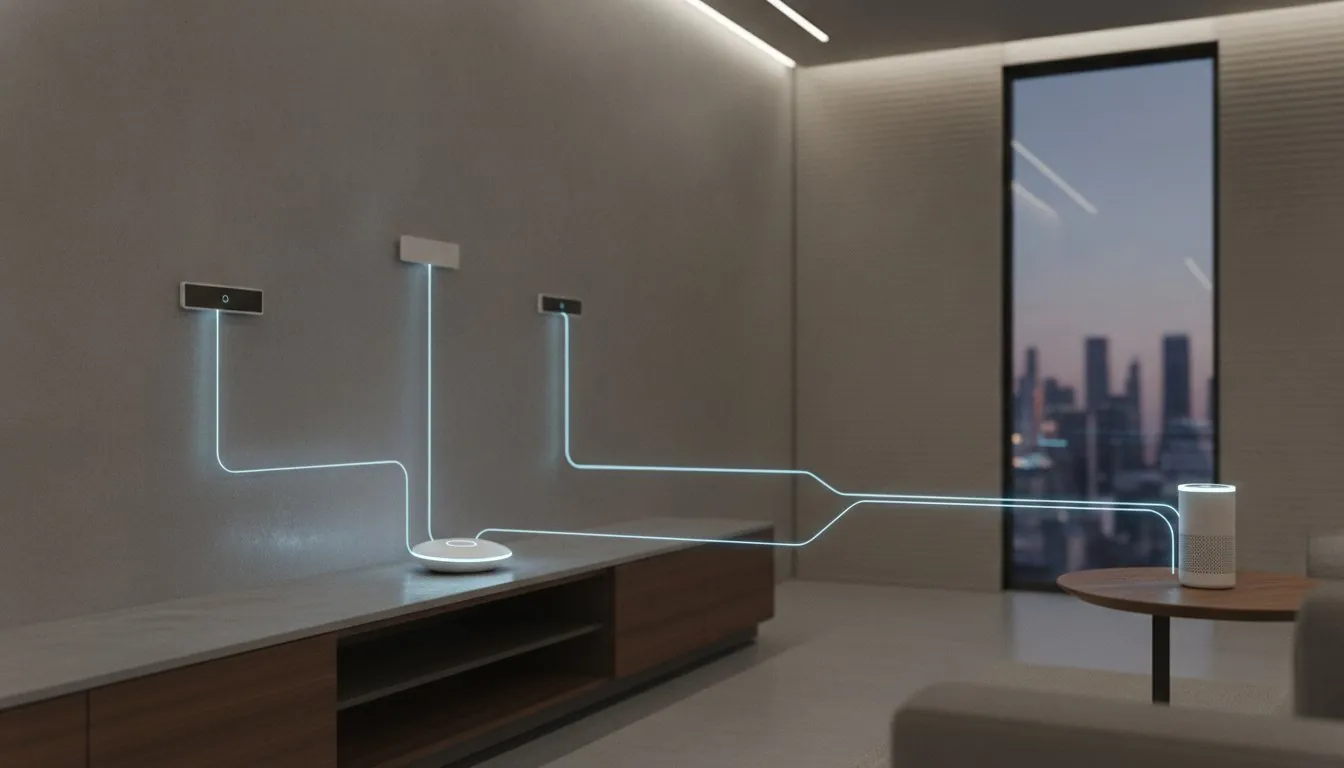
A smart hub acts as a centralized control system that manages the complex interactions between different gadgets. Unlike speakers that rely on Wi-Fi, a dedicated hub often uses low-power signals like Zigbee, Z-Wave, and the latest Thread 1.4 protocol. This is crucial because it keeps your smart bulbs and sensors off your main Wi-Fi, preventing congestion. Hubs are built for creating a seamless, invisible experience where lights turn on automatically when you enter a room or the thermostat adjusts based on multiple sensors. They excel at local processing. This means your home stays smart even if your internet connection drops out.
The Hidden Difference: Protocols, Processing, and Privacy
The real magic of a smart home isn’t just about what you see or hear. It’s about what happens behind the scenes. While a smart speaker might look like the star of the show, the technical backbone of your house depends on how your devices communicate. This is where the smart home hub vs smart speaker choice becomes a matter of performance rather than just preference. Most people don’t realize that a speaker with “hub features” is often just a bridge to the cloud, whereas a dedicated automation hub handles the heavy lifting right in your hallway.
Why WiFi Isn’t Always the Answer
Most smart speakers connect via your home’s Wi-Fi. This is fine for a few devices, but your router can only handle so much. If you have 50 smart bulbs, three cameras, and several smart plugs all fighting for bandwidth, your Netflix stream will start to lag. This “Wi-Fi congestion” is a common frustration for beginners. Dedicated hubs solve this by creating a “secret” mesh network using protocols like Zigbee or Z-Wave. These signals operate on different frequencies, often the 800-900 MHz band for Z-Wave, which avoids interference with your 2.4 GHz Wi-Fi.
Matter is the universal language for smart homes in 2026. By choosing a smart home hub that’s compatible with Matter 1.6, you ensure that your devices can talk to each other regardless of the brand. This bridges the gap between ecosystems, allowing a Thread 1.4 sensor to trigger a Zigbee light without a complicated setup.
Speed and Reliability: Local vs. Cloud
Speed is the most noticeable difference in the smart home hub vs smart speaker experience. When you ask a cloud-based speaker to turn on a light, your voice command travels to a server miles away before coming back to your house. This often results in a frustrating 2-second delay. A dedicated hub uses local processing. This means the “brain” of the operation is physically in your living room, not in a data center.
Local execution offers three major benefits for your peace of mind:
- Instant Response: Lights turn on the moment you trigger a sensor.
- Internet Independence: Your automations still work even if your provider has an outage.
- Enhanced Privacy: Your daily habits and device data stay inside your four walls instead of being uploaded to the cloud.
If you’re feeling overwhelmed by these technical choices, you can find simple breakdowns in our smart home buying guides to help you pick the right gear. Transitioning to a hub-based system doesn’t have to be complicated, but it’s the best way to ensure your home stays fast, private, and reliable.
Choosing Your Interface: Speaker vs. Hub vs. Display
Finding the right device often comes down to how you want to interact with your home on a daily basis. While we’ve looked at the technical “brains” behind the scenes, your choice in the smart home hub vs smart speaker debate also involves picking your primary interface. Some people prefer the invisibility of voice commands, while others want a physical screen to manage their environment. Understanding these hardware types helps you place the right tech in the right room without overspending on features you’ll never use.
When a Smart Speaker is Enough
If you’re living in a cozy studio apartment or just want to automate a single guest room, a smart speaker is often the most practical choice. These devices are ideal for minimalist setups where you only need to handle basic tasks like setting morning alarms or controlling a few smart bulbs. However, keep in mind that speakers relying solely on Wi-Fi can lead to high battery drain for smaller sensors and smart locks. If you’re just starting out, you can find beginner-friendly ideas in The Ultimate Smart Home Buying Guide to help you build your first savvy nest.
The Power of the Smart Display
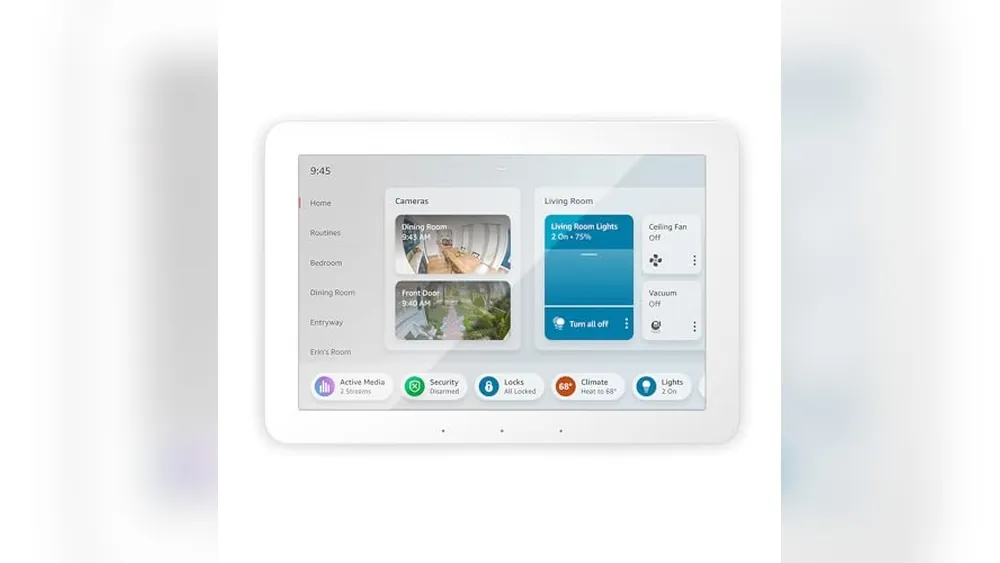
A smart display, often called a display hub, serves as a visual command center. These are perfect for high-traffic areas like the kitchen or the entryway. Sometimes, tapping a button on a screen is much faster than waiting for a voice assistant to process a request. Displays provide instant visual feedback, allowing you to check your doorbell camera or view a weather map with a quick glance. Devices like the $180 Amazon Echo Hub are designed specifically for this purpose, blending the interface of a tablet with the connectivity of a controller.
As you add more screens and speakers to your home, it’s vital to stay informed about IoT device security and privacy. While new standards like Matter make it easier for devices to talk to each other, they also create a more uniform landscape that requires consistent security habits. A savvy user knows that convenience should never come at the expense of their digital safety.
The Dedicated Hub and Hybrid Devices
For advanced users, a dedicated hub remains the “hidden” power that keeps everything running. These devices often don’t have a speaker or a screen at all; they simply sit in a closet and manage the heavy lifting of complex automations. In 2026, we’re seeing more hybrid devices that try to offer the best of both worlds. For example, the $99 Apple HomePod mini is technically a speaker, but it contains a “brain” capable of acting as a Thread border router. This allows it to function as a bridge for Matter devices, giving you hub-like power in a small, audio-focused package. Choosing between them depends on whether you want a device that’s seen, heard, or simply felt through the seamless way your home responds to your life.
When You Actually Need a Dedicated Hub
There is a specific moment in every smart home journey where voice commands simply aren’t enough. You might start with a single bulb and a speaker, but as your collection grows, the limitations of a voice-first interface become clear. The smart home hub vs smart speaker debate usually ends when you decide you want your home to think for itself rather than just waiting for your orders. A dedicated hub transforms your house from a collection of gadgets into a unified system that anticipates your needs and responds to your environment.
Advanced Smart Routines
Think about your daily routine. True automation means your home reacts to your life without you saying a single word. For example, you can set a multi-device trigger that automatically turns off the air conditioning the moment a window sensor detects it’s open. This simple logic saves energy and prevents your HVAC from working overtime. You can also create time-of-day logic that gradually dims your lights over thirty minutes to help your body prepare for sleep. These “if this, then that” scenarios are often too complex for a standard smart speaker to handle with consistent reliability. You can learn more in our guide on how to automate your home to see how these routines can simplify your day.
The “Everything Works” Guarantee
Compatibility is the next big hurdle for any growing setup. A dedicated hub acts as a universal translator, allowing you to mix and match brands like IKEA, Philips Hue, and various generic sensors without technical friction. Instead of opening ten different apps to check your locks or adjust your heat, you can manage everything from one central dashboard. This is especially important as we move toward the Matter 1.6 standard. Most Matter-certified devices now support up to five “fabrics,” meaning they can be controlled by multiple platforms simultaneously. A robust hub like the $129.99 Aeotec Smart Home Hub ensures this multi-admin feature works flawlessly. If you ever run into a connection snag, our smart home troubleshooting guide can help you fix any device and maintain a stable network.
If you live in a larger property, a hub provides the signal range that a single speaker cannot reach. By using a mesh network like Zigbee or Z-Wave, each powered device acts as a repeater, extending the signal to backyard sensors or basement plugs. This setup is also incredibly renter-friendly. Since many of these sensors are “no-trace” tech, you can build a powerful system today and take the entire brain of your home with you when you move. It’s about making savvy choices that provide long-term value and peace of mind.
Building Your Savvy Nest: The Best Setup for 2026
The 2026 smart home landscape is finally delivering on the promise of simplicity. With the release of Matter 1.6 in June 2026, the technical walls between brands have crumbled, making your choice in the smart home hub vs smart speaker debate clearer than ever. Whether you’re a renter looking for a “no-trace” setup or a homeowner building a permanent system, your goal is to find the right balance between ease of use and long-term stability. Let’s look at how to assemble your ideal command center based on your specific needs.
For those just starting out, a beginner setup usually centers on a Matter-enabled smart speaker. Devices like the $99 Apple HomePod mini or the $100 Google Home Speaker are excellent entry points because they include built-in Thread border routers. This allows you to connect Matter-over-Thread devices directly to your home network without extra hardware. If you find yourself wanting more visual control, an enthusiast setup adds a smart display like the $180 Amazon Echo Hub. This gives you a dedicated touch interface in the kitchen while still utilizing the voice assistant for quick commands.
The pro setup is where the dedicated hub truly shines as the primary brain. If you have a large collection of existing Zigbee or Z-Wave sensors, using a robust controller like the $129.99 Aeotec Smart Home Hub or a Homey Pro is essential. These devices act as the master translators, bridging your older reliable tech into a modern Matter-controlled system while keeping your automations running locally and privately.
Future-Proofing with Matter
In 2026, you should only invest in devices that carry the Matter logo. This ensures your hardware won’t become an expensive paperweight if a manufacturer changes their app or goes out of business. Thread 1.4 has also become the gold standard for mesh networking, allowing different brands of border routers to share credentials and create one unified, self-healing network. In this modern ecosystem, a Homey Pro or Aeotec Smart Home Hub serves as the ultimate anchor, managing the heavy processing that keeps your “if this, then that” routines running even when your Wi-Fi is down. These hubs ensure your home stays fast and responsive regardless of how many devices you add.
Savvy Decision Framework
Before you tap “buy” on a new device, run through this final checklist to assess your “Automation Ambition.” It’s better to budget for long-term reliability now than to deal with the stress of a failing system later. Ask yourself these three questions:
- Do I want my home to work automatically without me having to speak to it?
- Is my current Wi-Fi router struggling to keep up with my phone, TV, and existing gadgets?
- Do I plan on mixing different brands like IKEA, Philips, and budget-friendly sensors?
If you answered yes to more than one, a dedicated hub is your best path forward. Ready to choose? See our Best Smart Home Hub for Alexa and Google comparison to find the perfect fit for your lifestyle.
Ready to Build a Smarter Home?
Creating a home that serves you shouldn’t feel like a difficult chore. By now, the winner of the smart home hub vs smart speaker debate should be clear based on your specific goals. If you value simplicity and quick voice commands, your speaker is a great companion. However, if you want a house that anticipates your needs through local processing and complex routines, a dedicated hub is the backbone you require. We’ve seen how the latest standards are making these systems more reliable and private than ever before.
SavvyNests helps over 50,000 readers every month build stress-free environments using reliable, expert-driven research. Whether you need no-trace recommendations for your rental or a permanent system for your forever home, making a savvy choice today saves you from technical headaches tomorrow. You have the power to create a stable and future-proof nest that works exactly how you want it to.
Take the next step with confidence and enjoy the peace of mind that comes with a home that finally works for you.
Common Questions About Smart Home Setup
Do I need a hub if I only have smart bulbs?
You only need a hub if your bulbs use specialized signals like Zigbee, Z-Wave, or Thread to communicate. Many budget-friendly Wi-Fi bulbs connect directly to your router, which is fine for a small apartment with five or ten lights. However, if you plan to install 30 or more bulbs, using a hub is a savvy choice to prevent your Wi-Fi from becoming slow and congested. A hub keeps those devices on a separate “secret” network, ensuring your phone and TV always have plenty of bandwidth.
Can a smart speaker replace a dedicated hub entirely?
A smart speaker can handle basic tasks, but it rarely replaces the advanced automation capabilities of a dedicated hub for power users. While many modern speakers now include Thread border routers, they often lack the local processing power to run complex “if this, then that” routines without an internet connection. If your goal is simple voice control for a few plugs, a speaker is enough. If you want a truly autonomous home that works even when the web is down, a dedicated hub remains the superior choice.
Does Matter mean I don’t need a smart home hub anymore?
Matter makes devices more compatible, but you still need a central controller to manage the network and coordinate your gadgets. Even with the latest Matter 1.6 standard, a “brain” is required to store your schedules and talk to your devices. In a smart home hub vs smart speaker comparison, both can act as Matter controllers. The difference lies in how they handle the data. A dedicated hub often provides more stability and deeper customization than a basic speaker acting as a controller.
Which is better for privacy: a hub or a speaker?
A dedicated hub is significantly better for privacy because it processes your data locally rather than in the cloud. Smart speakers are designed to be “always listening” for their wake word, and they send your voice commands to external servers to be analyzed. In contrast, many high-quality hubs keep your automation data inside your four walls. This local execution means your daily habits aren’t being uploaded to a manufacturer’s database, giving you much more control over your personal information.
What happens to my smart home if the internet goes down?
If your internet fails, a speaker-based setup will usually stop working entirely because it can’t reach the cloud to process your requests. This is a major pain point for users who rely on their speakers for every interaction. A dedicated hub with local processing keeps your pre-set routines running perfectly. Your porch lights will still turn on at sunset and your motion sensors will still trigger your hallway lights, providing peace of mind even during a provider outage.
Can I use multiple hubs and speakers in the same house?
You can absolutely use multiple hubs and speakers together, and it’s actually recommended for larger homes to ensure full coverage. Thanks to the “multi-admin” feature in Matter 1.6, you can even control the same light bulb from an Apple HomePod in the bedroom and an Amazon Echo in the kitchen simultaneously. This flexibility allows every family member to use their preferred interface without breaking the underlying system. It creates a more resilient mesh network that eliminates dead zones in the backyard or basement.
Is a smart display considered a hub?
Not all smart displays are hubs, but many modern versions now include the necessary hardware to act as one. For example, the $180 Amazon Echo Hub is specifically designed to be a central controller with a screen, whereas older or cheaper displays might only be voice interfaces with a tablet attached. When choosing between a smart home hub vs smart speaker or display, check the technical specs for mentions of Zigbee, Sidewalk, or Thread border routers to confirm if it has a real “brain” inside.
What is the cheapest way to get a smart home hub?
The most affordable way to get hub functionality is by purchasing a smart speaker that includes a built-in Thread border router or Zigbee chip. The Amazon Echo Dot (5th Gen) is priced at $50 and can act as a basic controller for many devices. If you prefer the Apple ecosystem, the HomePod mini is a great $99 entry point that includes a Thread border router. These hybrid devices are perfect for beginners or renters who want hub power without the $130 price tag of a professional standalone unit.
Article by
Michael J. Mahon
I research and compare smart-home products for homeowners and renters, focusing on practical setup, compatibility, affordability, and everyday usefulness.