
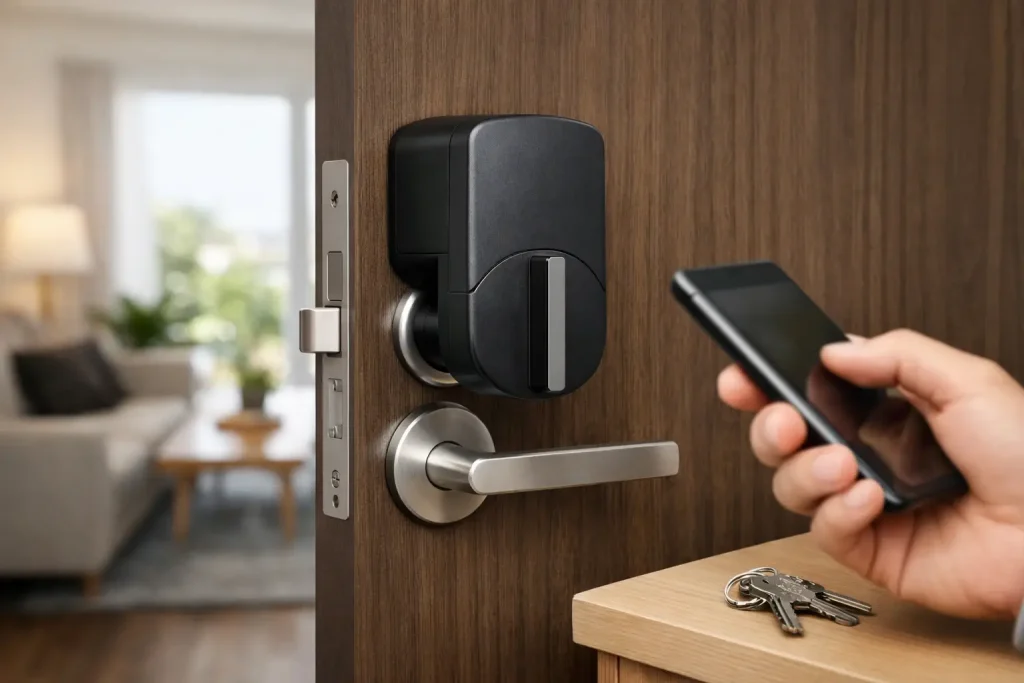
A smart lock sounds convenient until you picture replacing hardware, matching finishes, and explaining holes in the door to a landlord. That is why this SwitchBot lock review starts with its biggest selling point: it turns many existing deadbolts smart from the inside, while leaving your exterior key cylinder and door hardware in place.
For renters, first-time smart-home buyers, and homeowners who would rather avoid a locksmith appointment, that is a genuinely useful approach. But SwitchBot is not a universal shortcut. The fit of your thumbturn, the clearance around your lock, and the accessories you choose will shape whether it feels like a daily convenience or a fussy gadget.
What the SwitchBot Lock Does Differently
SwitchBot’s retrofit locks sit on the interior side of your door and physically turn the existing deadbolt thumbturn. You still use your regular house key from outside. Instead of swapping the whole deadbolt, you attach the lock body to the door with the included mounting method, fit the correct adapter over the thumbturn, and calibrate it in the SwitchBot app.
That design solves a practical problem other smart locks can create: exterior appearance. If your front door has matching brass, black, or nickel hardware that you do not want to disturb, SwitchBot lets it stay. It can also be less intimidating for a renter, because the exterior of the door remains unchanged.
The product line has evolved, so pay attention to the exact model and bundle rather than assuming every SwitchBot Lock has identical features. The newer Lock Pro is generally the better fit for shoppers who want stronger integration options and a more polished installation, while older models can make sense when price matters most. Features such as keypad entry, fingerprint access, remote control, and Matter support may require a separate accessory or hub.
Installation Is Easy Only When Your Door Is Compatible
The basic installation is approachable. You measure the deadbolt thumbturn, select an adapter, secure the mounting plate or lock body, then run calibration so the motor learns the locked and unlocked positions. Most people can handle it with patience and the supplied instructions. There is no need to remove the outside key cylinder.
Still, “no-drill” does not automatically mean “works on every door.” SwitchBot needs enough flat surface around the interior deadbolt to mount securely, and the thumbturn must fall within its supported size and shape range. A bulky decorative thumbturn, unusually tight spacing, or a door frame that crowds the lock can stop the project before it starts.
Before buying, take a clear photo of the inside of your door and measure the thumbturn and surrounding space. Check whether your deadbolt has a separate thumbturn or is part of a combined handle-and-deadbolt assembly. Also test your current lock. If it already sticks, requires a hard twist, or shifts when the door settles, a motorized lock will not fix the underlying alignment issue.
For renters, ask your landlord before using screws. Some SwitchBot mounting options rely heavily on adhesive, while others can use screws for greater stability. Adhesive can be a practical choice on an allowed surface, but clean the door thoroughly and allow it to cure as directed. A lock that slowly shifts out of position is not a smart-home win.
Daily Use: Convenient, With a Few Caveats
Once calibrated well, the SwitchBot Lock handles the most annoying part of arriving home with groceries, a sleeping child, or a leash-pulling dog: turning the deadbolt. You can use the app nearby through Bluetooth, set automatic locking, and add a compatible keypad for code-based entry. A keypad is the accessory that changes this from a neat phone-controlled lock into a household-friendly front-door tool.
For families, temporary codes can be more useful than handing out spare keys. For a dog walker, house cleaner, or visiting relative, a scheduled code offers more control than hiding a key under a planter. If you choose SwitchBot’s keypad with fingerprint support, it can be especially handy for household members who do not want to pull out a phone.
Auto-lock is another everyday benefit, but it deserves careful setup. A short timer can protect against accidentally leaving home without locking the door. It can also be irritating if you often step outside to grab a package or take out the trash. Start with a longer delay, live with it for a week, then shorten it only if your routine supports it.
The motor makes noise when it turns. It is not usually disruptive, but it is noticeable in a quiet apartment hallway or late at night. More importantly, the motor must work against your door’s existing resistance. A properly aligned deadbolt should turn smoothly by hand. If it does not, adjust the strike plate or have the door alignment addressed before relying on automation.
Remote Access and Matter Need Extra Planning
Out of the box, SwitchBot Lock is primarily a nearby Bluetooth device. That is fine if your goal is phone control while standing at the door. It is not enough if you want to check lock status from work, create remote routines, or control the lock with Alexa or Google Home while away.
For that, you will typically need a compatible SwitchBot hub. The Hub 2 is also the route to Matter support for compatible SwitchBot lock setups. Matter can make the lock easier to bring into a mixed smart-home household, especially one that already uses Apple Home, Google Home, Alexa, or SmartThings.
There is a trade-off here. Matter promises a simpler smart-home future, but lock controls and features do not always appear identically in every platform. Advanced keypad settings, detailed battery information, calibration tools, and firmware updates may still live in the SwitchBot app. Buy the lock for its dependable core job first, then treat ecosystem integration as a useful layer rather than the only reason to choose it.
Security and Backup Access: The Parts That Matter Most
A retrofit smart lock does not eliminate your physical key. That is a major advantage during a dead battery, a phone problem, or a Wi-Fi outage. Keep a working key with you and make sure everyone in the household knows where the manual backup is. If the existing deadbolt is low quality or poorly installed, adding smart control does not make the door stronger.
Use a unique SwitchBot account password, turn on every available account-protection setting, and keep the app and lock firmware updated. Avoid sharing one account password with family members. Individual keypad codes are easier to revoke and create less confusion than a single code passed around in a group text.
Also consider the inside of the door. Because the device is visible indoors, it is not the cleanest choice for a glass-panel door where someone could potentially reach or break through to access the thumbturn area. Local fire and building rules matter as well. Everyone must be able to exit quickly and manually from inside, without needing a phone, code, or app.
Who Should Buy It, and Who Should Skip It
SwitchBot Lock is a strong choice for renters who have a compatible deadbolt and want smart access without changing the exterior hardware. It also suits homeowners who like their current deadbolt, want to keep using existing keys, or are building a budget-conscious smart home one useful device at a time.
It is less appealing if you want a single, elegant replacement lock with a built-in exterior keypad, a premium metal finish on both sides of the door, or the fewest possible moving parts. A traditional replacement smart lock may look cleaner and offer a more integrated experience, though installation is usually more involved.
The best version of the SwitchBot setup depends on your routine. For simple automatic locking, the lock alone may be enough. For family codes, add a keypad. For away-from-home controls and broader smart-home routines, plan on a compatible hub from the beginning instead of treating it as an unexpected add-on.
Before you put a smart lock in your cart, spend five minutes measuring your door and one week noticing how your household actually enters and exits. That small bit of homework can help you build a nest that makes coming home easier, not more complicated.