A doorbell camera that says “person detected” is useful. One that can tell you whether that person is your sister, a frequent dog walker, or someone you do not recognize is far more helpful. Add package detection, and you can check on deliveries without treating every motion alert like a small emergency. Finding the best doorbell facial recognition package detection setup, though, means looking past the feature list and paying attention to subscriptions, camera angles, privacy controls, and how much DIY work you actually want.
For most households, the best fit is not the camera with the longest list of AI labels. It is the one that reliably sees your porch, sends alerts you understand, and does not turn your phone into a noisy digital doorbell.
What These Two Features Actually Do
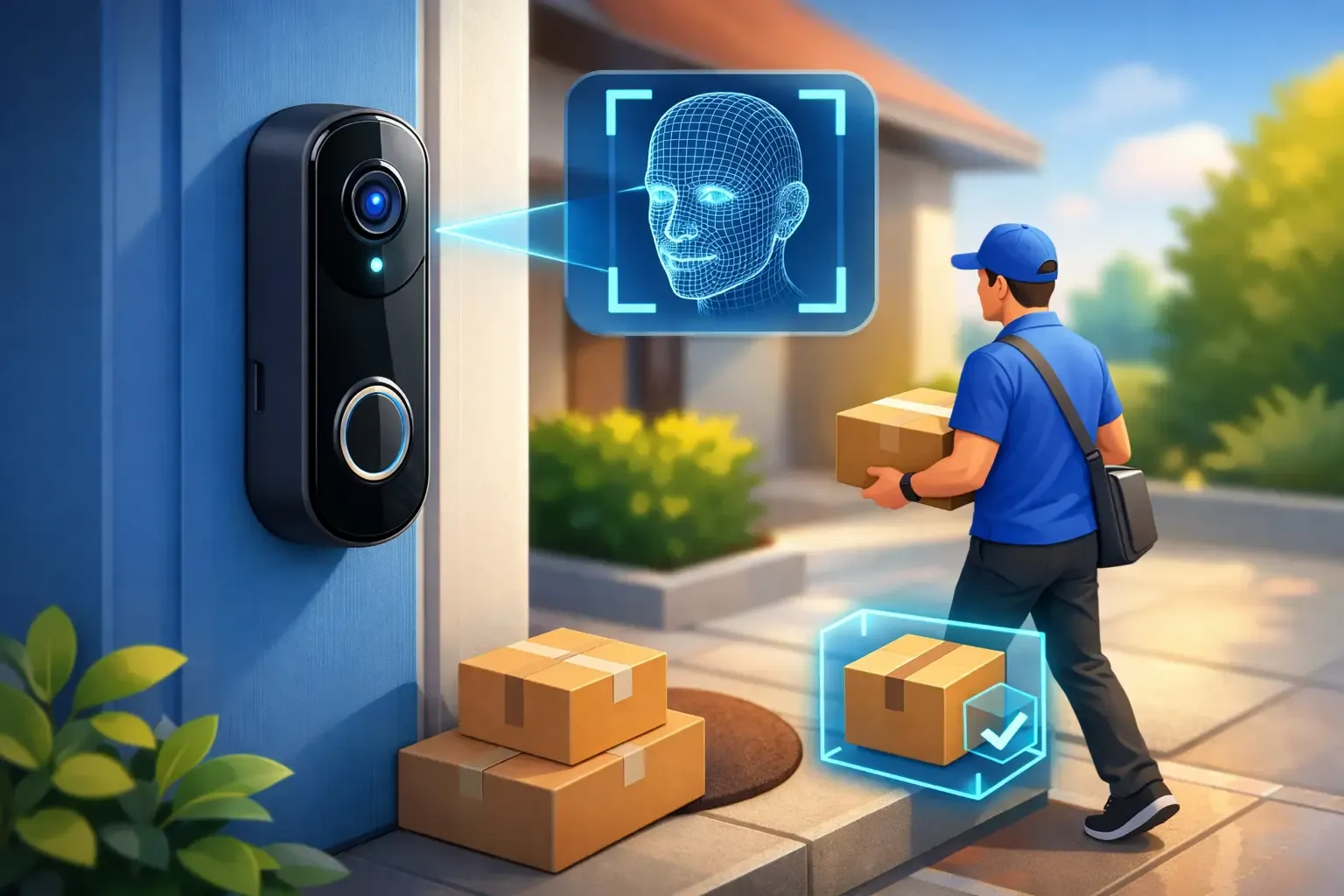
Facial recognition in consumer doorbells usually means familiar-face recognition, not the kind of identity search people associate with police databases. You teach the app who approved visitors are, such as family members, close friends, or a regular caregiver. When the camera sees them again, it can label the alert with a name instead of simply saying a person is at the door.
Package detection looks for the shape and placement of a box, mailer, or bag in a designated delivery area. It is especially useful when you are expecting medication, holiday gifts, or a delivery that should not sit outside all afternoon. Some systems can also alert you when a package appears to be removed.
Neither feature is magic. A face hidden by a hat, glare from the afternoon sun, or a camera mounted too high can limit recognition. Package alerts can miss a slim envelope or mistake a tote bag for a delivery. Think of both as useful filters for your alerts, not guaranteed evidence of what happened.
Best Doorbell Facial Recognition Package Detection Picks
Best overall for easy, polished alerts: Google Nest Doorbell
The wired Google Nest Doorbell is a strong choice for people who want familiar-face alerts and package detection in one beginner-friendly app. Its video quality, notifications, and Google Home integration are easy to understand, which matters if multiple people in your household need access to the camera.
Google’s familiar-face feature can make daily alerts much more meaningful. Instead of getting repeated notices about a person near the porch, you may see that a known visitor has arrived. Package detection can also identify a delivery left in view of the camera. Features and video history typically depend on the appropriate Nest Aware subscription, so include that ongoing cost in your budget rather than treating it as a surprise later.
This is the easy recommendation for homes already using Google Home displays, speakers, or thermostats. A Nest Hub can show the live doorbell feed when someone rings, which is genuinely convenient when your hands are full with dinner or kids. Renters can consider the battery version, but the wired model is generally the better option for continuous power and fewer charging chores.
Best for porch coverage and local storage: eufy Video Doorbell E340
The eufy Video Doorbell E340 earns attention because it uses two cameras: one faces visitors, while the other points down toward the doorstep. That second view solves a common problem with traditional doorbells, where a package can sit directly beneath the camera and barely appear on screen.
It supports delivery and package-focused monitoring, and eufy’s broader ecosystem offers AI features that can identify familiar faces, especially when paired with compatible HomeBase hardware. Local storage is a major draw for shoppers who prefer to avoid monthly cloud fees or want more control over where footage lives.
The trade-off is that the best experience may require adding a HomeBase and spending more time in the app adjusting activity zones and detection settings. It is still manageable for a first-time buyer, but it is not quite as plug-and-play as a basic cloud-first doorbell. For a busy front porch with frequent deliveries, however, the downward package view can be worth the extra setup.
Best for privacy-minded Apple households: Aqara Video Doorbell G4
Aqara’s Video Doorbell G4 is worth considering if your household uses Apple Home and cares strongly about privacy. It offers local facial recognition capabilities and can work with Apple HomeKit Secure Video, depending on your setup. It is also designed with flexible power options that can suit apartments and homes where wiring is complicated.
Package detection is less central to the G4 experience than it is with a dual-camera eufy doorbell or Google’s package alerts. That makes it a better choice when recognizing household members and keeping video inside your preferred smart-home ecosystem matters more than detailed delivery monitoring.
It also asks a little more of the buyer. You will get the best results if you are comfortable using an Aqara hub and understanding your Apple Home settings. For a renter already committed to Apple devices, that is a fair trade for a more privacy-centered setup.
The Feature That Matters Most: Your Camera Angle
Package detection lives or dies by what the camera can see. A doorbell mounted high beside a deep porch column may catch faces beautifully while missing a box on the ground. A low, downward-facing camera may see every package but give less flattering or useful views of tall visitors.
Before buying, stand where the doorbell will go and look at the likely drop-off spot. If packages are usually left directly below the button, prioritize a doorbell with a second downward-facing camera. If drivers place deliveries several feet from the door, make sure the camera’s field of view reaches that area. A slightly different mounting position can do more for reliability than paying extra for a fancier AI plan.
Use activity zones whenever the app offers them. Draw one zone for the walkway or porch and another around the package area. This reduces alerts from passing cars, neighbors on the sidewalk, and swaying branches that otherwise make a smart doorbell feel less smart.
Subscription Costs Change the Value Equation
This is where smart-doorbell shopping gets confusing. Some brands include core detection features but reserve familiar-face labels, extended recording history, or richer alerts for a subscription. Others emphasize local storage and charge less over time, but may ask you to purchase a hub or storage device upfront.
Do a simple three-year comparison before deciding. Add the doorbell price, any required hub, a chime accessory if needed, and the annual plan if the features you want are subscription-only. A lower-priced camera can become the more expensive option if you need a plan to access the very alerts that made it appealing.
There is no universal winner here. Cloud subscriptions can be worthwhile when you want easy video history, shared household access, and fewer equipment decisions. Local storage is attractive when recurring fees frustrate you or you want footage to stay closer to home. Build a nest that works for your budget after the first year, not just on sale day.
Privacy and Security Settings to Check First
Facial recognition deserves a higher standard than ordinary motion detection because you are creating a labeled record of people who visit your home. Only add faces of people you know, and tell frequent visitors if you plan to use name-based alerts. Do not use the feature to identify neighbors or passersby simply because the option exists.
After installation, give the doorbell a unique account password and turn on two-factor authentication. Keep its firmware updated, review who has shared access to the camera, and remove former roommates, contractors, or house sitters when they no longer need it. If the app allows privacy zones, block windows or areas outside your property that do not need monitoring.
Also consider audio rules where you live. Video doorbells are common, but recording conversations can raise different consent issues than recording visible activity. A camera aimed at your own entryway is a much safer starting point than one pointed toward a neighbor’s door or private yard.
How to Set It Up for Fewer Bad Alerts
Start with conservative notifications. Enable person and package alerts first, then live with them for several days before adding every available category. If your porch is busy, familiar-face alerts can reduce notification fatigue, but only after you train the system with clear, current photos of household members.
Test the package zone using a real box at different times of day. Check morning glare, nighttime porch lighting, and whether a delivery left at the edge of the mat stays visible. If alerts are inconsistent, adjust the camera angle or zone before assuming the device is defective.
A good doorbell should give you a little more peace of mind, not another app demanding attention. Choose the camera that sees your actual delivery spot, fits your preferred ecosystem, and handles familiar visitors in a way that feels helpful and respectful. That is the smart-home upgrade you will still appreciate long after the first package arrives.