
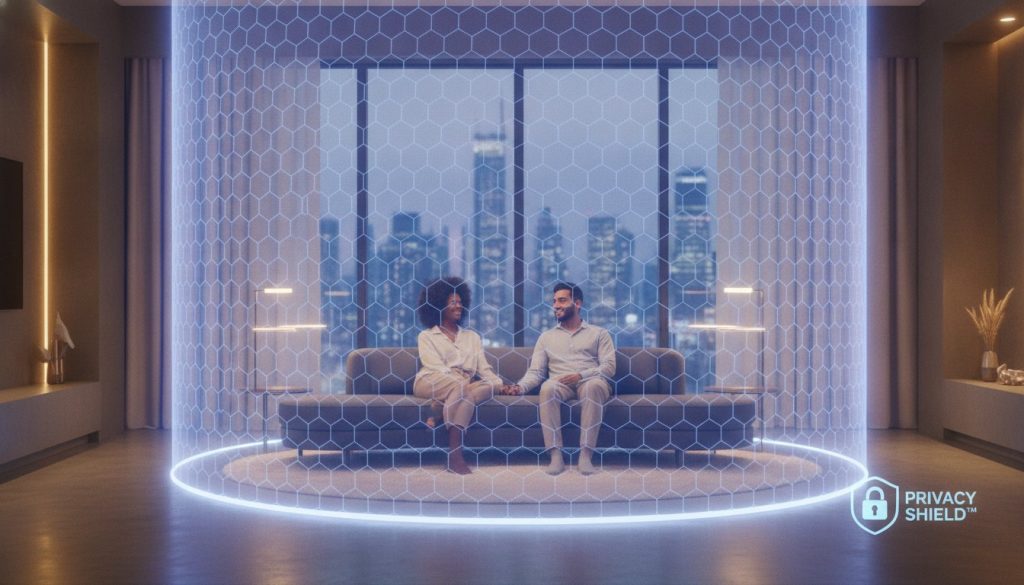
Did you know that 70% of people would swap their smart thermostat for a different brand if it meant better data security? This 2026 finding from Copeland highlights a growing reality: we love our gadgets, but we’re increasingly worried they’re watching us back. It’s easy to feel like your devices are spying on you, especially when searching for reliable smart home privacy tips feels like reading a technical manual. You’ve likely felt that same prickle of unease when a voice assistant chirps during a private conversation.
It’s completely normal to feel overwhelmed by the trade-off between a “smarter” life and your personal boundaries. Our guide is here to show you that you don’t have to choose between cutting-edge tech and your right to a private home. We provide a clear plan to help you reclaim control without unplugging your life. We’ll help you navigate the latest Matter 1.6 security standards, debunk the “always listening” myth, and build a simple network plan that keeps your data exactly where it belongs: inside your four walls.
Key Takeaways
- Understand the technical reality of “wake words” to distinguish between active listening and data recording for better peace of mind.
- Identify potential “leak points” in your setup by tracing the journey of a command from your voice to your smart lightbulbs.
- Learn how the Matter standard and local-first communication simplify your security by keeping your personal data off the cloud.
- Implement our expert smart home privacy tips to harden your network with a high-impact, five-step “set and forget” checklist.
- Discover which device categories require non-negotiable privacy features and how to choose brands that prioritize your security.
The ‘Always Listening’ Myth: What Your Smart Home Actually Hears
Smart home privacy is best defined as a delicate balance between data utility and your personal boundaries. It’s the ability to enjoy a house that anticipates your needs without feeling like you’ve invited a digital spy into your living room. Most concerns stem from how the Internet of Things (IoT) handles the audio in our most private spaces. In 2026, the technology has evolved, but the fundamental question remains: is my speaker recording my private dinner conversations?
To better understand how to manage your data and protect your space, watch this helpful video on starting your security journey:
The technical reality of voice assistants relies on “wake words” or local acoustic triggers. Your device isn’t constantly streaming your life to a server. Instead, it uses a tiny amount of power to listen for a very specific sound pattern, like “Hey” or “Computer.” While some older cloud-reliant models required a trip to the internet just to recognize those words, 2026 “edge-AI” processing allows modern hardware to handle this entirely on the device itself. This shift is one of the most effective smart home privacy tips because it ensures your voice never leaves your home unless you specifically ask for help.
Myth vs. Reality: The Microphone Panic
There is a massive difference between “listening” and “recording.” On-device processing means the microphone is essentially a passive ear that forgets everything it hears every few seconds unless the trigger word is detected. If the wake word isn’t heard, the audio data is overwritten and lost forever. For total peace of mind, look for devices with a physical mute switch. These hardware-level disconnects are superior to software “off” buttons because they physically cut the power to the microphone, making it impossible for the device to hear anything at all.
The Truth About Data Collection and Targeted Ads
You’ve probably experienced that spooky moment where you mention a product and see an ad for it minutes later. While it feels like eavesdropping, it’s usually a result of sophisticated metadata correlation. Companies track your usage patterns, location, and buying habits to predict what you want. A 2023 study by researchers at the University of California, Davis, found that specific user personas can receive ad bids up to 30 times higher than others based on interaction data. Edge Computing is the 2026 standard for privacy-conscious hardware, ensuring that your data is processed locally on your own hub rather than being sent to a corporate cloud for analysis. Using these smart home privacy tips helps you break the link between your daily habits and aggressive ad trackers.
The Three Layers of Data: Device, Network, and Cloud
When you tell your smart home to perform a task, your data takes a specific journey. In a typical cloud-based setup, that command travels from your device to your router, then to a corporate server, and finally back to your lightbulb. Every stop on this path represents a potential leak point where your information could be intercepted or stored. This is why shifting toward local control is one of the most effective smart home privacy tips for 2026. If a company’s server is breached or their privacy policy changes, your data is at the mercy of their decisions.
Cloud-only devices are the primary risk in the current tech climate. For example, on March 28, 2026, Amazon removed local voice processing from several Echo models, including the Echo Show 15. This change means every single request now requires a trip to the cloud for processing. When your devices rely on external servers, you lose control over where your data goes and who can see it. Local control acts as the ultimate privacy shield by keeping that data journey entirely within your four walls. It ensures that your private life stays private, even if your internet connection drops.
Layer 1: The Device and Local Processing
Privacy begins at the hardware level. Devices that support local processing are inherently safer because they can execute commands without an active internet connection. This prevents your daily habits from being logged on a distant server. Leading manufacturers now use dedicated security chips to keep encryption keys safe. If you ever decide to upgrade your tech, it’s essential to clear your personal history first. You can learn how to reset any smart home device to ensure your local data is permanently erased before the hardware leaves your house.
Layer 2: Your Home Network (The Gatekeeper)
Your router is the most important privacy tool you own. It sits between your devices and the open internet, acting as a digital bouncer. Generic, unbranded gadgets are notorious for attempting to send data to overseas servers without your permission. A savvy user configures their router to monitor these outgoing requests and block anything suspicious. If you find your smart home devices losing connection, it could be a sign that your network security is doing its job by blocking a suspicious “phone home” attempt.
Choosing the right foundation makes all the difference in your security journey. You can explore our smart home buying guides to find devices that prioritize local communication over cloud dependency. By selecting hardware that communicates directly with your hub, you significantly reduce the number of eyes on your personal life. This approach doesn’t just protect your privacy; it often makes your home faster and more reliable too.
Privacy-First Standards: Why Matter and Local Hubs Win
Choosing the right technology standards is one of the most effective smart home privacy tips for anyone looking to secure their space. Standards act as the invisible handshake between your devices. They decide whether your data stays local or takes a detour to a server across the globe. While older systems often felt like a “walled garden” that forced you into cloud-only ecosystems, 2026 has brought us more open and secure ways to connect. By focusing on local-first standards, you can enjoy the magic of automation without the anxiety of external data leaks.
Matter 1.6: The New Privacy Standard
The release of Matter 1.6 on June 17, 2026, marked a significant turning point for home security. This version introduced enhanced security infrastructure and NFC-based commissioning, making it harder for unauthorized devices to join your network. With over 3,000 products certified for the Matter standard as of early 2026, you no longer have to rely on sketchy, “no-name” apps that might harvest your data. Matter requires devices to communicate locally with your hub. This means your smart switch talks directly to your lightbulb without ever needing to “check in” with a corporate cloud. It simplifies your setup while keeping your private interactions off the public internet.
Zigbee vs. Z-Wave vs. Wi-Fi: Privacy Rankings
Understanding the protocol your devices use is crucial for a secure nest. Wi-Fi devices are often the most convenient, but they’re also the most prone to hacking because each one has its own direct connection to the internet. If one device is compromised, it could potentially expose your entire network. In contrast, hub-based systems like Zigbee and Z-Wave offer a layer of protection. A hub acts as a firewall between your tech and the web, managing all communications in a controlled environment.
- Zigbee: Uses a mesh network that stays local to your home, making it excellent for sensors and bulbs.
- Z-Wave: Operates on a different frequency than Wi-Fi, providing an “air-gapping” benefit that is ideal for security-critical devices like locks.
- Wi-Fi: Best for high-bandwidth devices like cameras, provided they support the latest WPA3 encryption.
When shopping in 2026, look for “Privacy Labels” on product packaging. These labels, influenced by updated CCPA regulations and the EU AI Act, provide a clear snapshot of how a device handles your information. They tell you exactly if the hardware supports local processing, how long security updates are guaranteed, and if your voice data is deleted automatically. Choosing hardware with these transparent ratings is a savvy move that ensures your technology serves you on your own terms.
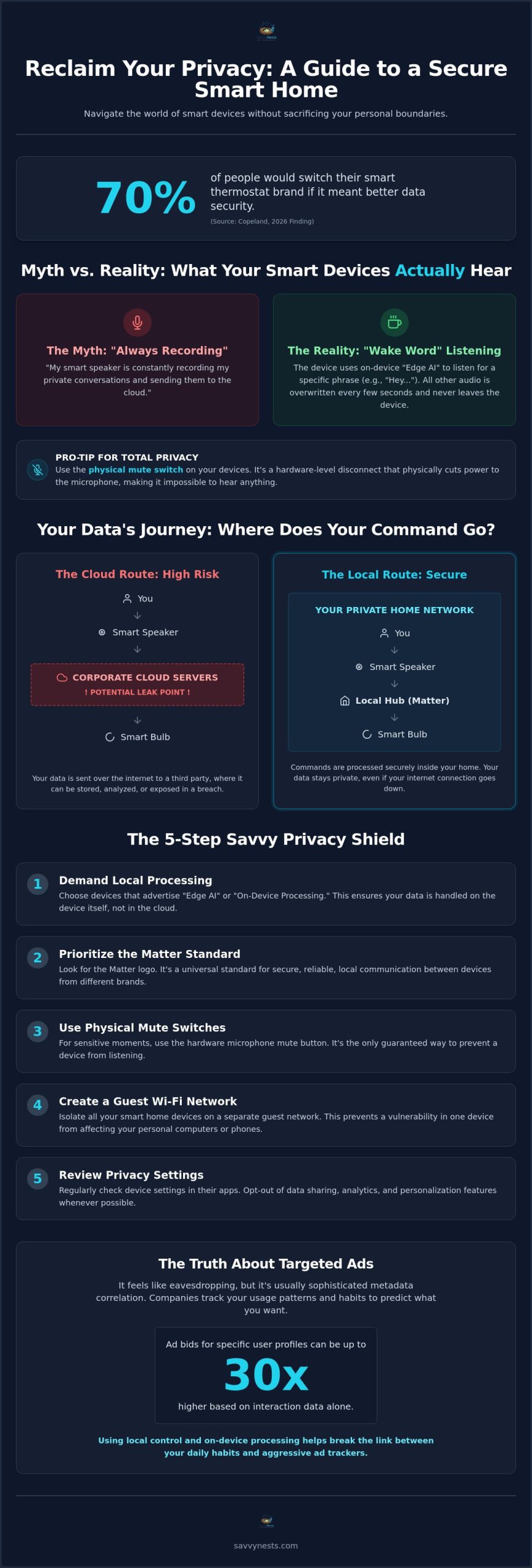
The 5-Step Savvy Privacy Shield: Hardening Your Home
Hardening your home against digital intruders doesn’t require a computer science degree. It’s about making small, intentional changes that provide long-term protection. These smart home privacy tips focus on high-impact actions you can set once and enjoy the peace of mind forever. By building a “Savvy Privacy Shield,” you move from being a passive user to an empowered gatekeeper of your own data.
Step 1 & 2: Network Isolation and 2FA
Think of your home network as a private party. You wouldn’t let a stranger wander through your bedrooms, so why let a smart toaster share the same connection as your banking laptop? Setting up a “Guest Network” on your router creates a virtual fence for your gadgets. This isolation ensures that even if a budget-friendly bulb has a security flaw, a hacker can’t jump from that bulb to your personal computer or sensitive files. It’s a simple “set and forget” move that drastically reduces your risk profile. For a comprehensive walkthrough of every step you should take to prevent smart home hacking, our ultimate 2026 security checklist covers all the bases in plain language.
Next, you must lock your accounts with Two-Factor Authentication (2FA). While SMS-based codes are better than nothing, app-based authenticators are the gold standard for 2026. They prevent “SIM swapping” attacks and ensure only you can approve a new login. While you’re in your app settings, take a moment to audit your “Authorized Devices” list. Kick off any old phones, tablets, or guest devices that no longer need access to your home’s controls.
Step 3, 4 & 5: Permissions, Updates, and Physical Audits
Your smart home apps often ask for more than they actually need to function. Does your smart light really need access to your contact list or your precise GPS location? Probably not. Open your phone’s privacy settings and trim these permissions down to the bare essentials. Only grant access to features that are strictly necessary for the device to do its job. This limits the amount of metadata companies can harvest from your daily routine.
Security is a moving target, so let your hardware do the heavy lifting by enabling “Auto-Update.” Manufacturers like Google now commit to providing automatic security updates for at least five years from the date a device is sold on their store. These patches are your first line of defense against new vulnerabilities. Finally, perform a physical audit of your space. Position cameras so they don’t capture sensitive areas like bedrooms or bathrooms, and place smart speakers away from high-traffic zones where private financial or medical conversations happen.
If you’re looking for hardware that makes these security steps even easier to manage, explore our smart home buying guides to find devices with built-in privacy toggles and transparent data policies.
Building a Private Nest: Choosing the Right Devices
Creating a secure environment doesn’t mean you have to sacrifice the convenience of a modern home. It just means you need to be a more intentional curator of the tech you bring through your front door. When you use our smart home buying guide, try looking at every recommendation through a privacy lens. For certain categories, like indoor cameras and smart locks, privacy should be a non-negotiable requirement rather than an optional feature. These devices have the highest access to your personal life, so they deserve the strictest scrutiny.
You don’t need to spend hours reading legal jargon to understand a brand’s stance on your data. Instead, spend 30 seconds scanning their privacy policy for specific keywords. Look for terms like “third-party sharing,” “data encryption,” and “local storage.” Under the updated CCPA regulations that took effect on January 1, 2026, companies are now required to be more transparent about automated decision-making and cybersecurity audits. If a company’s policy is intentionally vague or lacks clear contact info for privacy requests, it’s a sign to look elsewhere for your smart home privacy tips and hardware.
The Privacy Checklist for Your Next Purchase
Before you tap “buy” on that new gadget, run it through this quick savvy checklist to ensure it respects your boundaries:
- Physical Safeguards: Does the camera have a physical privacy shutter that slides over the lens? Does the speaker have a hardware mute switch?
- Storage Model: Can you save video to a local SD card, or are you forced into a cloud subscription? Local storage is always the more private choice.
- Matter Certification: Is it certified for Matter 1.6? Choosing Matter-certified devices ensures they can operate on your local network without needing a constant cloud connection.
Integrating Privacy into Your Routines
Your privacy strategy shouldn’t just be about what you buy; it’s also about how you use it. You can build simple automation routines that protect your space without any daily effort. For instance, create an “Away” routine that only enables indoor cameras when your phone leaves the house. You can also use smart plugs to physically cut the power to your voice assistants during the hours you know you’ll be having private conversations. These small habits turn your tech into a supportive tool rather than a constant observer.
Remember, you are the master of your smart environment. Technology should serve you, not the other way around. By making savvy choices today, you’re building a home that is both intelligent and incredibly secure. For more help keeping your gear running smoothly while maintaining your peace of mind, check out the savvy smart home troubleshooting guide to fix any device issues that might pop up in 2026.
Take Control of Your Digital Sanctuary
You don’t have to sacrifice modern convenience to keep your private life behind closed doors. By understanding that your devices aren’t constantly recording and by choosing local-first tech, you’ve already taken the biggest step toward a secure home. We’ve explored how 2026-ready tech standards like Matter 1.6 keep your data off the cloud and why a simple guest network acts as a powerful virtual fence. These expert-vetted smart home privacy tips are designed to be high-impact yet easy for any beginner to implement.
It’s time to move from feeling overwhelmed to feeling empowered. You now have a clear plan to audit your permissions, secure your accounts with 2FA, and choose hardware that respects your boundaries. If you’re ready to start shopping with confidence, build your private smart home with our 2026 Buying Guide. Our no-jargon beginner advice ensures you pick the right tools for a smarter, safer lifestyle. You’re the master of your environment; enjoy the peace of mind that comes with a truly savvy nest.
Frequently Asked Questions
Are smart home devices always listening to my conversations?
Smart speakers are technically listening for a specific “wake word” like “Alexa” or “Hey Google,” but they aren’t recording everything you say. Local processing on modern 2026 devices means the audio is overwritten every few seconds unless that trigger is heard. While earlier models relied heavily on the cloud, current edge-AI hardware keeps these acoustic patterns local. To be safe, look for a physical mute switch on your device.
Can someone hack my smart home camera and watch me?
While any internet-connected device has risks, you can prevent unauthorized access by using strong, unique passwords and enabling app-based two-factor authentication. Most modern cameras use end-to-end encryption to protect your video feed from prying eyes. For maximum security, choose cameras with physical privacy shutters that slide over the lens when you’re home. Avoid unbranded cameras that lack a clear track record of security updates and transparent privacy policies.
Is it safer to use a smart home hub like Alexa or Google Home?
Using a dedicated hub is often safer than connecting dozens of individual Wi-Fi devices directly to your router. A hub acts as a managed gateway, centralizing your security updates and permissions in one place. However, the level of privacy depends on the ecosystem. In 2026, ecosystems that prioritize local control over cloud processing offer the best balance of utility and security. This setup ensures your commands stay within your home network.
Do I need a separate Wi-Fi network for my smart home devices?
Setting up a separate guest network for your gadgets is one of the best smart home privacy tips you can follow. This creates a virtual wall between your smart lightbulbs and the laptop you use for banking or work. If a smart plug is compromised, the attacker can’t easily move across the network to access your sensitive files. Most modern routers allow you to create this secondary network in just a few clicks.
What is the most private smart home ecosystem in 2026?
The most private ecosystems in 2026 are those built on the Matter 1.6 standard with a focus on local-first communication. Apple Home remains a strong contender due to its hardware-level encryption and local processing requirements. However, any system that allows you to manage your home without an active internet connection is inherently more private. Look for the “Matter” logo and verify that the hub supports local execution for your specific device categories.
How do I know if my smart home device has been hacked?
Signs of a compromised device include unexpected movements of camera lenses, lights turning on by themselves, or your device making unusual noises. You might also notice a sudden spike in your internet data usage or devices frequently losing their connection. Check your router’s logs for “phone home” attempts to unfamiliar overseas servers. If you suspect a breach, immediately reset the device to factory settings and change your account passwords. Our guide on how to prevent smart home hacking walks you through the exact steps to lock down your network before and after a suspected intrusion.
Is Matter more private than older smart home standards?
Matter is significantly more private because it requires devices to communicate directly with your hub over your local network. Unlike older Wi-Fi gadgets that often forced data through a manufacturer’s cloud server, Matter-certified hardware can function entirely offline. This reduces the number of “leak points” where your data could be intercepted. It also standardizes security updates, making it easier to maintain a hardened home without managing a dozen different apps.
Should I delete my voice assistant history regularly?
You should definitely configure your voice assistant to delete your history automatically every three to eighteen months. While recordings help improve AI accuracy, keeping them indefinitely creates an unnecessary privacy risk. Most major platforms now offer “auto-delete” toggles within their privacy settings. Periodically clearing this data ensures that old recordings don’t sit on a server where they could potentially be accessed in a future data breach.

Article by
Michael J. Mahon
Smart home automation transforms ordinary homes into intelligent living spaces by connecting devices that improve convenience, security, energy efficiency, and comfort. SavvyNests makes smart home technology easy to understand with expert guides, reviews, and recommendations for every budget.