
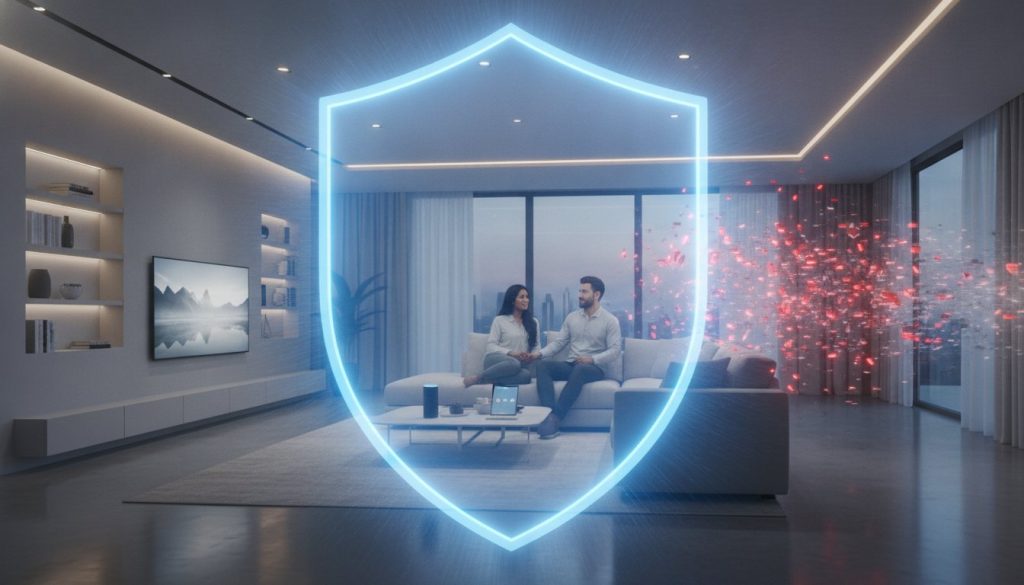
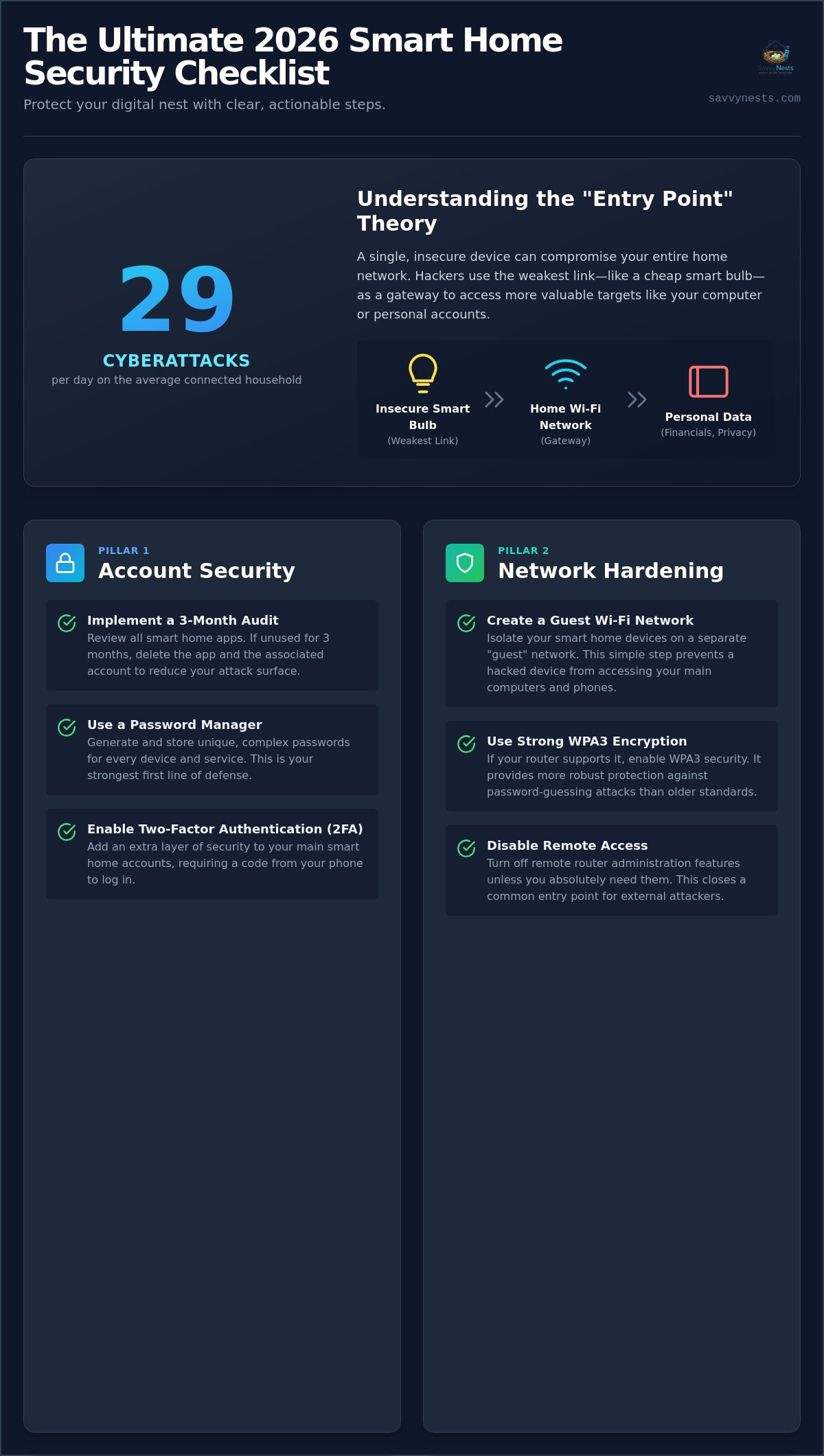
Did you know that the average connected household now faces 29 cyberattack attempts every single day? It is a startling figure that makes the question of how to prevent smart home hacking feel more urgent than ever. It is completely normal to feel overwhelmed by the dozens of devices in your home or confused by complex jargon like “VLAN” and “WPA3.” You shouldn’t have to be a cybersecurity expert just to ensure your family isn’t being watched through a camera lens.
We believe technology should serve you, not cause you stress. That is why we have created the ultimate 2026 security checklist to help you lock down your digital nest with ease. This guide moves past the technical noise to give you clear, actionable steps that protect your privacy and stop intruders in their tracks. We will walk you through the “set and forget” settings that offer immediate peace of mind, from utilizing the latest Matter 1.6 security features to simple network isolation tricks. By the end, you will have the confidence to grow your smart home safely and enjoy the convenience you deserve.
Key Takeaways
- Discover the “Entry Point” theory to understand how a single smart bulb can compromise your entire home network.
- Implement the three-month account audit and use a password manager to create a robust digital front door.
- Learn simple router configurations, like creating a guest network, as a primary way of how to prevent smart home hacking.
- Take control of your privacy by automating firmware updates and auditing microphone and camera permissions.
- Identify the best hardware standards, such as local-first hubs, to keep your data off the cloud and inside your home.
Understanding the Risks: Why Smart Home Security is Essential in 2026
Smart home hacking is more than just a technical glitch; it is the unauthorized access to your personal home automation devices or the local network they live on. In 2026, the stakes have changed significantly. While early hackers might have just flicked your lights on and off to be annoying, today’s intruders are after something far more valuable: your data and your privacy. They look for digital footprints that lead to your financial accounts or private family moments captured on video.
This brings us to the “Entry Point” theory. It is a simple concept that explains how to prevent smart home hacking by looking at the weakest link in your chain. Imagine a cheap, unbranded smart bulb in your hallway. If that bulb lacks proper security, a hacker can use it as a gateway. Once they are “inside” that bulb, they are on your home network. This means they are just one step away from the laptop where you do your taxes or the tablet your kids use for school. One small, overlooked device can compromise your entire digital life.
To better understand this concept, watch this helpful video:
Common Vulnerabilities in Modern IoT Devices
Many people assume their devices are secure right out of the box, but that’s rarely the case. Learning how to prevent smart home hacking starts with recognizing these small gaps before they become big problems. Here are the most common risks:
- Outdated Firmware: Manufacturers often release security patches to close digital “backdoors.” If you don’t update, those doors stay wide open for exploitation.
- Default Passwords: Many devices still ship with factory passwords that are easily searchable on public databases. If you haven’t changed these, you’re essentially leaving your key in the lock.
- Unencrypted Data: Without encryption, hackers can “listen in” on the information moving between your device and the cloud, potentially exposing your daily routines or sensitive login details.
The Emotional Impact of a Digital Breach
The real cost of a security lapse isn’t just a technical fix; it’s the loss of your peace of mind. The thought of an intruder watching through an indoor camera or listening via a smart microphone is deeply unsettling. It transforms your sanctuary into a place of vulnerability. This is especially true for smart locks. If a hacker gains access to your security ecosystem, they could theoretically compromise your physical entry points as well.
However, building a “Savvy Nest” doesn’t have to be scary or overwhelming. By adopting the right habits and choosing the right hardware, you can restore that sense of security. A secure home is a happy home. With a few simple adjustments, you can ensure your technology serves your family without compromising your safety or your privacy.
The Account Security Checklist: Locking Your Digital Front Door
Your digital front door isn’t made of wood or steel; it’s made of the login credentials you use every day. If you want to know how to prevent smart home hacking, you have to start with the accounts that control your devices. Think of your smart home app as the master key. If a hacker gets hold of that key, they don’t just have one light bulb; they have your entire ecosystem. The first step in your 2026 security audit is a simple “purge and protect” mission. Go through your phone and look at every smart home app you’ve installed. If you haven’t opened it in three months, delete the account and the app. Reducing your “attack surface” is the easiest way to stay safe without spending a dime.
Managing these accounts shouldn’t feel like a chore. Transitioning to a dedicated password manager is a total game changer for your peace of mind. These tools handle the heavy lifting of creating and remembering complex, unique strings for every single device. The Federal Trade Commission provides a great foundation for Securing Your Internet-Connected Devices, emphasizing that unique passwords are your first line of defense. When you’re ready to expand your setup, our smart home buying guides can help you find brands that make these security steps easy to manage.
Password Hygiene for Smart Home Beginners
Reusing your primary email password for a smart hub is a massive risk. If one site suffers a breach, your whole home is exposed. Instead, follow the “Longer is Better” rule. Use a passphrase, which is a long string of random words like “BlueMountainCoffeeRunningFast!” rather than a short, complex word like “P@ssw0rd1.” These are much harder for computers to crack but easier for you to remember. Also, take ten minutes to audit older devices. Many older cameras or plugs still use default credentials like “admin” or “1234.” Change these immediately to something unique.
The Power of Multi-Factor Authentication (MFA)
Multi-Factor Authentication is the single most effective deterrent against 99% of bulk hacking attempts. It adds a second layer of verification, like a code sent to your phone, so a password alone isn’t enough to get in. For the best security, choose authenticator apps over SMS-based codes. SMS codes can be intercepted, but an authenticator app lives securely on your device. You should also enable biometric logins, such as FaceID or fingerprint scanning, on all your smart home apps. If a specific device doesn’t support MFA, the “Savvy” workaround is to use a dedicated, secure email address specifically for your smart home accounts to keep them isolated from your personal life.
Network Hardening: Creating a Savvy Wi-Fi Shield
Your router is the gatekeeper of your digital nest. If you’re looking for the most effective way of how to prevent smart home hacking, hardening your network is your strongest move. Think of your Wi-Fi as a protective bubble. If that bubble is weak, everything inside is at risk. Start by changing your network name, also known as the SSID. Avoid names like “The Miller Home” or “Linksys_5G_678,” which tell hackers exactly who you are or what hardware you use. Instead, pick something generic and fun that doesn’t identify your family or your router model.
Next, dive into your security settings to ensure you’re using WPA3 encryption. As of 2026, WPA3 is the gold standard for home security, offering much stronger protection than the older WPA2. You should also disable a feature called UPnP, or Universal Plug and Play. While it sounds convenient because it helps devices connect automatically, it often opens digital ports without your permission. Turning this off ensures that no device can talk to the outside world unless you’ve specifically allowed it. These steps align perfectly with NIST cybersecurity best practices for keeping a modern home safe and private.
Isolating Your Smart Devices via Guest Networks
One of the best “set and forget” security habits is creating a guest network specifically for your IoT devices. This creates a digital sandbox. If a cheap smart plug is compromised, the hacker is stuck on the guest network and can’t jump over to your main Wi-Fi where your personal laptop and phone live. Make sure this guest network has its own strong, unique password. If you find that adding all these devices makes your signal act up, you might want to check our guide on why your smart home devices keep losing connection to keep everything running smoothly.
Advanced Router Settings for the Security-Conscious
For those who want an extra layer of armor, look for the “Remote Management” setting in your router app and turn it off. This ensures that your router’s settings can only be changed by someone physically inside your home. You might also consider running a VPN at the router level, which encrypts every bit of data leaving your house. Finally, make it a habit to glance at your “Connected Devices” list once a month. If you see a device you don’t recognize, you can block it instantly. Monitoring your network this way is a simple, savvy habit that provides immense peace of mind.
Device Management: Firmware Updates and Privacy Settings
Once you’ve locked your accounts and shielded your network, it’s time to focus on the hardware itself. Managing individual gadgets is a vital part of how to prevent smart home hacking because every device is a potential doorway. Start by enabling “Auto-Update” on every single app and hub you own. Manufacturers frequently release these patches to fix security holes that hackers have discovered. If your device doesn’t update itself, it’s essentially sitting in the digital rain without an umbrella. Keeping your firmware current is the easiest way to stay ahead of evolving threats.
Physical security matters just as much as digital locks. Don’t leave devices with accessible reset buttons in places where passersby or guests can easily reach them. A simple physical reset can sometimes wipe your security settings and return a device to its vulnerable factory state. This is particularly important for outdoor cameras or smart doorbells. For more detailed advice on keeping your home life personal, check out our smart home privacy tips to help you separate fact from fiction regarding modern monitoring myths.
The “Update Audit” Routine
Most people think firmware updates are just for adding new features or changing the interface. In reality, they are usually about patching vulnerabilities. Set a reminder to perform a manual “Update Audit” once a month for devices that don’t support auto-updates. This is especially important for older gear that might not be on your radar. If a manufacturer stops supporting a device, which is known as the “Sunset” risk, it might be time to retire it. An unsupported device is a permanent security hole that won’t ever be patched, making it a prime target for intruders.
Privacy-First Camera and Mic Settings
Your cameras and microphones are the most sensitive parts of your ecosystem. Use “Geofencing” to automatically disable indoor cameras the moment your phone connects to your home Wi-Fi. This ensures you aren’t being recorded during your private time. For smart displays, look for models with physical privacy shutters that slide over the lens. You should also regularly clear your voice assistant’s recording history and disable “Always Listening” features if you don’t use them frequently. If you’re looking for devices that prioritize these hardware-level protections, browse our smart home buying guides to find the most secure options on the market.
The Savvy Solution: Choosing Secure Hardware and Standards
Choosing the right hardware is the ultimate proactive step in your security journey. When you are deciding how to prevent smart home hacking, the brands you invite into your living room matter just as much as the passwords you create. In 2026, the industry has moved toward a “detect, decide, and respond” model, but this only works if your devices are built with a security-first mindset. Avoid the lure of “no-name” generic gadgets from unverified online marketplaces. These cheap alternatives often skip essential encryption. They also rarely comply with upcoming standards like the EU’s Cyber Resilience Act, which mandates vulnerability reporting starting September 11, 2026. For a safer experience, always consult our smart home buying guide for vetted, secure recommendations.
Building a secure ecosystem is about more than just buying one good camera; it is about ensuring every device speaks the same secure language. By selecting hardware that meets modern standards, you’re essentially building a digital fortress that’s easy to manage. This approach reduces the “overwhelm” of trying to secure twenty different apps from twenty different manufacturers. Instead, you can focus on a few trusted platforms that do the heavy lifting for you. This is how to prevent smart home hacking while still enjoying the convenience that drew you to home automation in the first place.
Why Matter and Thread Change the Security Game
The release of Matter 1.6 on June 17, 2026, has made smart home security more accessible for everyone. Matter requires specific security protocols by default, meaning any device with the Matter logo has passed rigorous standards for encryption and authenticity. When paired with Thread, a self-healing mesh network, your devices don’t have to rely on a single, vulnerable Wi-Fi point. This setup is much harder for hackers to disrupt. Always look for the Matter logo when shopping for new sensors, lights, or plugs to ensure your nest remains a “Savvy” and secure one.
The Value of Local-Control Hubs
A local-control hub is a device that processes your commands inside your own walls rather than sending them to a distant cloud server. This is a massive win for privacy. When your data stays local, your “attack surface” shrinks significantly because there’s no cloud database for a hacker to breach. We recommend brands that prioritize user privacy over data harvesting. These hubs ensure that when you tell your lights to turn off, that data stays between you and your house. It’s a professional-grade security choice that’s now simple enough for any homeowner to implement.
Take Control of Your Secure Future
Securing your digital nest doesn’t have to be a technical nightmare. By implementing the “set and forget” habits we’ve discussed, such as isolating your devices on a guest network and enabling multi-factor authentication, you’ve already taken the most important steps. You’ve moved from being overwhelmed by your technology to mastering it. Understanding how to prevent smart home hacking is really about making savvy choices that prioritize your family’s privacy without sacrificing the convenience you love.
The landscape of home automation is always evolving, but you don’t have to navigate it alone. We’ve done the heavy lifting of researching the latest standards like Matter 1.6 so you can focus on enjoying your home. If you’re ready to add new devices with confidence, build your secure nest with our Ultimate Smart Home Buying Guide. Our vetted security standards, expert-tested privacy features, and beginner-friendly setup guides ensure that every new addition is a safe one. Your home should be your sanctuary; let’s keep it that way together.
Frequently Asked Questions
Can my smart light bulbs really be used to hack my computer?
Yes, it is possible through a method called lateral movement. If a hacker gains access to a poorly secured bulb, they can use it as a bridge to reach other devices on your local Wi-Fi. This is why isolating your gadgets on a guest network is a vital part of how to prevent smart home hacking. It keeps your sensitive work computer and personal data behind a digital wall that intruders can’t easily cross.
What should I do if I think my smart home has already been hacked?
Disconnect the affected device from your internet immediately to stop the breach. You should then perform a factory reset on that specific gadget and change the passwords for all your smart home accounts and your router. It is also wise to check your connected accounts for any unusual activity. This “clean slate” approach ensures you regain total control over your digital environment while shutting out any remaining intruders.
Is a smart lock less secure than a traditional deadbolt?
Smart locks are generally just as physically secure as traditional deadbolts because they use the same heavy-duty internal hardware. The primary difference is the digital entry point. While a traditional lock can be picked, a smart lock requires strong account security to prevent unauthorized remote access. Choosing a lock from a reputable brand that offers encrypted local control provides a modern layer of convenience without sacrificing your home’s physical safety.
Do I need a special router for a secure smart home setup?
You don’t need a specific “smart home” router, but you should use a modern model that supports the WPA3 security standard. A router with built-in guest network capabilities makes it much easier to isolate your gadgets from your main computers. If your current router is more than five years old, it might lack the security patches needed to handle a household with many connected devices safely.
How often should I change my smart home passwords?
You don’t need to change your passwords on a set schedule if you use unique, complex passphrases for every account. Frequent changes often lead to people choosing weaker, easier-to-remember passwords. Instead, change them immediately if you receive a security alert or if a manufacturer reports a data breach. Using a password manager ensures that even if one account is compromised, the rest of your home remains perfectly safe.
Are older smart devices more dangerous than new ones?
Older devices are often more dangerous because they may no longer receive essential security updates. Manufacturers eventually stop patching the digital backdoors that hackers exploit, leaving those devices permanently vulnerable. If you have gadgets that haven’t received a firmware update in over a year, it is often safer to replace them with newer hardware. Modern devices built on the Matter standard offer much better long-term security and privacy protections.
Can hackers listen to me through my smart speaker?
It is highly unlikely, but a hacker could theoretically listen if they gain full access to your account or unpatched software. Most speakers use “wake word” technology that only processes audio locally until it hears its name. To stay safe, use the physical mute button when you want total privacy. Regularly deleting your voice recording history within the app is another savvy way to keep your personal data footprint small.
Is Apple HomeKit more secure than Alexa or Google Home?
Apple HomeKit has a strong reputation for security because it requires local processing and end-to-end encryption by default. However, Alexa and Google Home have significantly improved their security by adopting the Matter standard. The most secure ecosystem is always the one where you’ve personally enabled multi-factor authentication. Regardless of the brand, taking active steps is the best way of how to prevent smart home hacking in your own house.

Article by
Michael J. Mahon
Smart home automation transforms ordinary homes into intelligent living spaces by connecting devices that improve convenience, security, energy efficiency, and comfort. SavvyNests makes smart home technology easy to understand with expert guides, reviews, and recommendations for every budget.