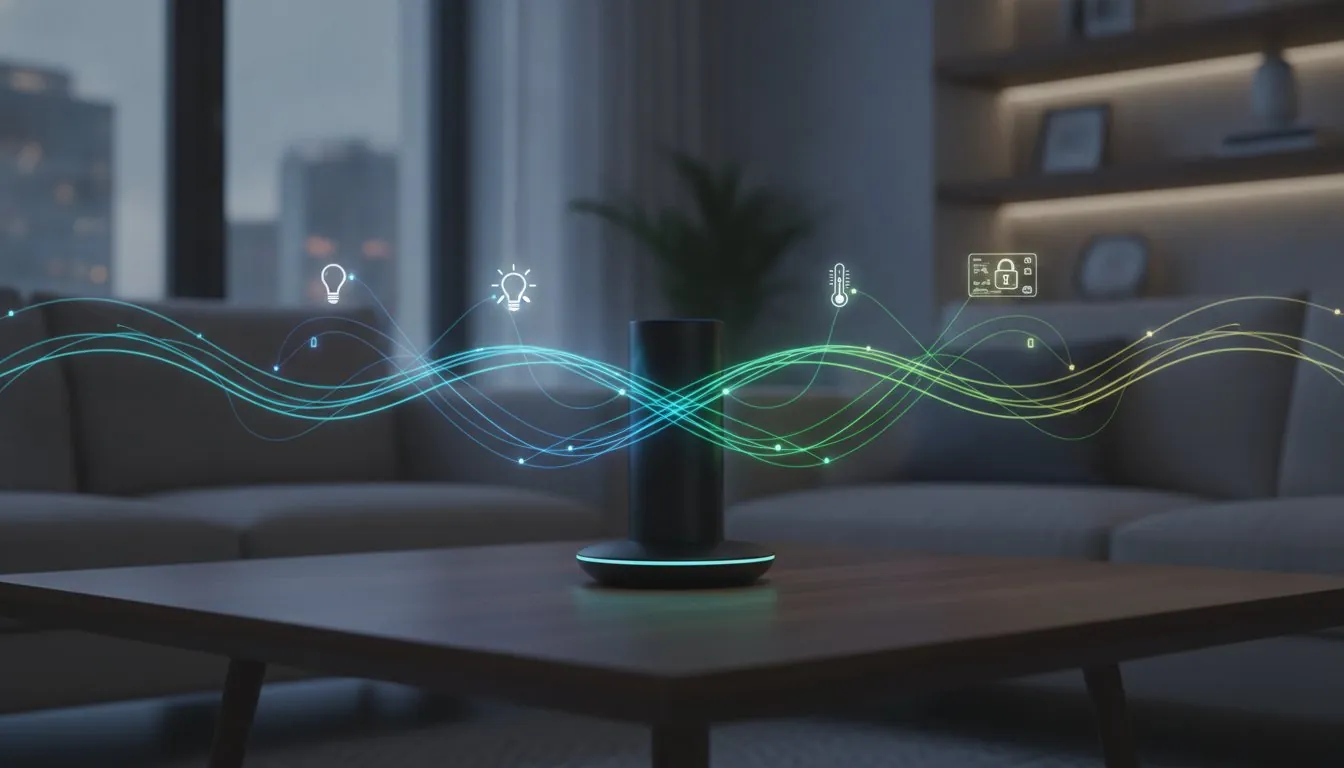
The best smart home hub for Alexa and Google in 2026 isn’t actually made by Amazon or Google. It’s a common frustration to find your favorite smart light works perfectly with your Echo Hub but refuses to show up in the Google Home app. You’ve likely felt the “silo effect” where devices are locked into one ecosystem, or noticed that annoying delay when a cloud-based automation finally triggers. It’s time to stop settling for a fragmented house that only works half the time.
This guide will show you how to break those walls down using a single hub that bridges the gap between your favorite voice assistants. You’ll discover how to get faster, local response times while keeping all your devices visible in both apps simultaneously. We’ll compare the latest 2026 hardware, from the Matter-ready Aqara M3 to the local-first Hubitat Elevation C-8 Pro, to find the perfect fit for your home. Whether you’re managing 127 Zigbee sensors or just want your Google Nest Hub to talk to your Alexa-controlled plugs, we’ve done the heavy lifting to help you choose with confidence.
Key Takeaways
- Break through ecosystem silos by using a central hub that translates Zigbee and Z-Wave signals into a language both Alexa and Google Home understand.
- Learn how Matter Multi-Admin technology allows you to share a single device across multiple apps without the lag of cloud-to-cloud integrations.
- Identify the best smart home hub for alexa and google by looking for modern hardware that supports the Z-Wave 800 and Zigbee 3.0 standards.
- Follow a simple two-step setup process that ensures your automations run locally for lightning-fast response times in every room.
- Find your perfect match with our comparison of the top bridge hubs, including the best options for both beginners and advanced automation enthusiasts.
Table of Contents
- The Dual-Ecosystem Challenge: Why You Need a Hub for Both Alexa and Google
- Key Features: What Makes a Hub Cross-Platform Compatible?
- The Best Smart Home Hubs for Alexa and Google: 2026 Top Picks
- Setting Up Your Hub for Dual Ecosystem Success
- Final Verdict: Which Hub Should You Buy for Your Savvy Nest?
The Dual-Ecosystem Challenge: Why You Need a Hub for Both Alexa and Google
Imagine buying a sleek Zigbee light bulb only to find it responds to Alexa but stays “offline” in your Google Home app. This is the “Smart Home Silo,” a common headache in modern home automation systems where devices speak different languages. Without a central brain, your gadgets are essentially trapped in separate rooms, unable to communicate with each other or your preferred voice assistant. This fragmentation turns a “smart” home into a collection of frustrated, disconnected parts.
Finding the best smart home hub for alexa and google solves this by acting as a protocol translator. It takes the specialized signals from your Zigbee or Z-Wave devices and translates them into a format both cloud services understand. While many people rely on “Skills” or cloud-to-cloud integrations, this often leads to a frustrating three-second delay every time you ask to turn on the lights. This latency happens because your request travels from your speaker to the manufacturer’s server and back again. A dedicated hub handles these tasks locally, ensuring your home reacts instantly without the round-trip through the internet.
To better understand this concept, watch this helpful video:
Smart Home Hub vs. Smart Speaker: The Real Difference
It’s easy to assume your Echo or Nest Mini is the brain of your house, but these are actually “voice portals.” They listen for commands and send them to the cloud for processing. A true hub does the heavy lifting right in your living room. If you’re curious about which one you really need, check out our guide on smart home hub vs smart speaker options. By 2026, the savvy choice is a hub that offers local processing, which means your automations keep running even if your internet goes down. This local control is the secret to a snappy, responsive home that never leaves you in the dark.
Why ‘Works with Both’ is the Most Important Label
When shopping for new gadgets, you’ll see labels for various API frameworks. The goal is to avoid “partial compatibility,” where a device might dim via Alexa but only turn on or off via Google. A cross-platform hub serves as a bridge that exposes non-IP devices to multiple controllers simultaneously. This setup ensures that your family can use whichever assistant they prefer without worrying about device lock-in. Even though Matter has made cross-brand talk easier in 2026, a dedicated hub remains the most reliable way to manage a diverse collection of legacy and modern devices under one roof. It acts as the ultimate peacekeeper in your dual-assistant household, ensuring every device is visible and controllable from any app you choose.
Key Features: What Makes a Hub Cross-Platform Compatible?
Selecting the best smart home hub for alexa and google requires looking past the marketing stickers. By 2026, the technology inside your hub determines whether your home feels like a unified system or a collection of digital islands. High-performance hubs now act as the primary anchor for your entire network. They use advanced radios to bridge the gap between competing ecosystems, ensuring your devices respond to every command without hesitation.
Protocol support is the foundation of any reliable setup. Zigbee 3.0 and Z-Wave 800 are non-negotiable standards today because they offer the range and security necessary for a large-scale home. These protocols allow low-power devices like motion sensors and door locks to communicate without taxing your home network. When your hub supports these, it translates their signals into a language that both the Alexa and Google Home apps can understand simultaneously. This prevents the “device not found” errors that often plague simpler setups. Before purchasing any new device, consulting a thorough smart home hub compatibility guide can save you from costly mistakes and ensure every gadget you buy will work seamlessly with your existing setup.
Understanding Zigbee, Z-Wave, and WiFi in 2026
A savvy nest relies on a mix of technologies to stay efficient. While WiFi is great for high-bandwidth devices like cameras, it isn’t ideal for every light switch in your house. If you are confused about which to prioritize, our guide on zigbee vs z-wave vs wifi smart home breaks down the pros and cons of each. The right hub bridges these protocols, ensuring that a Z-Wave lock can trigger a WiFi light bulb through a single automation shared across your voice assistants.
The Matter Standard: A Game Changer for Dual Users
The most significant breakthrough for households using both Alexa and Google is the Matter standard. Specifically, the “Multi-Admin” feature allows you to pair a single device to two different ecosystems at once. You no longer have to choose which app gets to control the thermostat. According to Google’s explanation of Matter, this creates a more open and reliable environment for everyone. Matter allows local communication between an Echo Hub and a Nest Hub for the first time. This makes a Matter-compatible hub the ultimate future-proofing tool for your home. If you also use Apple devices alongside your Alexa and Google setup, our guide to the best smart home hub for Apple HomeKit can help you find hardware that bridges all three ecosystems without compromise. You can find more practical advice in our smart home buying guides to help you navigate these new standards.
Your hub should also function as a Thread Border Router. This feature allows your Thread-enabled devices to connect to the internet and other non-Thread devices. By acting as this “anchor,” the hub strengthens your mesh network and reduces points of failure. Finally, look for hubs with strong local API support. This ensures that when you say “Hey Google,” the hub processes the command instantly on your local network. You avoid the lag of a round-trip to a distant server, making your smart home feel truly intelligent and responsive.
The Best Smart Home Hubs for Alexa and Google: 2026 Top Picks
Most smart home hubs force you to pick a side. You are often told you must be either a “Google house” or an “Alexa house.” However, the most effective setups in 2026 use a neutral “bridge” hub that refuses to take sides. These devices act as a central translator, allowing you to manage your home without being locked into a single brand’s ecosystem. Finding the best smart home hub for alexa and google means looking for hardware that prioritizes cross-platform parity over proprietary features.
The 2026 market offers several standout choices that act as these neutral bridges. The Amazon Echo Hub, priced at $179.99, has evolved into a surprisingly capable Matter bridge that can expose devices to Google Home. For those seeking total independence, the Home Assistant Green provides the ultimate bridge for users who want absolute control over every data point, though it remains the most complex option to set up. Another strong contender is the Aqara Hub M3, which can manage up to 127 Zigbee and 127 Thread devices simultaneously, bridging them all into your preferred voice apps.
Samsung SmartThings: The Most Friendly Bridge
Samsung SmartThings remains the top choice for families who want a powerful system that is still easy to use. It boasts a massive device library and excellent “Skills” for both major voice assistants. Its built-in Matter support ensures that new devices appear in both apps with minimal effort. While it is the definition of a “set it and forget it” experience, it’s worth considering these pros and cons:
- Pros: Huge compatibility list; simple account linking; user-friendly app interface.
- Cons: Some advanced automations still rely on cloud processing.
- Best for: Households that want a reliable, simple way to unite different brands.
Hubitat Elevation C-8 Pro: For the Speed Obsessed
If you hate waiting for your lights to respond, the Hubitat Elevation C-8 Pro is built for you. Priced at $199.95, this hub focuses on 100% local processing. It doesn’t wait for a signal from a distant server to execute a command. Instead, it “presents” your Zigbee and Z-Wave devices to Alexa and Google as if they were native devices on your network. This makes it a top candidate when searching for the best smart home hub for alexa and google because it offers professional-grade speed with consumer-grade voice support.
- Pros: Zero lag; works without internet; built-in integration tools for both assistants.
- Cons: A steeper learning curve that requires more initial configuration.
- How it works: It creates a local bridge that shares device states instantly across your entire home network.

Setting Up Your Hub for Dual Ecosystem Success
Once you’ve chosen the best smart home hub for alexa and google, the real magic happens during the configuration phase. Setting up a dual-ecosystem home requires a methodical approach to ensure your voice assistants don’t trip over each other. By following a clear sequence, you can avoid the sense of overwhelm and create a system that just works for everyone in the house.
Step 1: Centralize your devices. Before opening any voice assistant apps, pair your Zigbee and Z-Wave devices directly to your physical hub. This makes the hub the “source of truth” for your home, providing a single point of control that everything else will reference.
Step 2 & 3: Link your accounts. Open the Alexa app and the Google Home app on your smartphone. Navigate to the “Works with” sections in both apps and find your hub manufacturer, such as SmartThings or Hubitat. Log in to your hub account to authorize the connection. This “account linking” process instantly imports all your paired devices into both ecosystems at once.
Step 4: Leverage Matter Multi-Admin. For newer 2026 devices, use the Matter pairing code. This allows you to add the device to your hub, Alexa, and Google Home simultaneously. It provides a more robust local connection than traditional cloud linking, ensuring your commands are executed without delay.
Step 5: Eliminate “Ghost” devices. If you previously linked a light bulb directly to Alexa and then added it to your hub, you might see two versions of the same light in your app. Delete the direct cloud connection and keep only the version provided by your hub. This prevents the frustration of voice assistants asking “Which light did you mean?” every time you speak.
Avoiding the ‘Double Command’ Headache
Naming is everything when you’re managing two assistants. If you name a lamp “Living Room Light” in your hub app, both Alexa and Google will adopt that name. Avoid generic names that might conflict with built-in groups. Instead of “Light,” try using “Corner Lamp” or “Sofa Light.” Organize your “Rooms” in both voice apps to mirror the structure in your hub exactly. Using your hub’s native app for complex routines ensures that your automations stay synced, even if one voice service is temporarily down.
Troubleshooting Connection Drops
It’s frustrating when Google sees a device as “online” while Alexa claims it’s “unresponsive.” Finding the best smart home hub for alexa and google is only half the battle; keeping it connected is the other. This issue often stems from a weak bridge between the hub and the cloud service. For the most reliable experience, always use a wired Ethernet connection for your central hub. This provides a stable data path that WiFi simply cannot match. If you encounter persistent issues, our smart home troubleshooting guide offers step-by-step fixes for common 2026 connectivity bugs. For more expert advice on building your perfect setup, explore our latest smart home buying guides to keep your home running smoothly.
Final Verdict: Which Hub Should You Buy for Your Savvy Nest?
Choosing the best smart home hub for alexa and google doesn’t have to be a stressful decision. It’s about finding the right balance between ease of use and technical control. For most families, Samsung SmartThings is the standout winner. It offers a “set it and forget it” experience that brings your Google and Alexa devices together with zero friction. If you’re someone who loves to tinker and demands lightning-fast response times, the Hubitat Elevation C-8 Pro remains the enthusiast’s top pick. Both options ensure you never have to pick a side in the “Assistant Wars.” If your household also includes iPhones or an Apple TV, you may want to explore the best smart home hub for Apple HomeKit in 2026 to find hardware that keeps all three ecosystems running in harmony.
Before you commit to a purchase, it’s wise to consult a comprehensive smart home buying guide to map out your long-term goals. Your needs in 2026 might grow from a few smart bulbs to a fully automated security system. Starting with a solid foundation prevents you from having to replace your hardware later. As a final tip, always look for the Matter logo on new device packaging. It’s the simplest way to ensure your new gadgets will play nicely with whichever hub you choose. You deserve a home that works for you, not the other way around.
Is Matter Enough to Skip the Hub?
A common misconception is that the Matter standard makes a dedicated hub obsolete. While Matter simplifies connections, it doesn’t solve everything. Many high-quality devices still use Z-Wave, which Matter doesn’t natively support. A dedicated hub also provides much deeper automation “logic” than a standard voice assistant app. It allows you to create complex, multi-step routines that run locally and reliably. Think of your hub as the foundation of your home’s intelligence; it does the heavy lifting so your voice assistants can focus on listening. This setup gives you the best smart home hub for alexa and google experience by combining powerful processing with easy voice control.
Next Steps for Your Smart Home
Once your hub is up and running, the real fun begins with customization. You can explore how to create smart home routines to make your house truly work for you. If you are living in an apartment, don’t feel left out. There are plenty of smart home devices for renters that offer powerful features without requiring permanent changes to your space. We’re here to help you every step of the way as you upgrade your lifestyle. Subscribe for more savvy tips on building your perfect nest and mastering your modern environment with ease.
Master Your Smart Home Environment Today
Creating a home that responds to both Alexa and Google Assistant is no longer a complex dream. By choosing a neutral bridge that prioritizes local processing, you eliminate the friction of siloed devices and annoying lag. It’s about convenience. Whether you opt for the user-friendly SmartThings or the high-speed Hubitat, you’re investing in a foundation that scales with your life. Remember that the best smart home hub for alexa and google in 2026 is one that embraces the Matter standard while still supporting your reliable Zigbee hardware.
Our expert protocol analysis and setup guides help you navigate these choices without technical overwhelm. With verified 2026 Matter and Thread compatibility data, you can build a system that feels truly intelligent. Take the next step today. Build your perfect Savvy Nest with our 2026 Hub Recommendations and enjoy a home that finally speaks your language. You have the tools. Now, it’s time to make your smart home work for you.
Common Questions About Multi-Assistant Hubs
Can Alexa and Google Home share the same smart home hub?
Yes, you can absolutely use one central hub to communicate with both Alexa and Google Home at the same time. Hubs like Samsung SmartThings or the Aqara M3 act as a bridge, sharing your Zigbee and Z-Wave devices with both voice apps simultaneously. This setup allows you to ask Alexa to dim the lights while your partner uses Google Home to check the locks. It’s the most efficient way to manage a dual-assistant household without buying double the hardware.
What is the best smart home hub for Matter in 2026?
The Aqara Hub M3 is widely considered the best smart home hub for alexa and google when it comes to Matter support in 2026. It manages up to 127 Thread devices and functions as a Matter controller, which simplifies the pairing process across different brands. This hub ensures that your newest Matter-enabled gadgets show up instantly in both the Alexa and Google apps, providing a future-proof foundation for your growing smart home ecosystem.
Do I need a hub if I only use WiFi smart devices?
You don’t strictly need a hub for WiFi-only devices, but you’ll likely miss out on advanced automation intelligence. While WiFi devices connect directly to your router, a hub like the Amazon Echo Hub provides a central dashboard and sophisticated logic that individual apps often lack. Using a hub also reduces the strain on your router by moving low-power sensors to a separate Zigbee or Thread mesh network, which keeps your high-speed WiFi clear for streaming. To avoid buying devices that won’t work together, reviewing a detailed smart home hub compatibility guide before expanding your setup can help you make smarter purchasing decisions from the start.
How do I stop duplicate devices from appearing in Alexa and Google Home?
To stop duplicate devices, you should remove the individual manufacturer “Skills” or “Services” from your Alexa and Google apps. Instead, link only your central hub’s account to these assistants. This ensures that a light bulb only appears once through the hub’s bridge rather than appearing twice from both the hub and the bulb’s own cloud app. Clean naming conventions in your hub app will then mirror perfectly across both voice ecosystems.
Which hub has the fastest response time for voice commands?
The Hubitat Elevation C-8 Pro offers the fastest response times because it relies on 100% local processing. Unlike other systems that send your voice command to a distant server and back, Hubitat handles the logic right in your living room. This local-first approach is why many enthusiasts choose it as the best smart home hub for alexa and google when speed is the top priority. You’ll notice your lights turn on almost the instant you finish speaking.
Does Hubitat work with both Alexa and Google Assistant natively?
Yes, Hubitat works natively with both Alexa and Google Assistant through its built-in integration tools. You simply install the “Amazon Echo Skill” or “Google Home” app within the Hubitat interface to choose which devices you want to share. This gives you granular control over your privacy, as you can decide exactly which sensors or switches are visible to the voice assistants while keeping the rest of your home data strictly local.
Can I use Samsung SmartThings without a Samsung phone?
You don’t need a Samsung phone to use the SmartThings ecosystem. The SmartThings app is fully compatible with Apple iOS and all standard Android devices, offering the same level of control regardless of your hardware. You can set up your hub, pair devices, and create complex routines from an iPhone just as easily as you could from a Galaxy device. This flexibility makes it a welcoming choice for households with a mix of different smartphones.
What happens to my hub if the internet goes down?
What happens during an outage depends entirely on whether your hub uses local or cloud processing. If you have a local-first hub like Hubitat, your pre-set automations and physical switches will continue to work perfectly without an internet connection. However, cloud-dependent hubs like SmartThings may lose some functionality, and voice assistants like Alexa or Google Home will stop working entirely since they require the cloud to process your speech commands.
Article by
Michael J. Mahon
Smart home automation transforms ordinary homes into intelligent living spaces by connecting devices that improve convenience, security, energy efficiency, and comfort. SavvyNests makes smart home technology easy to understand with expert guides, reviews, and recommendations for every budget.